
MineBrush publication
Save Minecraft Coordinates: Find Your Base, Caves and Portals Again
Save Your Minecraft Places — Keep useful coordinates for your base, caves and portals. Make a simple travel journal, share clear directions with friends and keep your notes available after a death.
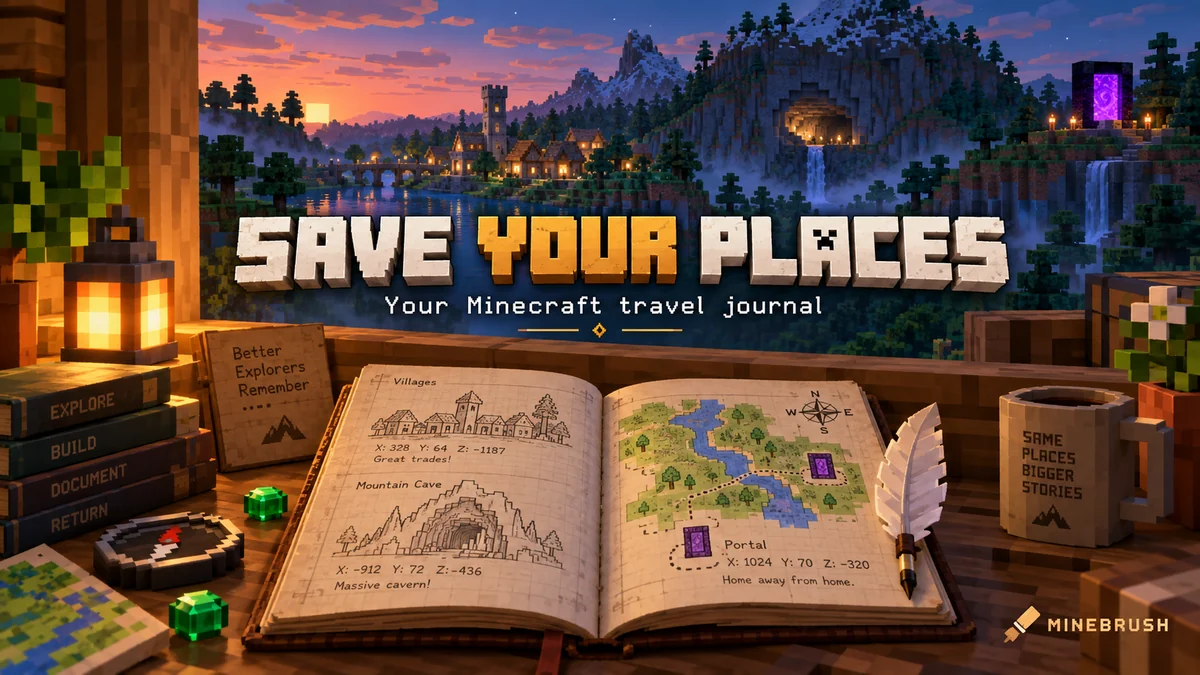
A good coordinate note lets you return to a useful place without searching for it again. Save your base before exploring, mark the entrance to a promising cave, and give friends an address they can actually follow. You only need a place name, the dimension, X/Y/Z and one useful arrival hint. A phone note works just as well as an elaborate journal.
Make your first entry before leaving home
- Stand at your front door or another safe meeting point.
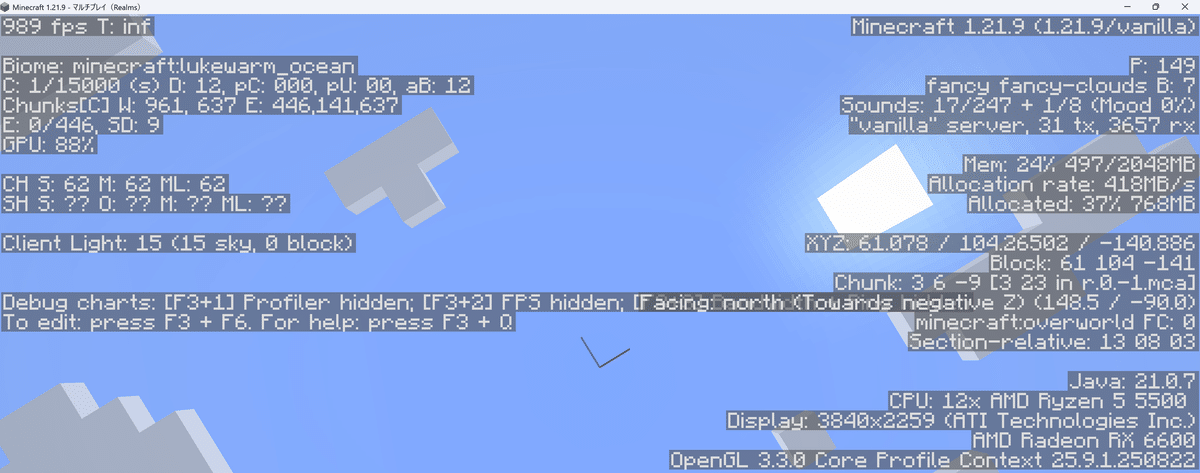
- Read your coordinates: Java uses the debug display; Bedrock has a Show Coordinates setting. Our seed scouting guide shows both interfaces.
- Write the world name and dimension, then copy X, Y and Z in that order, including minus signs.
- Add a landmark such as “oak door beside the wheat field.” Save the note somewhere you can still open if you die.
There is no need to record your seed every time you mark a chest in your own world. Seed and game-version details become useful when someone wants to generate a separate world from your discovery.
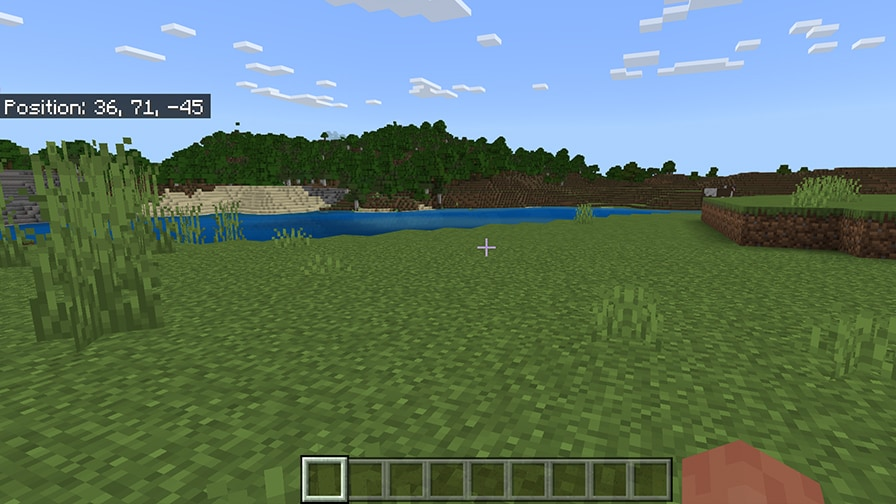
A short template you can use immediately
Copy these lines into your notes and replace the brackets:
World/server: [your world name]
Place: [base front door]
Dimension: [Overworld / Nether / End]
X: [number] Y: [number] Z: [number]
Arrival hint: [entrance, landmark or safe approach]
Useful for: [supplies, meeting up, exploring later]
Example only: “Weekend world — Home door — Overworld — X: -240, Y: 70, Z: 315 — enter from the wheat field; food chest inside.” These are invented teaching coordinates, not a seed recommendation or a location you should expect to find.
Which places are worth saving?
- Home and temporary camps: record the door, bed area or supply chest. Name camps by region so “home” does not become ambiguous when you move.
- Villages and trading areas: note the entrance you used and the service you want to revisit, such as a particular trading hall. Add whether it is your own build or a naturally generated village.
- Caves and underground structures: save the safe entrance as well as the deeper destination. “Cave entrance” and “spawner room” should be separate entries if the route between them is complicated.
- Farms and resource stops: identify what you actually found or built, plus any needed tool or access rule. Mark a mined-out deposit as used so you do not travel back expecting untouched ore.
- Portals: record the coordinates on both sides after travelling through. Give the pair a shared name, such as “Home portal,” and label each dimension.
- Future projects: keep a short “visit later” list for a scenic build site, a biome you want to explore or a friend's proposed meeting point.
Start with a few places you genuinely need. A journal that is quick to search is more useful than hundreds of unnamed numbers.
Copy coordinates without the common mistakes
X and Z locate you horizontally; Y is height. Preserve the displayed order and each minus sign. X: -240 is a different location from X: 240. For a normal meeting point, whole-block coordinates are enough; decimal precision adds little practical value.
Do not drop Y from an underground address: the same X/Z can put one player on a hill and another in a cave far below. Also state the dimension explicitly. An Overworld address is not a Nether address, even if the three numbers match.
For portals, copying the actual arrival position is more useful than assuming where a coordinate conversion ought to lead. Note the real linked portal and the path from it. Never dig straight down just because the destination has a lower Y value.
Choose a way to keep your notes
Phone or computer notes: quickest for most players
Use one document per world and a consistent prefix: HOME, VILLAGE, CAVE, PORTAL or PROJECT. A searchable note is convenient when you have many locations. Keep it accessible outside Minecraft; a screenshot buried among hundreds of images is much harder to find during a rescue trip.
If you capture coordinates in a screenshot, add a clear filename or album label immediately. Capture the actual entrance or landmark too, so future you understands what those numbers describe.
Book and quill: an in-world travel journal
Craft a book and quill from a book, feather and ink sac. Hold it and use it to open the writing interface. Put one destination on a page and use Done to save your writing. Leave a working journal unsigned so you can keep editing it; Sign finalizes it. A finished book on a lectern can serve as a shared base directory.
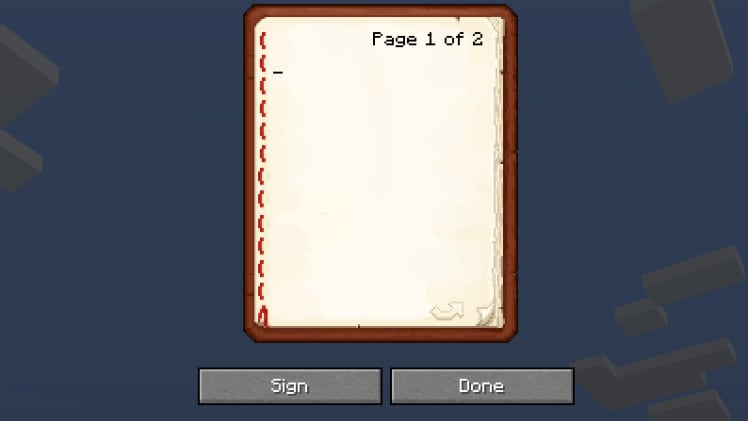
A journal carried in your inventory can be lost with your other items. Keep essential home and portal addresses in an external note too. For a shared base, make sure the directory stays readable to the people who need it rather than travelling in one explorer's pocket.
Signs and waypoints: useful alongside the journal
Signs are good for decisions on an existing route: label a tunnel junction or the portal that leads home. They do not help if you have lost the route entirely, so keep the destination coordinates as well.
If your setup already includes a waypoint mod, use descriptive names and the correct dimension. Waypoints are optional; this method also works in an unmodified world. On a shared server, follow its rules about client mods and private locations.
Help a friend reach the right entrance
Send the world or server name, dimension and complete coordinates together. Add the last part of the approach: “surface entrance on the north bank” or “use the marked stairs beside the storage room.” Mention a real obstacle such as a water crossing, a drop or a door they need permission to open.
For a long journey, include one or two useful intermediate stops rather than a long trail of coordinates. Read our route-planning guide for choosing a safe approach and a way home.
Keep private base coordinates within your group. Before sharing a screenshot publicly, check whether chat, player names or server details reveal something your friends did not intend to publish.
Sharing a seed discovery is a different task
A friend joining your existing world needs its address and access. Someone creating a new world also needs the seed, Java or Bedrock edition, game version and any world-generation settings or mods that matter. Coordinates alone cannot recreate your world.
Describe what should exist naturally, such as a village entrance, separately from things you built or changed. Your bridge, stored items and player-made farm will not appear just because someone enters the same seed. Say whether you visited the location in the game or only spotted a prediction in a map viewer.
Older explored terrain can differ from terrain generated fresh in a newer version. If someone finds a different landscape, compare editions, versions and settings before sending them on another long journey. Our seed compatibility guide explains the checks.
Keep the journal useful as your world changes
- After moving: rename the old base and put the new home at the top. Keep the old entry if supplies remain there.
- After rebuilding a route: replace the arrival hint with the current entrance. A correct address with a blocked doorway is still a frustrating instruction.
- After a resource trip: mark a site “explored,” “mined out” or “return with supplies” when that helps your next decision.
- After a server reset: start a new world section. Old coordinates should not silently become directions for a replacement map.
If the saved location does not help
- Right numbers, wrong place: check the world, dimension, minus signs and X/Y/Z order first.
- Standing above the destination: compare Y and find the recorded entrance instead of digging down.
- You died with the journal: use the external copy of your home address; set one up before the next outing if you did not have one.
- A friend arrives but cannot find you: agree on a specific meeting block or doorway and add a visible landmark.
- The book will not let you edit: a signed book is finalized. Keep your changing travel notes in an unsigned book and quill or an external document.
- A recreated seed lacks your build: share the actual world save if you want someone to receive your construction and progress; a seed only supplies generation input.
Sources and further reading
- Mojang: Exploring Minecraft — reading coordinates in Java and Bedrock.
- Duncan Geere / Mojang: Book and Quill — writing, saving and signing; original screenshot, July 11, 2025.
- Microsoft: world generation — how seeds and generation settings affect terrain.
The cover is an original MineBrush editorial illustration. The in-game illustration is credited to its source above.
More from MineBrush.
Share a Minecraft Seed — Help friends find the same place: copy the seed, match Java or Bedrock and the version, read XYZ coordinates and describe a useful route with screenshots.
- Edition
- Cross-edition
- Difficulty
- Beginner
- Time
- A short check
A seed recreates terrain, not your builds
MineBrush · Guide
Share a Minecraft Seed
Share a Minecraft Seed — Help friends find the same place: copy the seed, match Java or Bedrock and the version, read XYZ coordinates and describe a useful route with screenshots.
A seed recreates terrain, not your builds
- Minecraft version
- Java and Bedrock; match your world version
- Game edition
- Cross-edition
- Platform family
- Cross-edition
- Supported devices
- PC, console and mobile
- Install format
- No installation needed
- Touch readiness
- Not required
- Resource type
- Guide
- Compatibility confidence
- Not applicable
- Card evidence statement
- Find the seed and read coordinates
- Card delivery statement
- Versions, directions and screenshots
- Card limitation note
- A seed recreates terrain, not your builds
- Edition applicability
- Java + Bedrock
- Estimated time
- A short check
- Guide difficulty
- Beginner
- Delivery state
- No file
- Lifecycle state
- Current
Missing the village or landscape from a seed post? Match editions, versions and world settings, compare real map examples and understand what changes in an older save.
- Edition
- Cross-edition
- Difficulty
- Beginner
- Time
- Work at your own pace
Compare the place you want, not just the seed number
MineBrush · Guide
Why Your Seed Looks Different
Missing the village or landscape from a seed post? Match editions, versions and world settings, compare real map examples and understand what changes in an older save.
Compare the place you want, not just the seed number
- Minecraft version
- Match the world generation version
- Game edition
- Cross-edition
- Platform family
- Cross-edition
- Supported devices
- Java and Bedrock
- Install format
- Seed comparison and world update guide
- Touch readiness
- Check guide
- Resource type
- Guide
- Compatibility confidence
- Source claimed
- Card evidence statement
- Real map comparison and official update guidance
- Card delivery statement
- Use your own seed or world copy
- Card limitation note
- Compare the place you want, not just the seed number
- Edition applicability
- Java + Bedrock
- Estimated time
- Work at your own pace
- Guide difficulty
- Beginner
- Delivery state
- No file
- Lifecycle state
- Current
Reach a village, new base or cave without losing the way home. Read coordinates, choose a sensible path, mark useful landmarks and use maps or compasses correctly.
- Edition
- Cross-edition
- Difficulty
- Beginner
- Time
- Plan before your trip
Useful waypoints, sensible supplies and a return path
MineBrush · Guide
Find Your Way and Get Home
Reach a village, new base or cave without losing the way home. Read coordinates, choose a sensible path, mark useful landmarks and use maps or compasses correctly.
Useful waypoints, sensible supplies and a return path
- Minecraft version
- Java and Bedrock
- Game edition
- Cross-edition
- Platform family
- Cross-edition
- Supported devices
- Java PCs · Bedrock devices
- Install format
- Coordinates, landmarks and navigation guide
- Touch readiness
- Check guide
- Resource type
- Guide
- Compatibility confidence
- Source claimed
- Card evidence statement
- Official navigation guidance and illustrations
- Card delivery statement
- Plan a route in your own world
- Card limitation note
- Useful waypoints, sensible supplies and a return path
- Edition applicability
- Java + Bedrock
- Estimated time
- Plan before your trip
- Guide difficulty
- Beginner
- Delivery state
- No file
- Lifecycle state
- Current
Player discussion 0
Questions, discoveries and help from other players.