
MineBrush publication
Minecraft Trial Potions: Recipes, Uses and Effect Triggers
Brew Infestation, Oozing, Weaving and Wind Charging, choose the right target, and understand exactly what triggers each effect. Illustrated recipes and practical uses for Java and Bedrock.
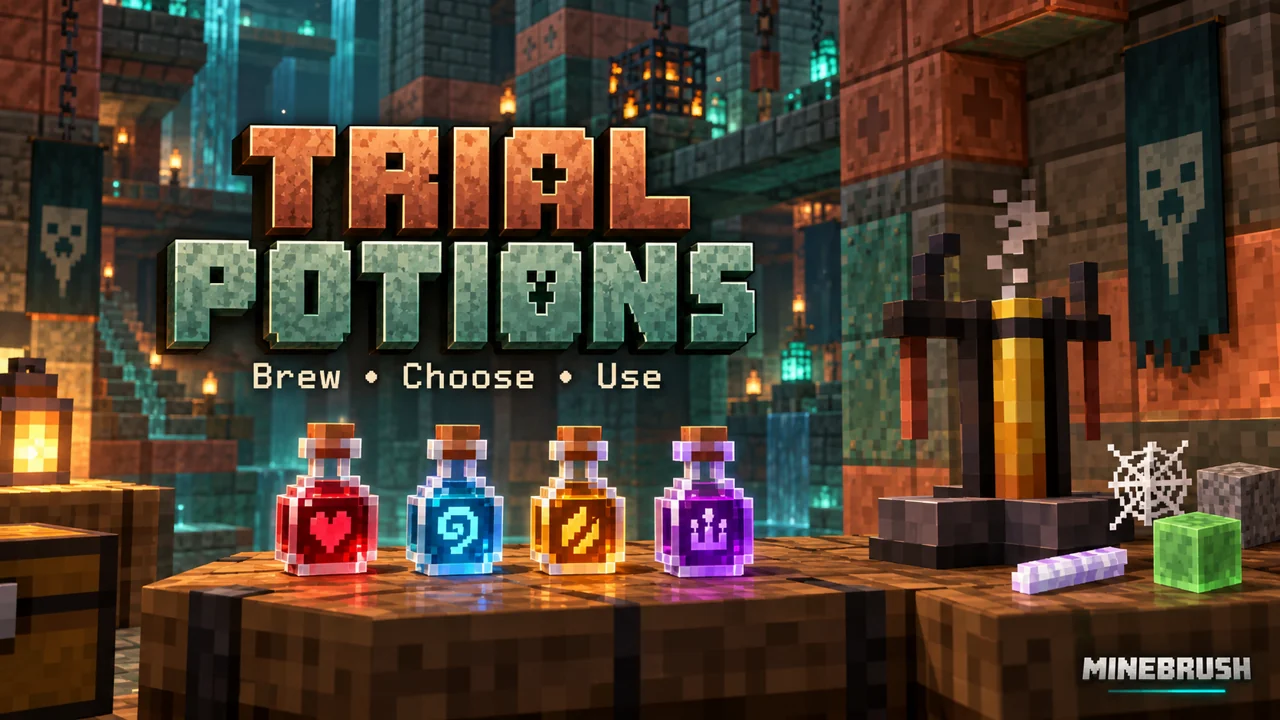
Choose these potions by what should happen next: silverfish after damage, or slimes, cobwebs and a wind burst after a mob dies. This guide covers the four effects introduced in Tricky Trials, their brewing recipes and small practical ways to use them. They are ordinary released features from Java 1.21 and Bedrock 1.21 onward; no mod or experiment is needed.
Choose an effect · Brew your first batch · Practical uses · Java and Bedrock · Solve problems
Which potion do you need?
- Infestation: add a stone block to an Awkward Potion. Damage to the affected entity can release silverfish. Choose it for a controlled silverfish demonstration, not as a defence buff.
- Oozing: use a slime block. An affected mob releases two slimes when it dies. Useful when exploring an alternative slime source.
- Weaving: use a cobweb. The affected entity leaves webs on death and moves through existing webs more easily. Useful for web collection or a cobweb obstacle course.
- Wind Charging: use a breeze rod. The affected entity produces a wind burst on death. It suits a contained combat or knockback demonstration.
The official Java release notes document these recipes and triggers. Wind Charging is not a flight potion. It is also different from the throwable Wind Charge item and the mace’s Wind Burst enchantment. Drinking it will not launch you into the air.
Brew one small batch before making a stockpile
Have a brewing stand, blaze powder for its fuel slot, water bottles, nether wart and your chosen ingredient ready. A stand can process up to three bottles together, so use three when you want several bottles of the same effect. A found brewing stand still needs fuel; Mojang’s brewing-stand guide explains the equipment.
- Put blaze powder in the fuel slot and water bottles in the lower slots.
- Put nether wart in the upper ingredient slot. Wait for the bottles to become Awkward Potions.
- Replace the consumed ingredient with stone, a slime block, a cobweb or a breeze rod. Wait for brewing to finish.
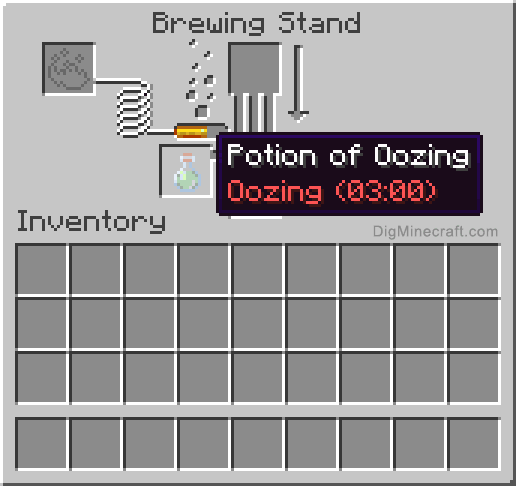
- Read the bottle’s name before removing it. The regular bottle has a three-minute effect; a bottle labelled Awkward is only the unfinished base.
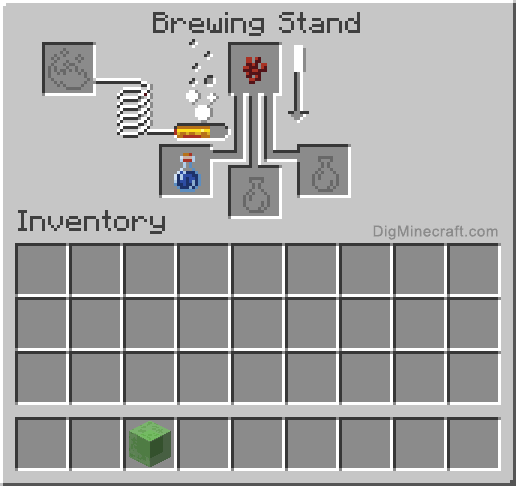
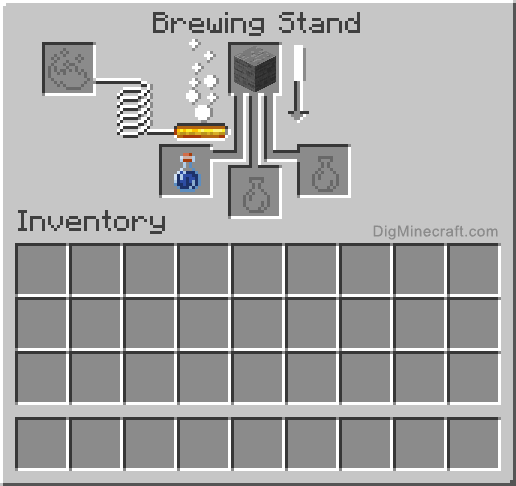
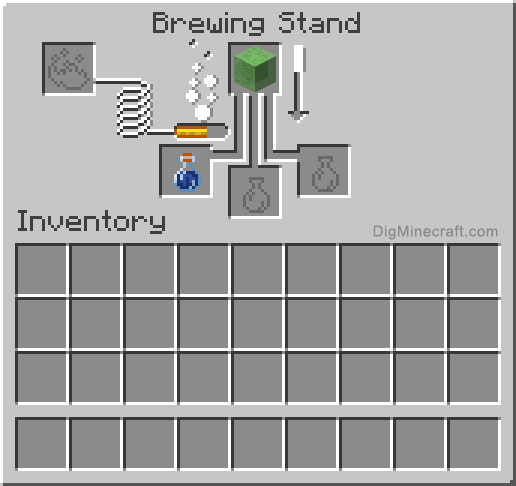
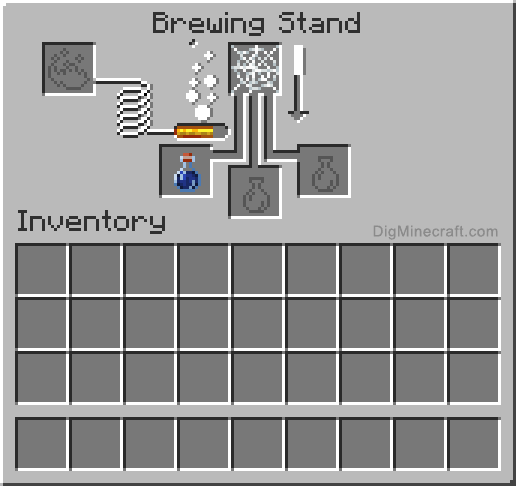
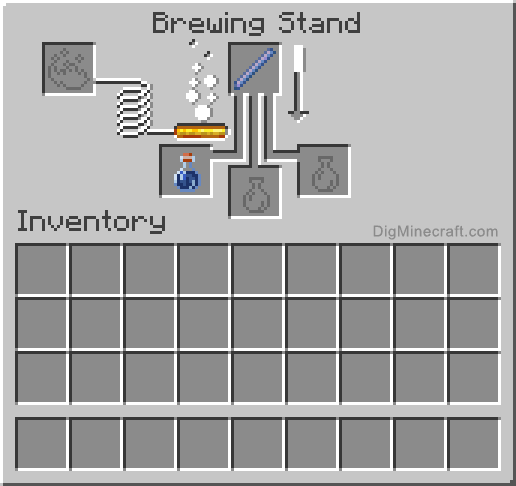
Choose the actual item: stone rather than cobblestone, a slime block rather than a slimeball, a cobweb rather than string, and a breeze rod rather than a Wind Charge. Keeping one labelled ingredient chest beside the stand helps prevent these easy mix-ups. The screenshots below show the ingredient slot and bottle slots; their interface is an illustrated reference from DigMinecraft, not a MineBrush gameplay capture.
Drink, throw or leave a cloud?
A regular bottle applies the effect to the drinker. For a mob demonstration, make a splash potion by brewing the finished potion with gunpowder, then throw it at the intended target. This avoids applying a death-triggered effect to yourself just to see what it does. Aim near the target rather than assuming everything in a large pen was affected.
Brewing a splash potion with dragon’s breath creates a lingering potion: the thrown bottle leaves an effect cloud. This needs an extra ingredient and is unnecessary for your first single-target example. DigMinecraft illustrates splash conversion and lingering conversion. Compare the finished bottle’s tooltip rather than assuming every delivery method has the same duration.
Four useful small projects
1. Start with Oozing if you want a slime source
Use an enclosed, well-lit work area with a clear observation side. Prepare a splash potion, isolate one suitable mob and apply the effect. Defeat that mob while the effect is active, then deal with the slimes before repeating. Keep the collection area separate from your ingredient chest and walkway.
This is a way to explore potion-based slime collection without committing to a large farm. It still costs a slime block to brew: it does not give a player with no slime at all a free starting ingredient. Begin with one batch and decide whether the supply and cleanup fit your base. Do not assume a crowded farm scales linearly.
2. Use Weaving for a web-themed room or obstacle course
For the death-triggered effect, choose a clear patch of floor in a separate pen, apply a splash potion to one mob and defeat it while the effect lasts. Leave space for the resulting webs and a route around them. Decide where the collection or obstacle area should go before expanding the setup.
For movement practice, use an existing short cobweb obstacle in a separate practice world and compare crossing it with and without the effect. You still move slowly; this is not complete immunity. Keep a normal exit alongside the obstacle so players do not have to finish the course to leave.
3. Treat Infestation as a chance-based trigger
Use a small contained area away from important builds. Apply the splash potion to one eligible target, then deal damage while the effect is active. One hit without silverfish does not prove the potion failed. Stop after a small demonstration and clear the spawned mobs rather than repeatedly dosing a crowd.
This is useful for understanding silverfish encounters or designing a supervised challenge. It is a poor choice for casually drinking while exploring: taking damage can create another problem beside you.
4. Demonstrate Wind Charging on level ground
Build a simple arena with clear standing positions, room for knockback and no nearby cliff. Apply the effect to a target and defeat it; watch for the burst at death. For a multiplayer challenge, explain the trigger before players enter, so the final hit is a deliberate choice.
Do not build a survival route around dying to activate this potion. If your goal is an on-demand jump, you are looking for the throwable Wind Charge instead. A potion icon or swirling particles indicate an active effect, not that the death-triggered event has already happened.
What Java and Bedrock players should keep separate
The Bedrock 1.21 release notes confirm the same four ingredient-and-trigger pairings. Infestation has a 10% chance per qualifying damage event to create one or two silverfish. Slimes are immune to Oozing, and silverfish are immune to Infested. An immune target is not a valid check that your batch works.
For larger Java setups, the release notes describe a nearby-slime limit tied to the entity-cramming rule. Do not transplant a Java farm’s entity handling or advertised output into Bedrock. The recipes are shared; a complete farm design needs instructions for your actual edition, game version and server rules.
In ominous trials these effects can become part of the encounter itself. Watch the floor and affected mobs as well as your health: the danger may appear when a target takes damage or dies. For rooms, rewards and preparation, continue with our Tricky Trials guide.
If the result is not what you expected
- The stand does nothing: check fuel, the bottle type and the ingredient. Water needs the nether-wart stage first.
- The bottle still says Awkward: the effect ingredient has not finished brewing or is the wrong item.
- A splash seemed to do nothing: confirm it reached the target; then check the trigger. Throwing Oozing does not immediately spawn slimes.
- Infestation produced nothing on one hit: it is a chance, not a guaranteed spawn on every hit.
- No result from a slime or silverfish: check the immunity rules above.
- The result stopped in a crowded Java pen: clear nearby slimes and recheck with one target before changing the recipe.
- You expected flight: Wind Charging waits for death; use a Wind Charge for the separate throwable mechanic.
Image and source credits: Minecraft mechanics are documented by Mojang Studios in the linked release notes. Brewing interface images are from DigMinecraft’s individual potion tutorials, with unchanged originals linked under each image. The small practice projects are MineBrush suggestions based on those mechanics, not tested farm blueprints or promised production rates.
More from MineBrush.

Find trial chambers, beat the breeze, match keys to vaults and prepare for ominous trials. Learn mace and wind-charge tricks, build your first crafter and put copper, tuff and dungeon rewards to use.
- Game released
- Java
- 1.21 · Stable
- Bedrock
- 1.21 · Stable
Focus Trial chambers, vault rewards, mace combat, wind charges and automatic crafting
Topic Tricky Trials
Install Included in the official game update
Back up before updating
Java + Bedrock · Release
Tricky Trials
Find trial chambers, beat the breeze, match keys to vaults and prepare for ominous trials. Learn mace and wind-charge tricks, build your first crafter and put copper, tuff and dungeon rewards to use.
Back up before updating
- Update type
- Major release
- Release channel
- Unknown / not stated
- Official release date
- 2024-06-13
- World safety
- Back up before updating
- Player impact
- Trial chambers, vault rewards, mace combat, wind charges and automatic crafting
- Platform family
- Cross-edition
- Supported devices
- Java: Windows, macOS, Linux. Bedrock: supported Windows, mobile and console devices.
- Install format
- Included in the official game update
- Touch readiness
- Not required
- Resource type
- Update
- Last verified at
- Sep 18, 2026
- Update state
- historical
- Compatibility confidence
- Source claimed
- Bedrock version/build
- 1.21
- Card delivery statement
- Included in the official game update
- Edition applicability
- Java + Bedrock
- Java version/build
- 1.21
- Shared update topic
- Tricky Trials
- Delivery state
- No file
- Lifecycle state
- Superseded
- Java update channel
- Stable
- Bedrock update channel
- Stable
Player discussion 0
Questions, discoveries and help from other players.