
MineBrush publication
Bedrock & Stuff: Player Animations, 3D Items and Bedrock Downloads
Give everyday movement and held items more personality. See creator screenshots, learn how to use and combine the pack, and download the current or previous Bedrock release.
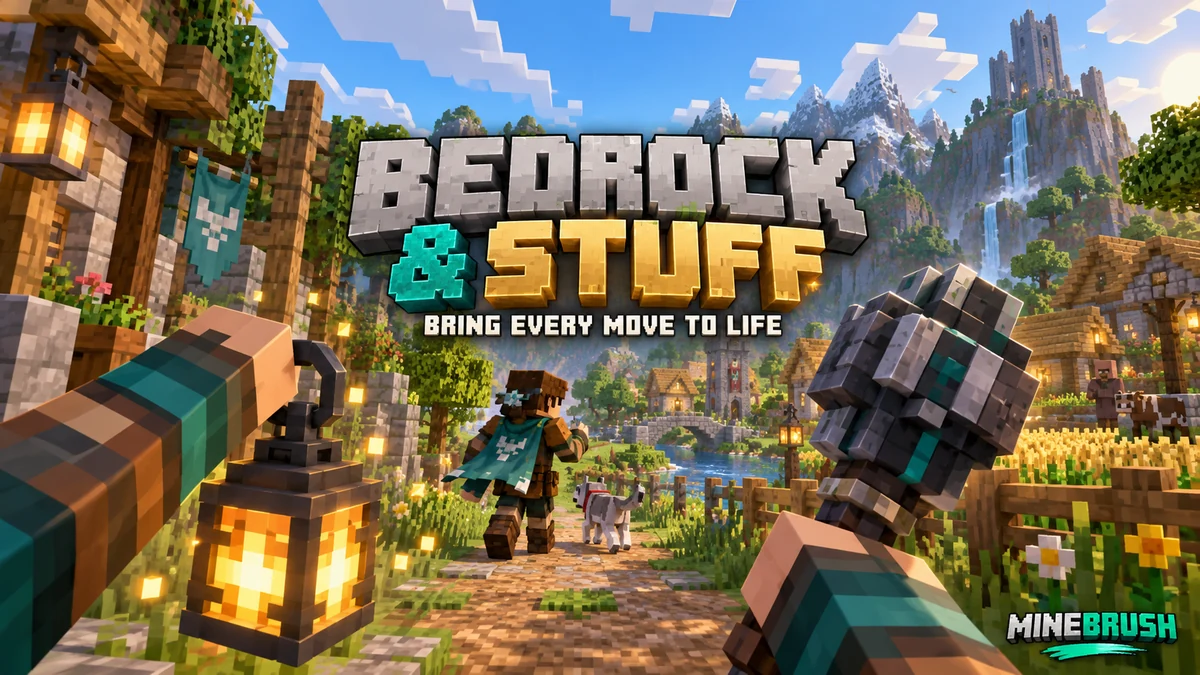
Bedrock & Stuff gives Minecraft Bedrock a more expressive player and held-item presentation. It focuses on movement, item poses and animated details while keeping a familiar Minecraft look. If you enjoy seeing your character move through a village, carrying a lantern on an expedition or recording a build tour with more interesting foreground items, this resource pack is worth a look.
The current download is the 22 August 2026 release, listed by the creator for Bedrock 26.40 and 26.0. The previous 6 August file is available separately for 26.30 and 26.0. Choose the file that matches your game; both original releases are attached below.
What changes when you use it?
The creator describes smoother player movement and more natural actions. The pack also includes first-person item presentation, held-item models and visual definitions for many familiar mobs. Its files cover actions such as walking, sneaking, swimming, crawling, holding a bow and using a shield. These are visual changes to things you already do in Minecraft.
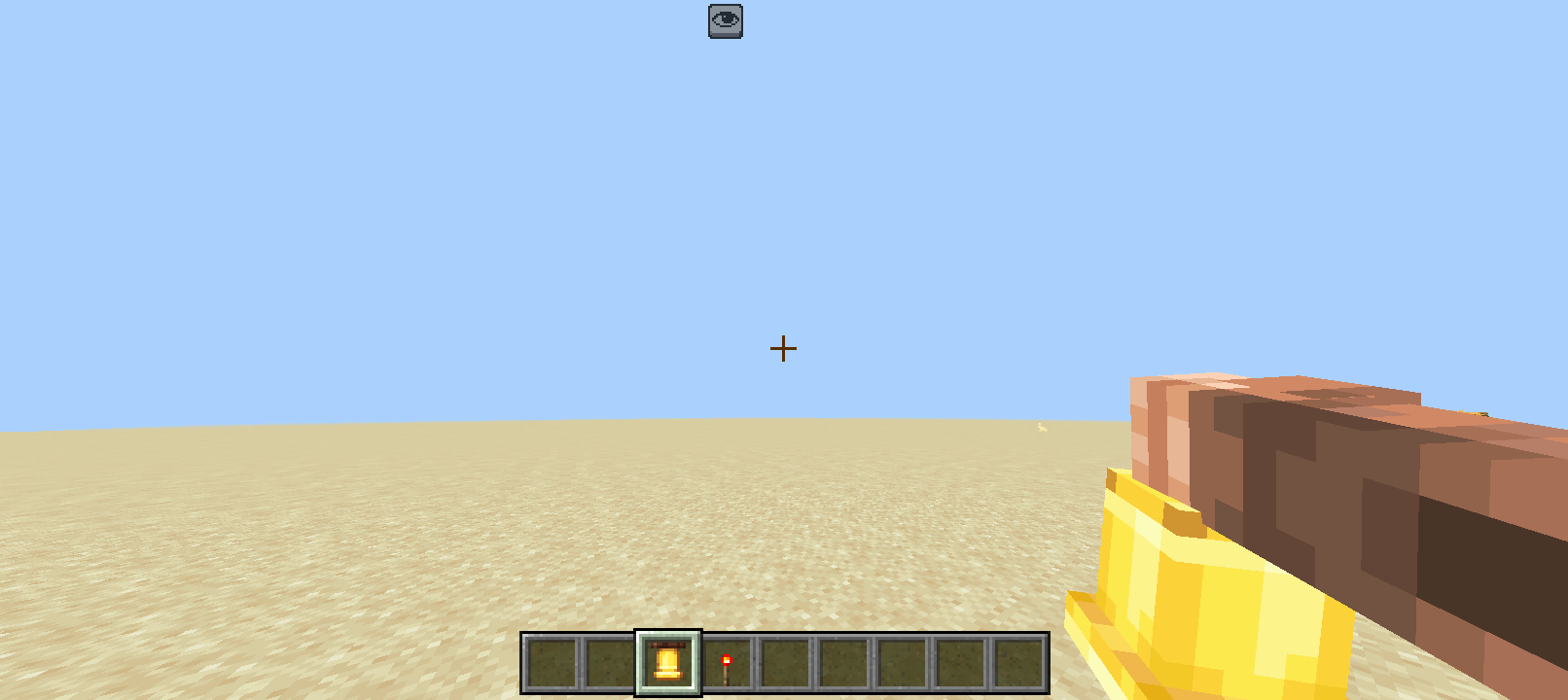
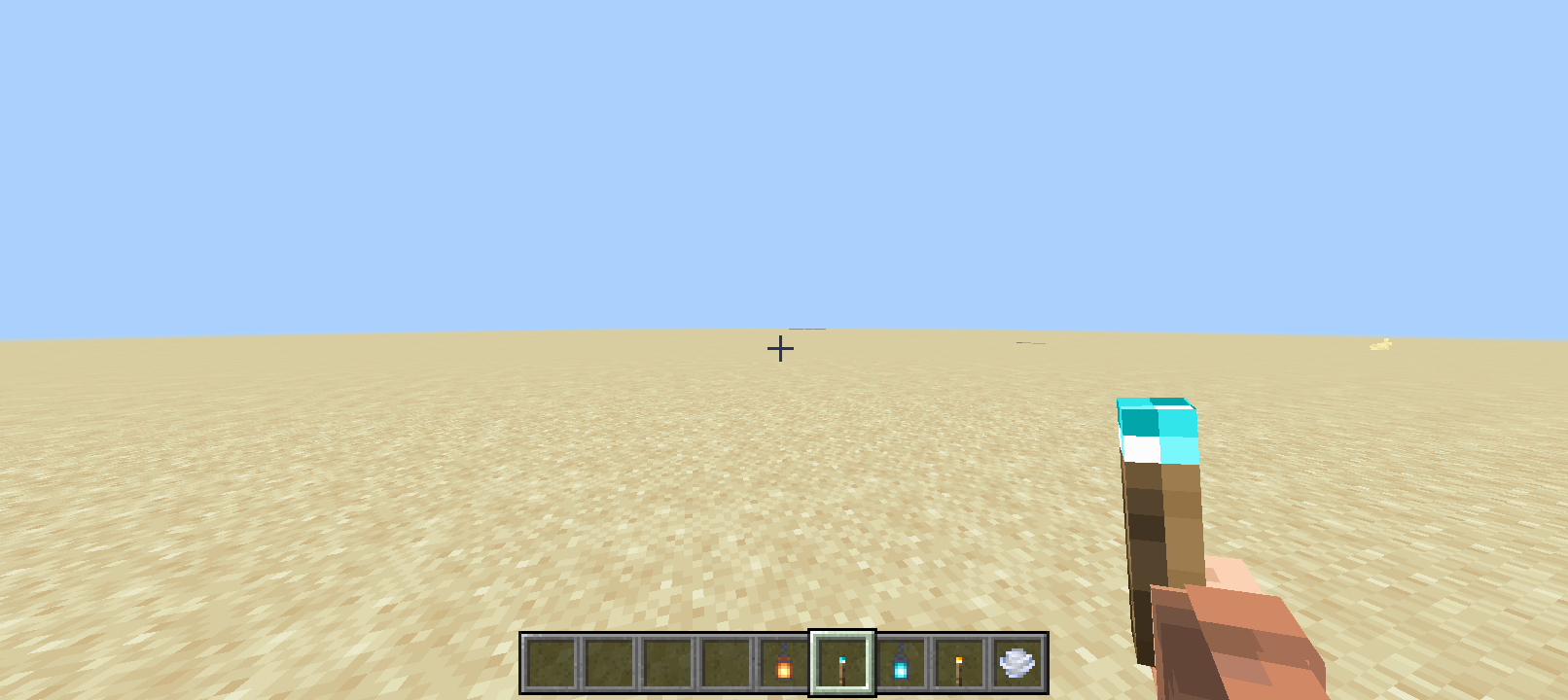
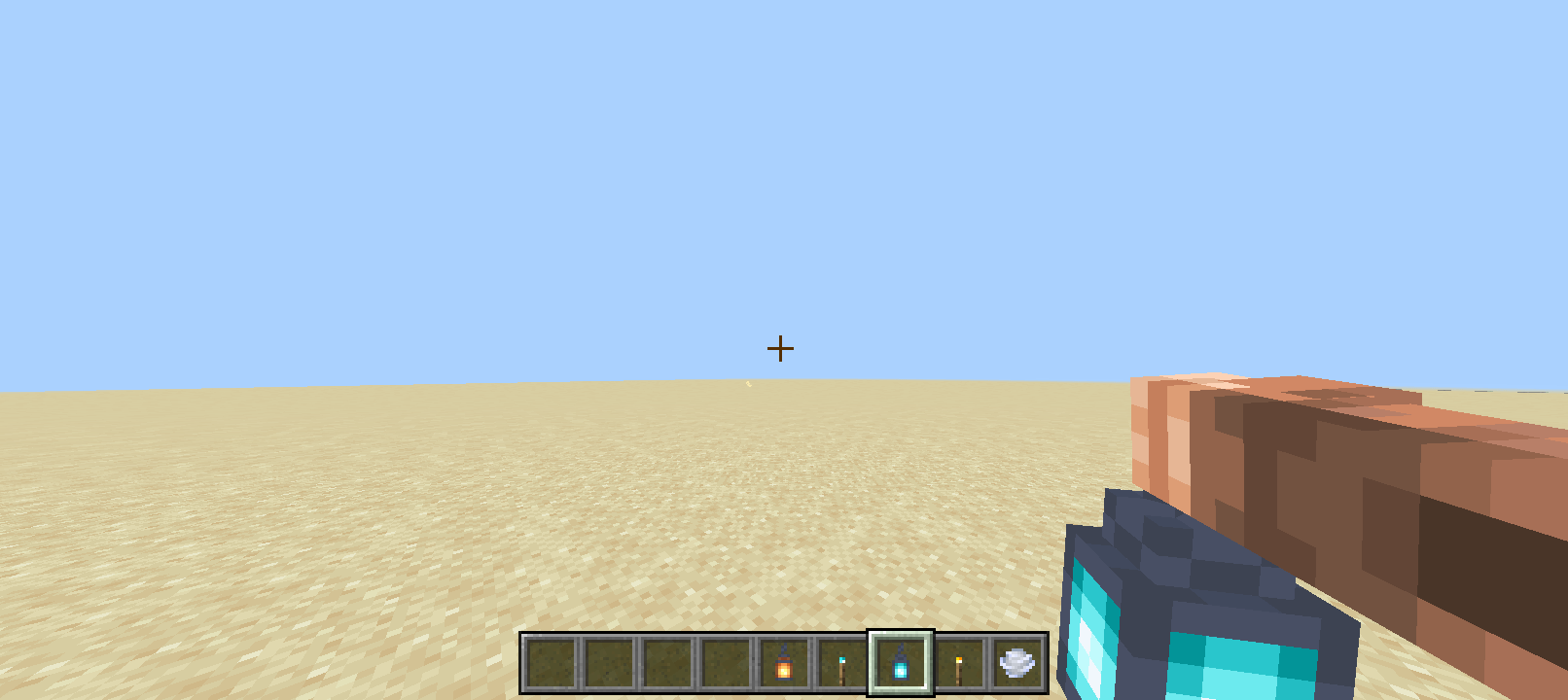
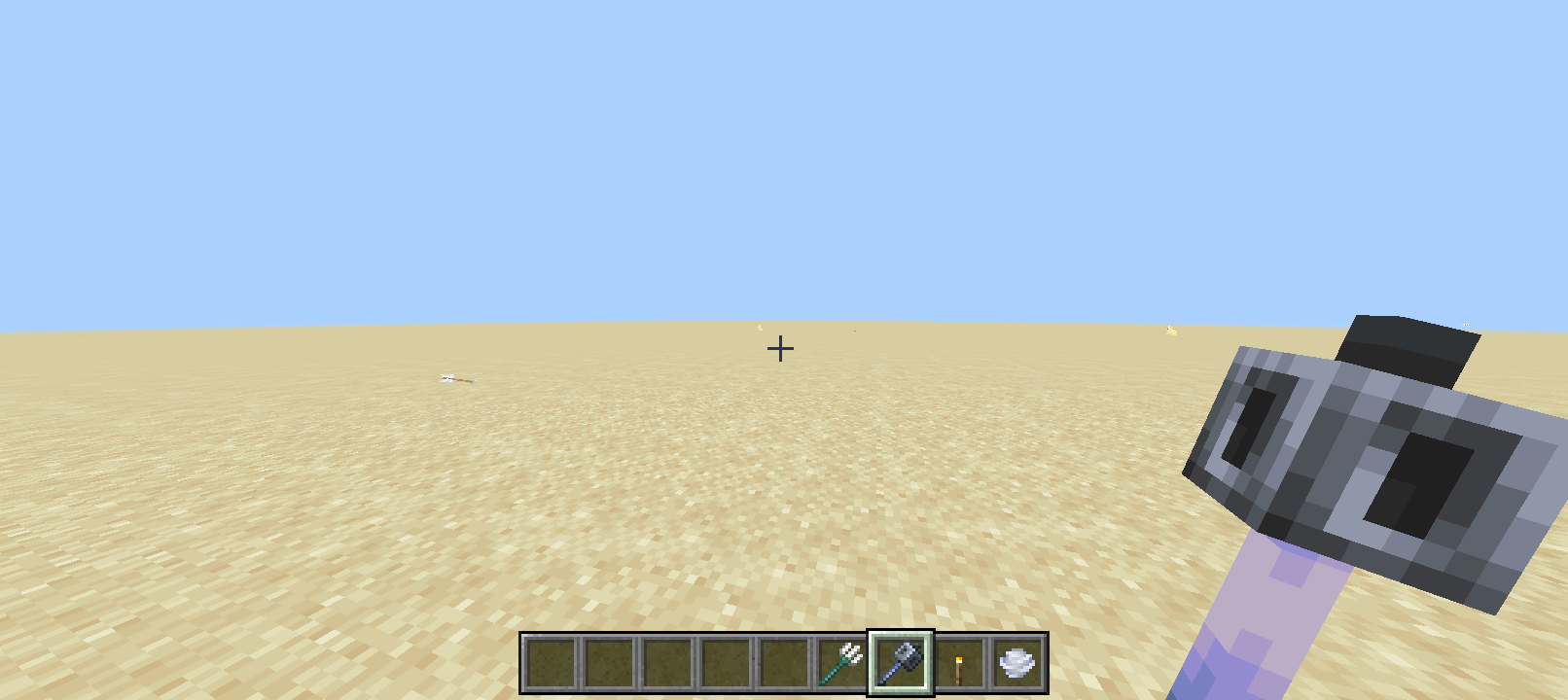
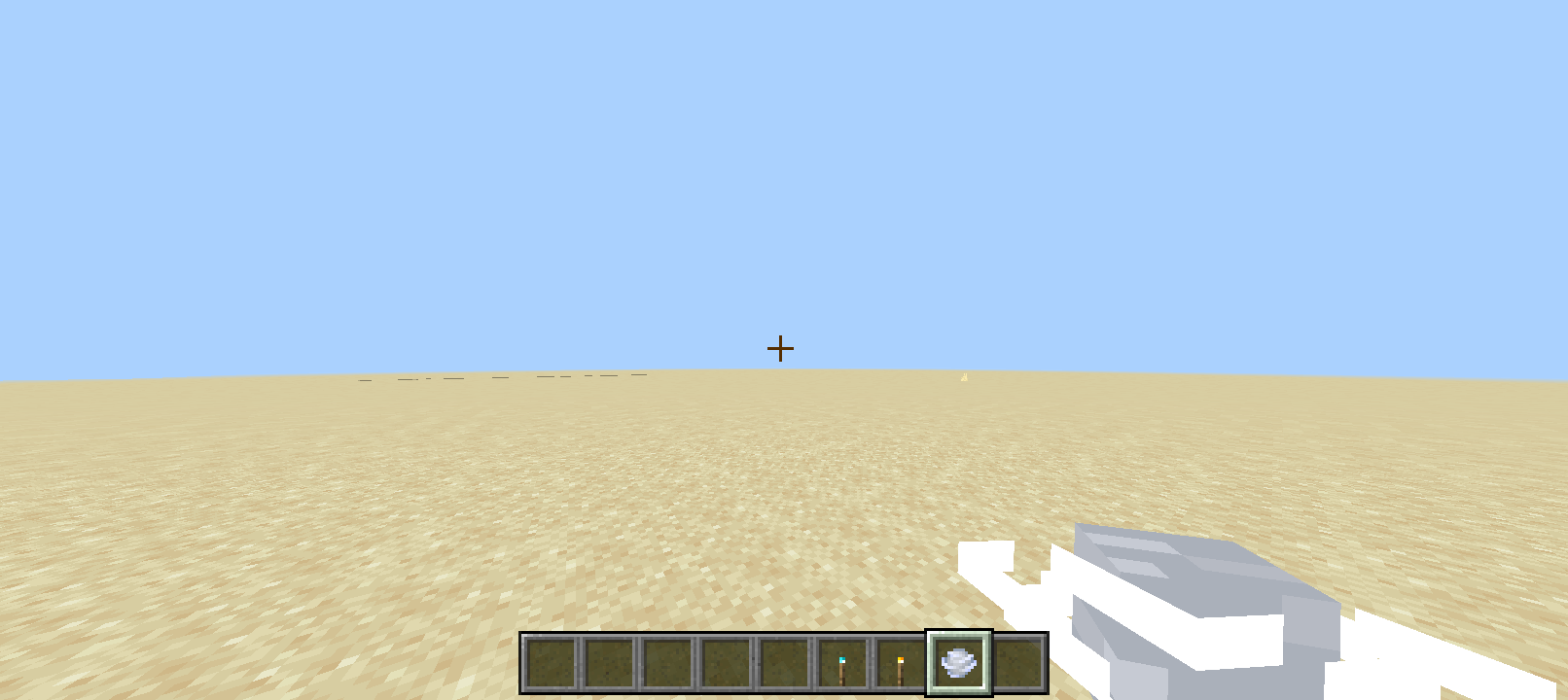
- Items in your hands: the gallery shows bells, torches, lanterns, a mace and a wind charge with a more substantial first-person appearance.
- Your character in motion: use a third-person camera to look at movement and carried-item poses while walking, swimming or exploring.
- A livelier everyday view: the package includes visual work for creatures and common tools, so the scope extends beyond one showcase item.
This is a resource pack, not a new survival system. It does not add a quest line, a new crafting progression or stronger weapons. A different-looking mace still follows the game’s normal combat rules. The creator does not provide an item-by-item demonstration of every animation, so the gallery below shows the specific appearances you can actually inspect before downloading.
Good ways to use Bedrock & Stuff
- Refresh an existing survival playthrough: keep your world and usual goals, but make carrying tools, moving around your base and travelling feel visually different.
- Make build tours more personal: carry an item that suits the scene, such as a lantern in a mine or a bell in a village square. It gives a first-person recording a useful foreground detail.
- Show off a skin in third person: look at your character while moving and using ordinary equipment, instead of judging the pack only from an inventory screen.
- Create a small item showcase: use a Creative world to compare torches, lanterns and tools in the same place. Keep the camera and background similar so the model differences are easy to see.
- Build a restrained visual setup: start with this pack alone, then add a favourite block-texture pack if their item and animation changes do not overlap.
A held torch or lantern in a screenshot is not proof of dynamic lighting. The pack’s published description does not promise that carried lights illuminate nearby blocks. Choose it for animation and item presentation, rather than expecting a shader or a lighting engine.
Download the right release
Current file — 22 August 2026
For Bedrock 26.40 and 26.0. Select this release if you play the creator-listed 26.40 version. The creator has not published a changelog for this file, so there is no confirmed list of fixes to compare with the older release.
Previous file — 6 August 2026
For Bedrock 26.30 and 26.0. This is the older original package, kept for players who need that release. It is an alternative download, not a second component to activate alongside the current pack.
Both files use the same pack identity and internal version. If Minecraft reports a duplicate when switching releases, remove the installed copy of bedrock & stuff through the game’s Storage settings, then import the release you want. Keep the downloaded file of your previous choice if you may want to return to it.
Import and activate it
- Download one .mcpack file. Keep it as a .mcpack; you normally do not need to extract it.
- Open it with Minecraft Bedrock. On Windows, double-click the file. On Android, open it from Downloads and choose Minecraft where available. On iPhone or iPad, use the Files app’s Share/Open in Minecraft route.
- Wait for the import message. Importing makes the pack available; it does not necessarily activate it for your world.
- Choose where to use it. For one world, open that world’s edit screen, then Resource Packs → My Packs → bedrock & stuff → Activate. For your general personal appearance, use Settings → Global Resources → My Packs → Activate.
- Load the world and try familiar actions. Carry a lantern, walk around, switch camera perspective and use a tool. Make sure the result suits your play style before building a larger pack stack around it.
This download is for Bedrock on devices that can import community files. It is not a Java resource pack. Consoles do not provide the same ordinary file-import workflow as Windows and mobile, so downloading the .mcpack to a console browser is not an equivalent installation method.
The package contains a resource module, with no companion behaviour pack listed as required. The creator does not ask you to enable experiments. You should not need to change your world’s survival rules just to try its visuals.
See the differences in a few minutes
- Choose a clear area with a plain background, so a held item is not lost against busy scenery.
- Compare an empty hand, a torch, a lantern and a mace. Switch items and look at their position while standing and walking.
- Change to third-person view to inspect your character’s movement. Try sneaking and swimming somewhere convenient.
- If you record a clip, include a few seconds of movement and an item switch. A still screenshot cannot show animation timing or transitions.
- Return to your usual world once you know which changes you enjoy. You can deactivate the pack later without replacing the world itself.
Combining it with other packs
Animation packs and 3D item packs often change the same parts of the game. If you enable several together, some poses, models or effects may come from a different pack than you expected. Begin with Bedrock & Stuff alone, then add your other packs one at a time.
For overlapping resources, packs higher in the active list normally take priority. Place Bedrock & Stuff above another pack when you want its item appearance to win, then check a few items you use often. Reordering cannot guarantee compatibility between two different animation systems.
Do not assume that a similarly named pack is a dependency. The Raylo project linked here is its own resource pack; it is not the Marketplace product Actions & Stuff or the unrelated Java mod called Bedrock Stuff.
Common problems and quick fixes
- Minecraft opens but nothing looks different: check that the pack is in the Active list for the world or in Global Resources. Try one of the items shown in the gallery.
- Duplicate pack detected: the two archived releases share an identity. Deactivate and remove only the installed Bedrock & Stuff resource pack in Settings → Storage, then import your chosen file.
- An item has the wrong colour or shape: disable other item and animation packs first. If the problem remains, deactivate this pack for that session and report the specific item and Bedrock version on the creator’s page.
- A bundle or wind charge behaves visually oddly: these are useful items to check when diagnosing this release. The package has overlapping definitions for some variants; avoid editing the archive yourself just to force a result.
- Movement feels too busy or performance drops: remove overlapping animation packs and compare the same scene with this pack disabled. No measured FPS improvement is promised.
- The file is not offered to Minecraft: make sure you downloaded the .mcpack itself and that the file manager is opening it with the Bedrock game, rather than displaying it as an archive.
Turn it off or return to an earlier release
Move the pack out of the Active list wherever you enabled it, then reload the world. If it was enabled in both Global Resources and a world, check both places. To change releases, keep the old download, remove the installed pack in Storage and import the other original file. Remove the resource pack, not your saved world.
Creator and sources
The CurseForge project is published by Raylo; the original package credits Rainvay / @rayloo5. MineBrush provides this player guide, optimized display copies of the gallery and a separate editorial cover. The pack and source screenshots remain credited to their creators.
Sources: creator’s project page, original gallery, 22 August file, 6 August file, Minecraft resource-pack activation and priority.
More for your Bedrock world.
Add something new to the world you already love. Bring furniture, pets or new survival activities into an existing Bedrock save. Learn how to copy your world, activate the right packs, find the first useful features and keep your progress recoverable.
- Edition
- Bedrock Edition
- Difficulty
- Beginner
- Time
- 15–30 min, plus downloading and world copying
Keep your builds; try new features on a world copy
MineBrush · Guide
Add-ons for Your Existing World
Add something new to the world you already love. Bring furniture, pets or new survival activities into an existing Bedrock save. Learn how to copy your world, activate the right packs, find the first useful features and keep your progress recoverable.
Keep your builds; try new features on a world copy
- Minecraft version
- Bedrock Edition — match the add-on release
- Game edition
- Bedrock Edition
- Platform family
- Bedrock & Mobile
- Supported devices
- Bedrock on Windows, mobile and consoles; import routes vary
- Install format
- Step-by-step world setup guide
- Touch readiness
- Yes
- Resource type
- Guide
- Compatibility confidence
- Source claimed
- Card evidence statement
- Minecraft and creator guidance; illustrated world settings
- Card delivery statement
- Choose, activate and start using an add-on
- Card limitation note
- Keep your builds; try new features on a world copy
- Edition applicability
- Bedrock
- Estimated time
- 15–30 min, plus downloading and world copying
- Guide difficulty
- Beginner
- Delivery state
- No file
- Lifecycle state
- Current
Build a Bedrock world around the features you enjoy. Combine useful add-ons, understand pack order, choose compatible visual settings and find the cause when textures, items or gameplay stop working together.
- Edition
- Bedrock Edition
- Difficulty
- Intermediate
- Time
- 20–30 min to check a pair
Make your favourite features work together
MineBrush · Guide
Build Your Bedrock Add-on Mix
Build a Bedrock world around the features you enjoy. Combine useful add-ons, understand pack order, choose compatible visual settings and find the cause when textures, items or gameplay stop working together.
Make your favourite features work together
- Minecraft version
- Bedrock Edition — match each add-on release
- Game edition
- Bedrock Edition
- Platform family
- Bedrock & Mobile
- Supported devices
- Bedrock on Windows, mobile and consoles
- Install format
- Pack selection and troubleshooting guide
- Touch readiness
- Yes
- Resource type
- Guide
- Compatibility confidence
- Source claimed
- Card evidence statement
- Microsoft guidance and creator settings examples
- Card delivery statement
- Choose features, set pack order and resolve conflicts
- Card limitation note
- Make your favourite features work together
- Edition applicability
- Bedrock
- Estimated time
- 20–30 min to check a pair
- Guide difficulty
- Intermediate
- Delivery state
- No file
- Lifecycle state
- Current
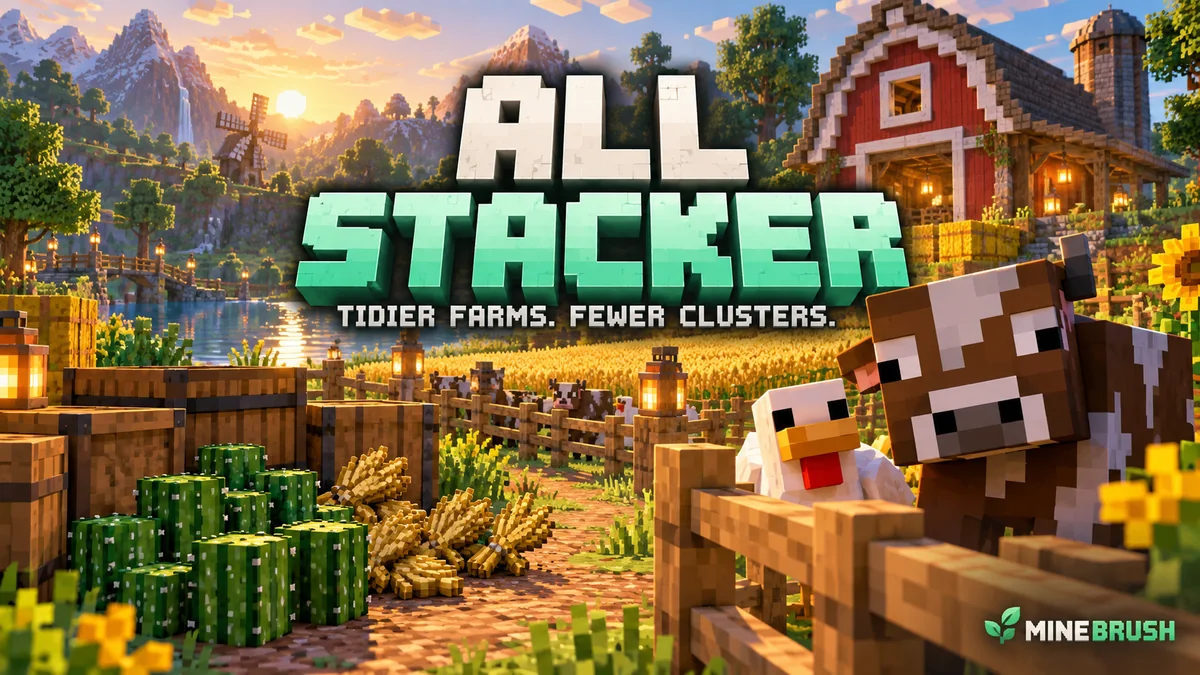
All Stacker
3.0.0Turn scattered drops and crowded farm animals into counted groups. Learn All Stacker’s settings, mass breeding and farm uses, then download the Bedrock 26.30 / 26.40 add-on.
- Minecraft
- 26.30 / 26.40
- Components
- Paired
- Package
- .mcaddon — behavior and resource packs included
Choose individual or grouped animal drops in settings
Bedrock · Add-on
All Stacker
Turn scattered drops and crowded farm animals into counted groups. Learn All Stacker’s settings, mass breeding and farm uses, then download the Bedrock 26.30 / 26.40 add-on.
Choose individual or grouped animal drops in settings
- Minecraft version
- 26.30 / 26.40
- Game edition
- Bedrock Edition
- Loader / platform
- Bedrock
- License
- MIT
- Platform family
- Bedrock & Mobile
- Supported devices
- Windows, Android and iOS file import
- Install format
- .mcaddon — behavior and resource packs included
- Touch readiness
- Not required
- Resource type
- Add-on
- Project version
- 3.0.0
- Last verified at
- Sep 7, 2026
- Compatibility confidence
- Source claimed
- Bedrock add-on packs
- Paired
- Bedrock add-on import route
- Open the .mcaddon with Minecraft; activate both included packs in the world
- Required experiments
- None
- Card evidence statement
- Count dropped items and farm animals at a glance
- Card delivery statement
- Bedrock 26.30 / 26.40 · paired packs
- Card limitation note
- Choose individual or grouped animal drops in settings
- Edition applicability
- Bedrock
- Delivery state
- Direct download
- Lifecycle state
- Current
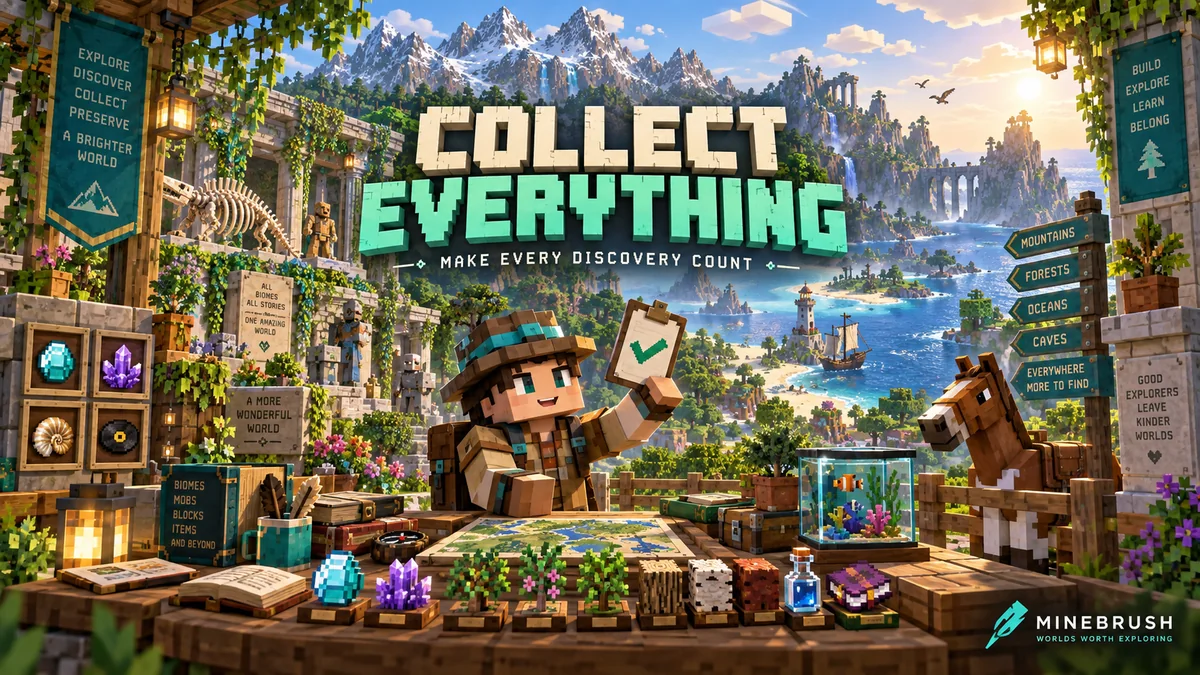
Collect Everything
1.6.0Give every expedition a goal. Track items, animals, biomes and more, search missing discoveries and compare progress with friends. Download Collect Everything for Bedrock 26.40.
- Minecraft
- 26.40
- Components
- Paired
- Package
- .mcaddon — behavior and resource packs included
Personal progress with three collection difficulties
Bedrock · Add-on
Collect Everything
Give every expedition a goal. Track items, animals, biomes and more, search missing discoveries and compare progress with friends. Download Collect Everything for Bedrock 26.40.
Personal progress with three collection difficulties
- Minecraft version
- 26.40
- Game edition
- Bedrock Edition
- Loader / platform
- Bedrock
- License
- MIT
- Platform family
- Bedrock & Mobile
- Supported devices
- Windows, Android and iOS file import
- Install format
- .mcaddon — behavior and resource packs included
- Touch readiness
- Check guide
- Resource type
- Add-on
- Project version
- 1.6.0
- Last verified at
- Sep 7, 2026
- Compatibility confidence
- Source claimed
- Bedrock add-on packs
- Paired
- Bedrock add-on import route
- Open the .mcaddon with Minecraft; activate both included packs in the world
- Required experiments
- None
- Card evidence statement
- Track discoveries and choose your next adventure
- Card delivery statement
- Bedrock 26.40 · paired packs
- Card limitation note
- Personal progress with three collection difficulties
- Edition applicability
- Bedrock
- Delivery state
- Direct download
- Lifecycle state
- Current
Player discussion 0
Questions, discoveries and help from other players.