
MineBrush publication
Better Sounds by Meska: A Fresh Soundscape for Bedrock
Give building, exploration and minecart journeys a fresh sound with Better Sounds by Meska. Explore the changed effects, listen to the creator preview and learn how to activate the Bedrock audio pack and manage overlapping packs.
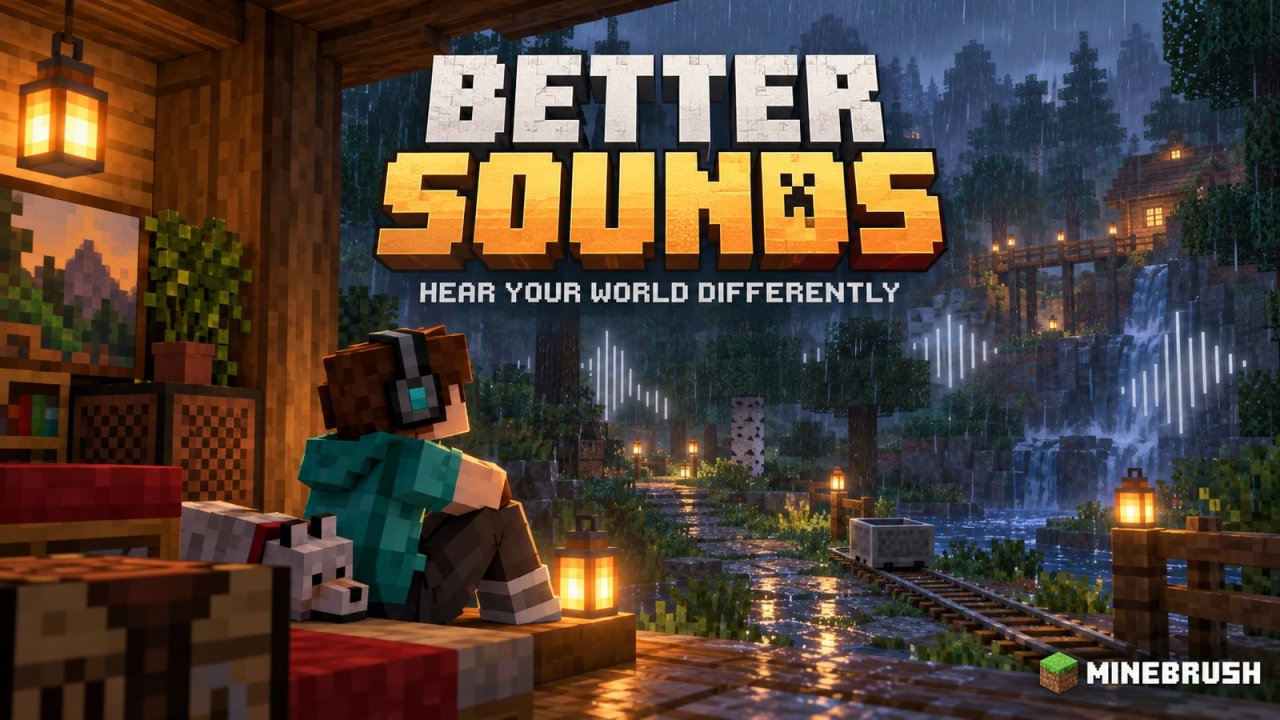
Better Sounds by Meska changes the soundtrack of ordinary Minecraft actions: breaking blocks, splashing into water, riding a minecart and hearing a storm outside your base. It is a Bedrock resource pack focused on audio. It does not need a shader to make those sounds different, and its promotional scenery is not a visual effect added by the pack.
If you like your existing world but want familiar activities to feel fresher, sound is an easy place to start. You can keep the same buildings, recipes and goals while changing what you hear along the way.
Version note: Meska's project page was last updated on August 13, 2024 and names support for 1.21+. That is the author's historical compatibility statement, not confirmation for every later Bedrock release. This article covers Meska's pack; other projects called Better Sounds are separate downloads.
What sounds change?
The author lists changes across building materials, weather, movement and several useful actions. Here's where you'll encounter them during normal play:
- Building and mining: wood, stone, gravel, sand, dirt, glass, copper, iron, ores and netherrack. A house renovation or mining trip gives you plenty of opportunities to hear the pack without setting up anything special.
- Outdoor atmosphere: rain, thunder, fire, foliage, snow and water splashes. A riverside cabin or a walk between biomes highlights a different side of the pack from mining underground.
- Transport and tools: rails, minecarts, bows, anvils, note blocks and experience sounds. These affect familiar activities such as riding to another base, repairing equipment or practicing at a target.
- Explosions: TNT is included in the author's list. If you want to compare that sound deliberately, use a separate Creative world away from anything you want to keep.
The project describes a broad sound replacement, not a guarantee that every sound from future Minecraft updates is covered. It also does not claim that louder or different effects make you better at PvP.
Listen before choosing your everyday sound pack
A screenshot cannot tell you whether a new impact or rain sound is pleasant to hear repeatedly. The video linked by the creator is the useful starting point. Listen at a comfortable volume, then compare the same activity in your own game if you install the pack. A video preview and your device's speakers can sound different.
Three ways to use it in a world you already enjoy
Give a building session a different rhythm
Start with a small workshop or a section of path. Place and break a few of the materials you use most often: timber, stone, glass and gravel, for example. Those repeated sounds matter more to a long building session than a single dramatic explosion. If one material becomes tiring to hear, decide that before rebuilding an entire village with the pack active.
Make a familiar journey worth listening to
Take your usual route from home to a farm or mine. A short rail ride followed by a walk along water lets you hear transport and environmental effects in context. You don't need to add decorative rails or change your survival plans just to use the pack; let it accompany activities you already do.
Try it during quiet exploration
Lower background music if it masks the effects you want to hear, then spend a little time near flowing water or sheltering from rain. Keep overall volume comfortable. Different sounds can take a while to recognize, so learn familiar cues before relying on them during a difficult fight.
Install Better Sounds on Bedrock
- Get Meska's Bedrock pack. Check the creator name as well as the project title. Do not substitute a Java sound pack or an unrelated project with the same name.
- Open the actual .mcpack with Minecraft. On Windows, open the file normally. On Android, select it in your file manager and choose Minecraft. The creator documents these two import routes.
- Activate the resource pack. For one world, open its edit screen, then Resource Packs → My Packs, select Better Sounds and activate it. For a personal default across worlds, use Settings → Global Resources when that option is appropriate for your setup.
- Reopen the world and listen to an everyday action. Break a familiar block or ride a minecart. Keep other sound-changing packs inactive at first so you know which pack you are hearing.
The author also describes renaming its downloaded ZIP to .mcpack when necessary. Only do that for the actual Bedrock pack archive, not an HTML page, a shortcut or a folder containing another download. Changing an extension cannot turn the wrong file into a resource pack.
On iPhone or iPad, a genuine .mcpack may be opened with Minecraft through Files or the Share menu. That is a general Bedrock import route; Meska's installation section does not provide a separate current iOS compatibility result. Consoles do not offer the same straightforward browser-to-file-manager import workflow as Windows and Android.
Using other packs and playing with friends
Meska describes Better Sounds as usable in single-player and multiplayer. Your local resource selection does not automatically mean every friend hears the same replacements. Server or world resource requirements can also affect which pack takes priority.
If another resource pack replaces the same sounds, the active order matters. Start with one audio pack and add the others individually. Moving Better Sounds above another pack may give it priority, but it can also change which overlapping resources you keep. If an unrelated texture or item appearance changes, check the stack instead of assuming a sound pack can never conflict.
When the sound does not change—or you prefer vanilla
- Everything sounds unchanged: check that the pack is active for the world you're actually opening, that game audio is not muted, and that another required pack is not overriding it.
- Only some effects change: try an action from the author's list. A newer Minecraft sound may not be part of this older release.
- One effect feels too loud or distracting: adjust the relevant audio slider available in your game. If it still bothers you, deactivate the pack rather than raising other sounds to compete with it.
- You want the original sounds back: remove Better Sounds from Active packs in the world or Global Resources location where you enabled it, then reopen the world. You do not need to delete your world.
There is no need to enable a graphics experiment for an ordinary sound replacement. If Minecraft reports an import or compatibility error, keep the exact message and check the actual file and release before changing unrelated world settings.
Download
Download Better Sounds by Meska below. The original file is named A better sounds rp.mcpack; its pack version is 2.0.0. Open it with Minecraft, then activate it in Resource Packs. It contains the sound pack, not a shader or a world.
Browse more Bedrock resource packs if you want to combine a different soundscape with a visual style you already enjoy.
More for your Bedrock world.

Find the Bedrock update that matters to your world or device. Explore stable releases, practical game-drop guides, platform-specific fixes and a separate Beta/Preview archive.
- Coverage
- 2023–2026
- Edition
- Bedrock Edition
- Versions
- Bedrock 1.20.30–26.51
Bedrock · Update history
Bedrock Update History
Find the Bedrock update that matters to your world or device. Explore stable releases, practical game-drop guides, platform-specific fixes and a separate Beta/Preview archive.
Back up before updating
- Minecraft version
- Bedrock 1.20.30–26.51
- Game edition
- Bedrock Edition
- Update type
- Unknown / not stated
- Release channel
- Bedrock Edition
- World safety
- Back up before updating
- Player impact
- Find a useful release, platform fix or practical game-drop guide
- Platform family
- Bedrock & Mobile
- Supported devices
- Windows, consoles and mobile; patch availability varies
- Touch readiness
- Yes
- Last verified at
- Sep 17, 2026
- Update state
- current
- Compatibility confidence
- Source claimed
- Card delivery statement
- Player guides and official release notes
- Edition applicability
- Bedrock
- Bedrock enrollment route
- Preview app
- Delivery state
- No file
- Lifecycle state
- Current
- History coverage
- 2023–2026
Find what changed in Minecraft Java from 2023 to 2026, choose your next survival project and follow practical update guides. Stable releases and test builds are clearly separated.
- Coverage
- 2023–2026
- Edition
- Java Edition
- Versions
- Java 1.20.2–26.3
Java · Update history
Java Update History
Find what changed in Minecraft Java from 2023 to 2026, choose your next survival project and follow practical update guides. Stable releases and test builds are clearly separated.
Back up before updating
- Minecraft version
- Java 1.20.2–26.3
- Game edition
- Java Edition
- Update type
- Unknown / not stated
- Release channel
- Java Edition
- World safety
- Back up before updating
- Player impact
- Find a feature, choose a project and check the right release
- Platform family
- Java PC
- Last verified at
- Sep 17, 2026
- Update state
- current
- Compatibility confidence
- Source claimed
- Card delivery statement
- Player guides and official release notes
- Edition applicability
- Java
- Delivery state
- No file
- Lifecycle state
- Current
- History coverage
- 2023–2026

Find trial chambers, beat the breeze, match keys to vaults and prepare for ominous trials. Learn mace and wind-charge tricks, build your first crafter and put copper, tuff and dungeon rewards to use.
- Game released
- Java
- 1.21 · Stable
- Bedrock
- 1.21 · Stable
Focus Trial chambers, vault rewards, mace combat, wind charges and automatic crafting
Topic Tricky Trials
Install Included in the official game update
Back up before updating
Java + Bedrock · Release
Tricky Trials
Find trial chambers, beat the breeze, match keys to vaults and prepare for ominous trials. Learn mace and wind-charge tricks, build your first crafter and put copper, tuff and dungeon rewards to use.
Back up before updating
- Update type
- Major release
- Release channel
- Unknown / not stated
- Official release date
- 2024-06-13
- World safety
- Back up before updating
- Player impact
- Trial chambers, vault rewards, mace combat, wind charges and automatic crafting
- Platform family
- Cross-edition
- Supported devices
- Java: Windows, macOS, Linux. Bedrock: supported Windows, mobile and console devices.
- Install format
- Included in the official game update
- Touch readiness
- Not required
- Resource type
- Update
- Last verified at
- Sep 18, 2026
- Update state
- historical
- Compatibility confidence
- Source claimed
- Bedrock version/build
- 1.21
- Card delivery statement
- Included in the official game update
- Edition applicability
- Java + Bedrock
- Java version/build
- 1.21
- Shared update topic
- Tricky Trials
- Delivery state
- No file
- Lifecycle state
- Superseded
- Java update channel
- Stable
- Bedrock update channel
- Stable

Find all nine wolf variants, collect armadillo scutes and equip, repair or dye wolf armor. A practical companion-care guide with exact biomes, original Mojang screenshots and ideas for your next adventure.
- Game released
- Java
- 1.20.5 · Stable
- Bedrock
- 1.20.80 · Stable
Focus Wolf variants and biomes, armadillo scutes, armor repair and companion care
Topic Armored Paws
Install Included in the official game update
Back up before updating
Java + Bedrock · Release
Armored Paws
Find all nine wolf variants, collect armadillo scutes and equip, repair or dye wolf armor. A practical companion-care guide with exact biomes, original Mojang screenshots and ideas for your next adventure.
Back up before updating
- Update type
- Major release
- Release channel
- Unknown / not stated
- Official release date
- 2024-04-23
- World safety
- Back up before updating
- Player impact
- Wolf variants and biomes, armadillo scutes, armor repair and companion care
- Related major release
- MineBrush three-year release archive
- Platform family
- Cross-edition
- Supported devices
- Java: Windows, macOS, Linux. Bedrock: supported Windows, mobile and console devices.
- Install format
- Included in the official game update
- Touch readiness
- Yes
- Resource type
- Update
- Last verified at
- Sep 17, 2026
- Update state
- historical
- Compatibility confidence
- Source claimed
- Bedrock version/build
- 1.20.80
- Card delivery statement
- Included in the official game update
- Edition applicability
- Java + Bedrock
- Java version/build
- 1.20.5
- Shared update topic
- Armored Paws
- Delivery state
- No file
- Lifecycle state
- Superseded
- Java update channel
- Stable
- Bedrock update channel
- Stable
Player discussion 0
Questions, discoveries and help from other players.