
MineBrush publication
Minecraft Java 1.21.8: graphics fixes, symptoms and practical next steps
Java 1.21.8 fixed frozen pictures, damaged textures and lighting on certain Intel graphics, plus an AMD resource-pack crash. Match the symptoms, check your actual version and choose a useful next step.
Minecraft Java 1.21.8 was a graphics hotfix released on July 17, 2025. It addressed frozen pictures, corrupted textures and incorrect lighting on certain Intel graphics devices, plus a crash involving an invalid resource-pack shader on some AMD devices. It did not add a new biome, mob or building system.
Use this page to understand the historical fixes, not to choose today's latest Minecraft version. For normal play, use a current stable release or the version supported by your server or modpack. A machine with different hardware or a different symptom may need a different solution; this hotfix was not a promise of higher frame rates for everyone.
Which problems did 1.21.8 address?
| What a player could notice | Scope of the fix |
|---|---|
| The picture freezes while the game continues running. | Intel graphics using the Gen11 architecture. |
| Mob or block-entity textures become corrupted after playing for a while. | Intel Gen11 graphics. |
| Text becomes damaged, or inventory items become solid colors or disappear visually. | Several Intel Gen11 rendering problems. |
| Entities, block entities or inventory items are lit incorrectly over time. | Intel Gen11 graphics. |
| Flickering appears around a map's displayed text. | Some Intel devices when text-display entities are present. |
| Loading a resource pack crashes the game. | A particular invalid-shader case on some AMD graphics devices. |
Gen11 here describes the graphics architecture; do not identify it solely from a similarly numbered processor name. Also distinguish damaged rendering from missing world dаta: an item becoming invisible on screen does not, by itself, prove that it was deleted from the save.
How these fixes matter during ordinary play
- Building for a long session: a chest, mob or item may start looking wrong even though the scene looked normal when you joined. In an affected older version, the gradual change can fit the issues this hotfix addressed; you do not necessarily need to rebuild the room or replace every texture.
- Using a crowded inventory: solid-color or invisible item pictures can make it difficult to choose the right tool. Pause before moving valuable items blindly. Return through the menu and check the supported updated version rather than assuming the stack has vanished.
- Playing a custom adventure map: floating text can be part of the map's signs or instructions. Flickering near it may be a client graphics problem, rather than something the map author intended or a reason to remove the map's features.
- Trying a visual pack: if the crash begins as a particular pack loads, check that pack's compatibility and updates. A game hotfix for one failure does not make every malformed or incompatible pack valid.
These examples help connect the release notes to a situation you might recognize. They do not establish the cause of every freeze or missing texture on a modern installation.
First check what you actually launched
In the official Launcher, look at the selected installation and version beside the Play button. Latest Release moves forward as Minecraft updates; choosing it today does not mean you are selecting 1.21.8. An old modpack can also keep using its own version even when a separate vanilla installation has updated.
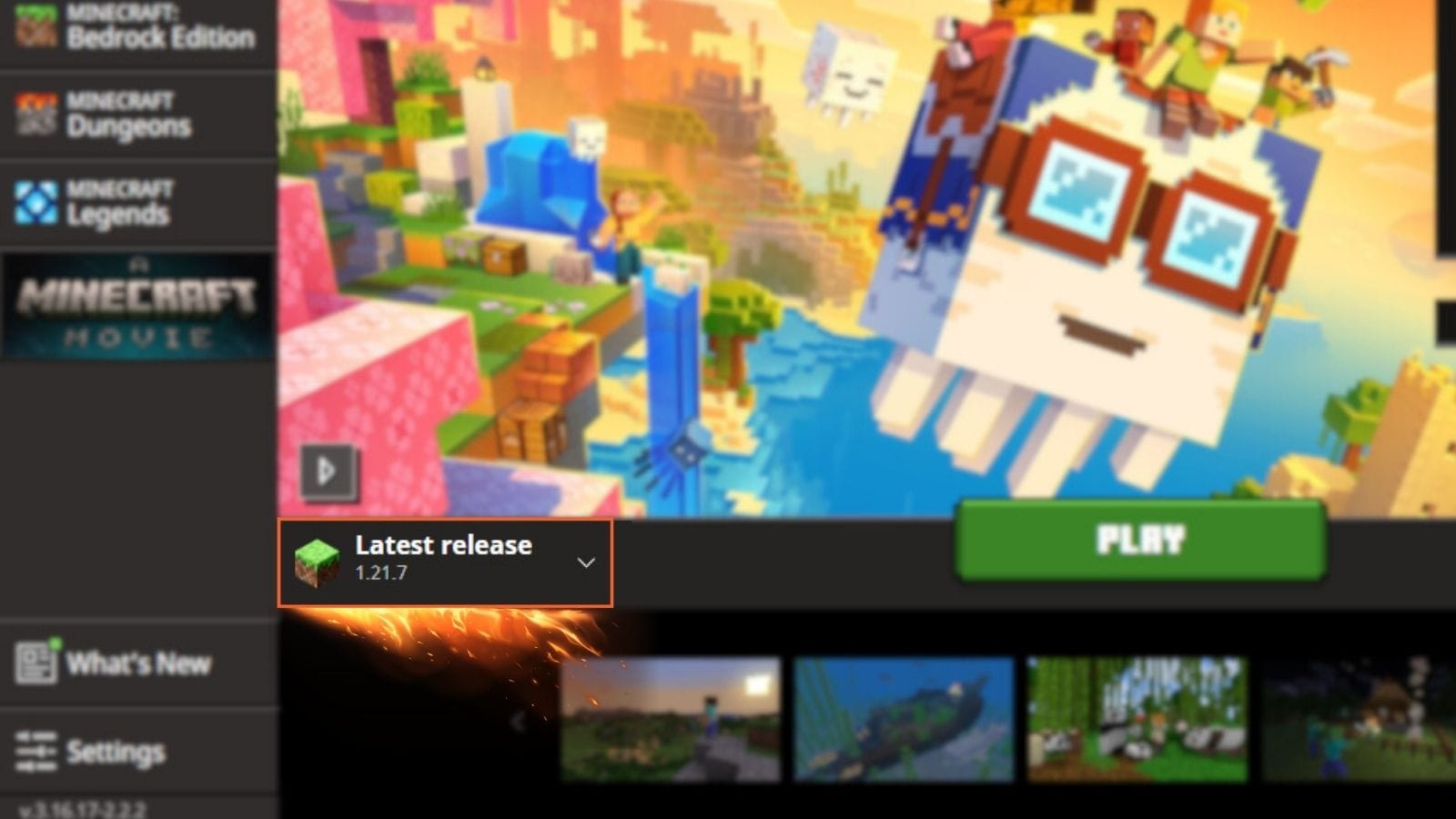
For an older map or server that specifically requires 1.21.8, use Java Edition → Installations to select that exact release. For a normal new vanilla world, choose the current stable release. For a modpack, follow its supported update route rather than changing only the underlying game version; our modded-profile update guide explains that choice.
Before opening an important save in a changed version, keep a backup. Do not downgrade a modern world to this 2025 release just to investigate a graphics symptom.
Separate a pack problem from a game-version problem
If the issue follows a particular resource pack, open Options → Resource Packs and compare with the default appearance. Move the optional pack out of the selected list rather than deleting it. If you use several packs, note their order before changing anything; a different order can change what textures and interfaces you see.
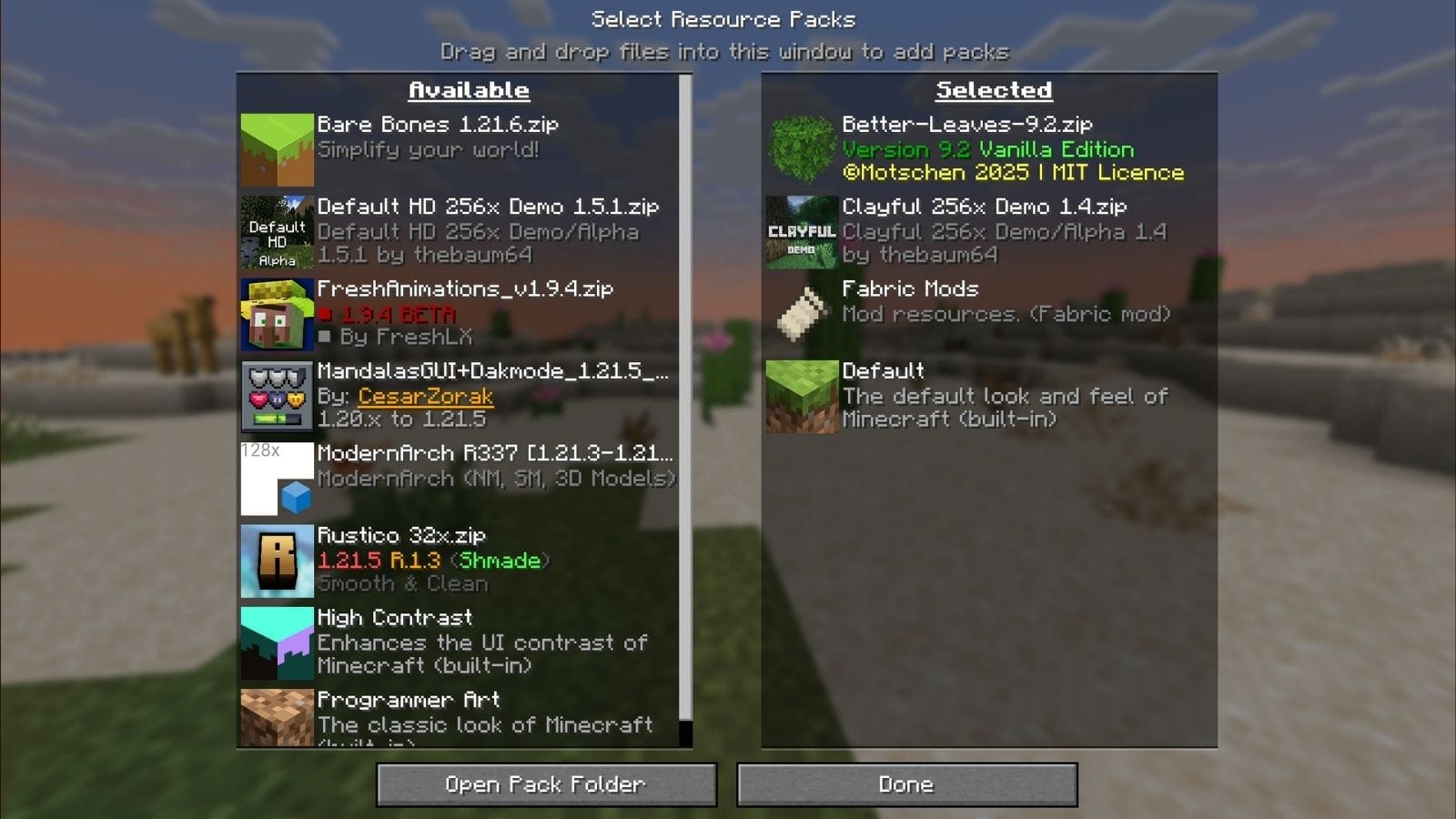
If the default game looks correct, check the pack author's supported versions and get a matching update before enabling it again. If you play a custom map whose required pack supplies essential textures or instructions, use a separate test world for the comparison so you can return to the map's intended setup afterward.
If the game crashes before you can reach its menus, a separate clean installation and a new world are a useful comparison. Keep the original profile and its saves intact. Change one variable at a time so you know whether the game version, resource pack or modded setup made the difference.
What if the problem still happens?
Check the exact symptom, graphics device, Minecraft version and active packs or graphics mods. A short description such as “the picture freezes after a few minutes but sound continues” is more useful than “Minecraft is broken.” Include those details when asking the pack author, modpack support or the Minecraft issue tracker for help.
A server connection failure or low frame rate without corruption is not the same problem as the fixes listed here. Likewise, the AMD entry concerned a specific resource-pack crash, not every shader issue. Avoid deleting worlds or resetting the entire installation simply because the symptom involves graphics.
Does this fix Bedrock on a phone or console? No: Java 1.21.8 is a Java Edition release for computers. Use the relevant Bedrock update notes for a phone, console or Windows Bedrock installation.
Where are the new features? This hotfix followed Chase the Skies. That guide covers the happy ghast and the update's gameplay; 1.21.8 concentrated on graphics reliability.
Download route: install game releases through the official Minecraft Launcher. This article does not require a separate repair archive, graphics mod or unofficial installer.
Sources: Mojang's Java 1.21.8 release notes and CurseForge's version and resource-pack guide. The two interface images are credited to CurseForge. MineBrush's cover is an editorial illustration, not a measured before-and-after result.
For the surrounding releases and later fixes, use our Java update history for 2023–2026. It separates stable versions from Snapshots, pre-releases and release candidates, so you can place this historical hotfix in the correct branch.
More from MineBrush.
Raise a happy ghast, turn it into a flying building platform and carry friends or mobs across your world. A practical Chase the Skies guide for Java 1.21.6 and Bedrock 1.21.90, with recipes, flight tips and original Mojang screenshots.
- Game released
- Java
- 1.21.6 · Stable
- Bedrock
- 1.21.90 · Stable
Focus Happy ghast flight, building platforms, mob transport, saddles and the Player Locator Bar
Topic Chase the Skies
Install Included in the official game update
Vibrant Visuals requires a supported Bedrock device.
Java + Bedrock · Release
Chase the Skies: Fly, Build and Travel Together
Raise a happy ghast, turn it into a flying building platform and carry friends or mobs across your world. A practical Chase the Skies guide for Java 1.21.6 and Bedrock 1.21.90, with recipes, flight tips and original Mojang screenshots.
Vibrant Visuals requires a supported Bedrock device.
- Update type
- Major release
- Release channel
- Java & Bedrock
- Official release date
- 2025-06-17
- World safety
- Back up before updating
- Player impact
- Happy ghast flight, building platforms, mob transport, saddles and the Player Locator Bar
- Platform family
- Cross-edition
- Supported devices
- Java on Windows, macOS and Linux; Bedrock on supported mobile, console and Windows devices
- Install format
- Official game update
- Touch readiness
- Check guide
- Resource type
- Update
- Last verified at
- Sep 16, 2026
- Update state
- historical
- Compatibility confidence
- Source claimed
- Bedrock version/build
- 1.21.90
- Card delivery statement
- Included in the official game update
- Card limitation note
- Vibrant Visuals requires a supported Bedrock device.
- Edition applicability
- Java + Bedrock
- Java version/build
- 1.21.6
- Shared update topic
- Chase the Skies
- Delivery state
- No file
- Lifecycle state
- Superseded
- Java update channel
- Stable
- Bedrock update channel
- Stable
Update a ready-made modpack or your own mod list while keeping a working copy. Real CurseForge and Fabric screens, world checks and a clear way back if something fails.
- Edition
- Java Edition
- Difficulty
- Beginner
- Time
- None
MineBrush · Guide
Update Your Modpack
Update a ready-made modpack or your own mod list while keeping a working copy. Real CurseForge and Fabric screens, world checks and a clear way back if something fails.
- Game edition
- Java Edition
- Platform family
- Java PC
- Supported devices
- Java players on Windows, Mac and Linux
- Install format
- Separate profile, copied world and gameplay checks
- Touch readiness
- Not required
- Resource type
- Guide
- Compatibility confidence
- Source claimed
- Edition applicability
- Java
- Guide difficulty
- Beginner
- Delivery state
- No file
- Lifecycle state
- Current
Choose the right Java resource-pack release, understand version warnings and fix pack-order conflicts—with real menu examples and practical checks for your world.
- Edition
- Java Edition
- Difficulty
- Beginner
- Time
- None
MineBrush · Guide
Choose the Right Resource Pack
Choose the right Java resource-pack release, understand version warnings and fix pack-order conflicts—with real menu examples and practical checks for your world.
- Game edition
- Java Edition
- Platform family
- Java PC
- Supported devices
- Java players on Windows, Mac and Linux
- Install format
- Resource pack selection and troubleshooting
- Touch readiness
- Not required
- Resource type
- Guide
- Compatibility confidence
- Source claimed
- Edition applicability
- Java
- Guide difficulty
- Beginner
- Delivery state
- No file
- Lifecycle state
- Current
Player discussion 0
Questions, discoveries and help from other players.