
MineBrush publication
Newb Complementary Reimagined 1.4.0 for Minecraft Bedrock 26.40
Give Bedrock forests warm light, colorful nights and a violet End. See what High and Low change, then check the renderer setup before you import.
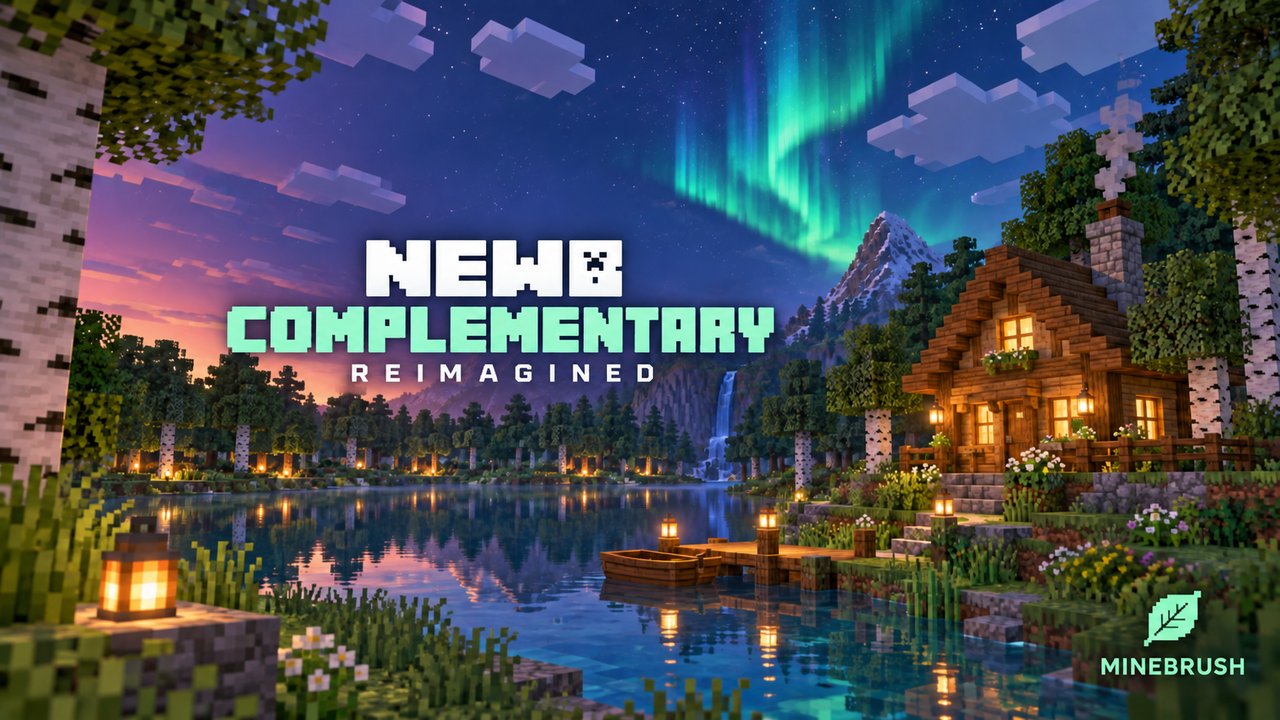
Warm daylight, aurora nights and a violet End: Newb Complementary Reimagined changes the atmosphere of familiar Bedrock landscapes. It suits forest builds, open-sky bases and players who want a more colorful night.
- What you get: lighting, sky effects, glowing exposed minerals and two visual profiles.
- Required: a compatible shader loader. Importing the pack into stock Bedrock or enabling Vibrant Visuals alone will not activate these effects.
- Download: Reimagined 1.4.0, with High and Low profiles in one MCpack.
See the effects · Choose High or Low · Install · Fix common problems
What changes in your world?
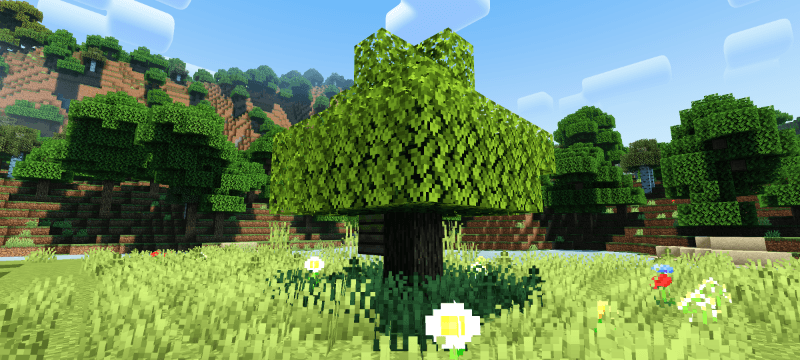
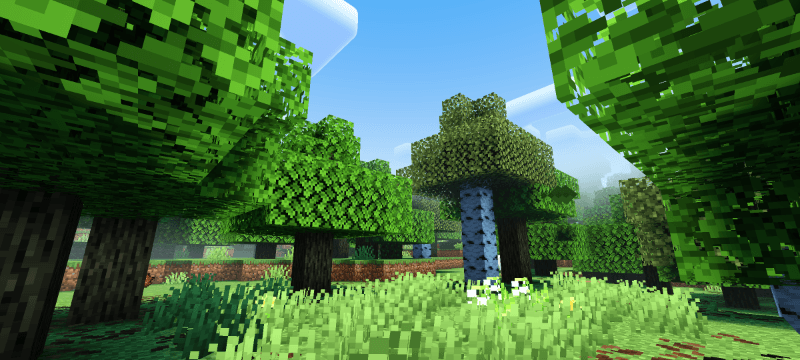
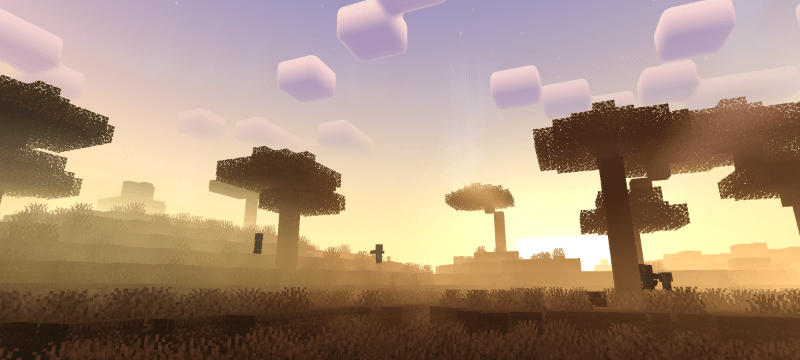
Daylight, shade and sunrise
For forest paths: use the contrast between shaded trees and open grass to frame a garden gate or entrance. For a warmer view, leave an eastern window or lookout facing the sunrise.
Auroras and glowing minerals
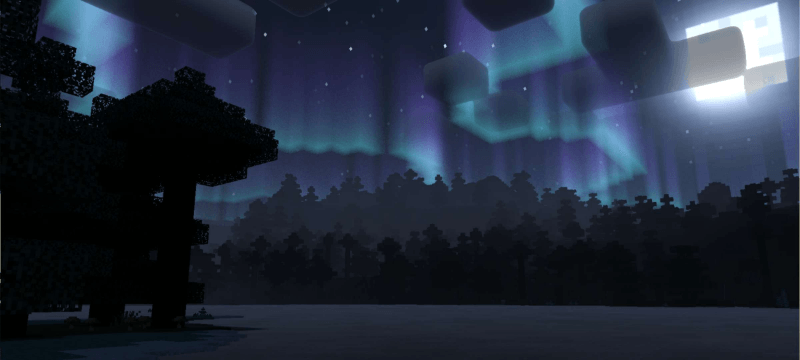
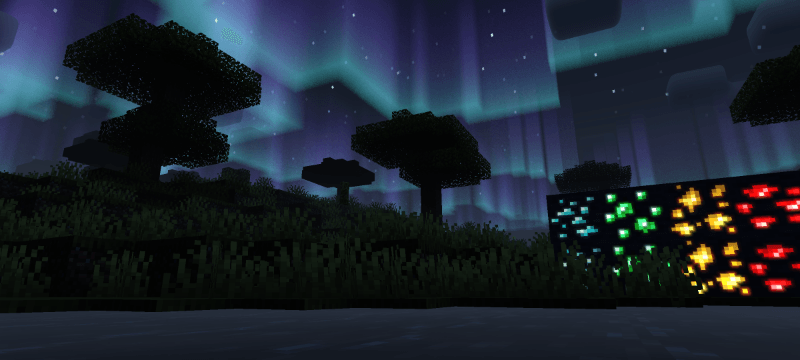
For night views: choose a treeless shore or hilltop so the aurora is visible. Keep ordinary path lighting for navigation. For a mine entrance: display exposed ore blocks to use their glowing colors. This effect does not reveal ore through stone or change mob spawning.
A different atmosphere in the End
For an End outpost: leave a broad view of the violet sky and use a small pool of light to mark the doorway. The pack changes the appearance of the existing End; it adds no new biome.
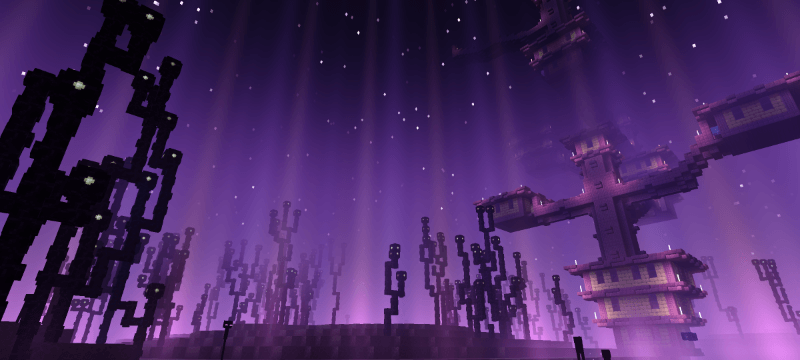
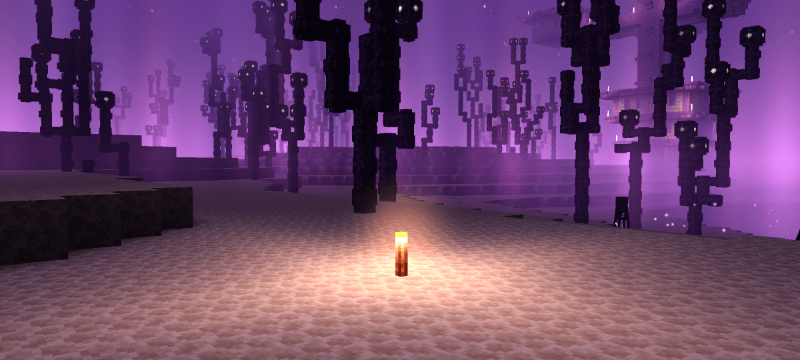
The images above are from the creator’s gallery; the capture build is not specified.
High or Low: which should you choose?
- High: keeps the available effects, including auroras, plant movement, cloud layers and water waves. Choose it for the fullest visual treatment.
- Low: removes those four effects. Try it if you prefer a simpler scene or High feels too demanding; a particular frame rate is not guaranteed.
Brightness: the pack recommends 50 as a starting point. Adjust it so your usual paths and interiors stay readable.
Download Newb Complementary Reimagined
Version 1.4.0 · September 11, 2026 release. This is the Reimagined package shown above, not the older Definitive Edition or the separate Newb X Dragon shader. High and Low are included in this file.
Install and activate
Before downloading a loader: check its support for your exact game build. The author lists MBLoader for Android and BetterRenderDragon or material replacement for Windows, plus an iOS route. These are unofficial setups. The download is listed for Bedrock 26.40, while the project advertises 26.44 support; this is not confirmation that every device works.
- Deactivate the older pack and other shaders so they do not compete.
- Import the MCpack: open it with Minecraft and wait for the import confirmation.
- Activate it: Settings → Global Resources → My Packs, or Resource Packs in a test world.
- Choose a profile: select the active pack and open its gear/settings button, where supported by your loader. Choose High or Low and reopen the world.
- Check the result: look at daylight, the night sky and exposed ore. The compatible shader loader must be running; importing alone is not enough.
If the result is not what you expected
- Imported, but nothing changed: confirm the pack is active, then check that the shader loader supports your game build and actually launches with Minecraft.
- No auroras or water waves: check the profile. Low deliberately removes them; switch to High if you want them back.
- Effects conflict: deactivate other shaders and reopen the world.
- Game fails to launch: undo the renderer change using the loader’s instructions, then confirm the ordinary game starts.
The September release includes fixes for auroras, Nether/End detection and underwater rainbow artifacts. Use the current file if an older copy shows those issues.
Prefer another atmosphere? Compare the creator’s separate Newb X Dragon Reimagined gallery before choosing.
More for your Bedrock world.
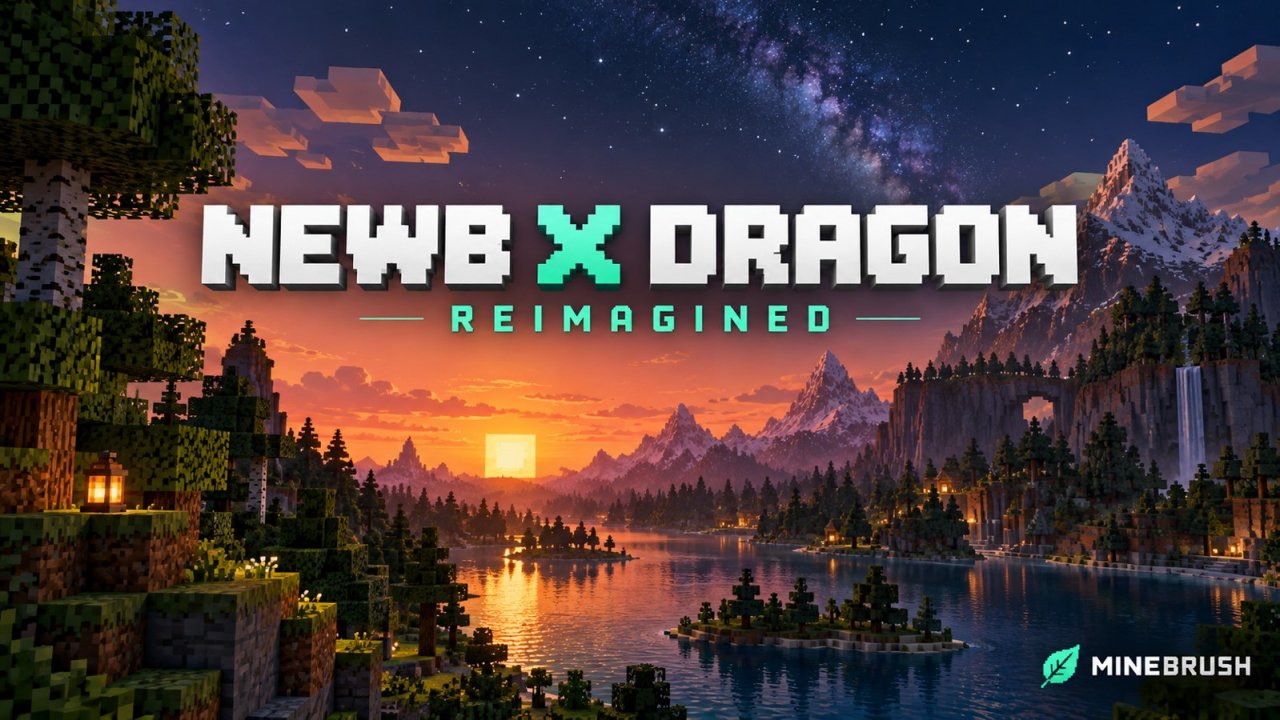
Give your Bedrock builds warm daylight, reflective sunsets and star-filled skies. Explore Reimagined’s gallery and check the shader loader your device needs.
- Minecraft
- Bedrock 26.40 / 26.44
- Graphics
- renderdragon_legacy
- Package
- .mcpack
Bedrock · Visual
Newb X Dragon Reimagined
Give your Bedrock builds warm daylight, reflective sunsets and star-filled skies. Explore Reimagined’s gallery and check the shader loader your device needs.
- Minecraft version
- Bedrock 26.40 / 26.44
- Game edition
- Bedrock Edition
- Visual resolution
- Custom skies, water and lighting
- Performance expectation
- Depends on setup
- Platform family
- Bedrock & Mobile
- Supported devices
- Android, Windows and iOS through compatible unofficial loaders
- Install format
- .mcpack
- Touch readiness
- Check guide
- Resource type
- Shader
- Project version
- 1.4.0
- Bedrock graphics mode
- renderdragon_legacy
- Last verified at
- Sep 23, 2026
- Compatibility confidence
- Source claimed
- Bedrock version/build
- Bedrock 26.40 / 26.44
- Bedrock visual device evidence
- Tier not verified
- Bedrock graphics setup guide
- Available
- Card delivery statement
- Reimagined MCpack · High / Low profiles
- Edition applicability
- Bedrock
- Delivery state
- Direct download
- Lifecycle state
- Current
AziFy Revive
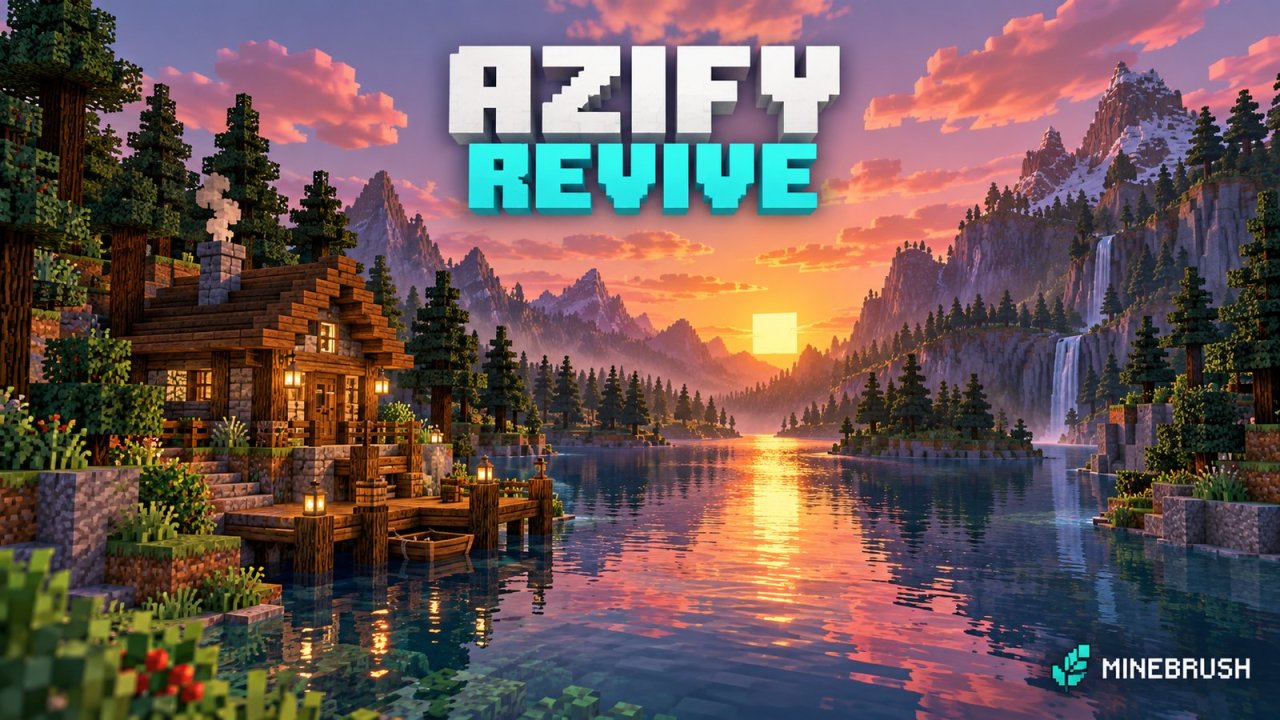
3.9Give your Bedrock world reflective water, colourful skies and custom lighting. Download AziFy Revive 3.9, compare its gallery and choose a compatible Android or Windows shader-loader setup.
- Minecraft
- Bedrock 26.40
- Graphics
- renderdragon_legacy
- Package
- .mcpack
Bedrock · Visual
AziFy Revive
Give your Bedrock world reflective water, colourful skies and custom lighting. Download AziFy Revive 3.9, compare its gallery and choose a compatible Android or Windows shader-loader setup.
- Minecraft version
- Bedrock 26.40
- Game edition
- Bedrock Edition
- Visual resolution
- Custom lighting and shader materials
- Performance expectation
- Depends on setup
- Platform family
- Bedrock & Mobile
- Supported devices
- Android and Windows loader routes; current iOS and console support unconfirmed
- Install format
- .mcpack
- Touch readiness
- Check guide
- Resource type
- Shader
- Project version
- 3.9
- Bedrock graphics mode
- renderdragon_legacy
- Last verified at
- Sep 23, 2026
- Compatibility confidence
- Source claimed
- Bedrock version/build
- Bedrock 26.40
- Bedrock visual device evidence
- Tier not verified
- Bedrock graphics setup guide
- Available
- Card delivery statement
- AFR 3.9 MCpack
- Edition applicability
- Bedrock
- Delivery state
- Direct download
- Lifecycle state
- Current
BRAZZ Shader
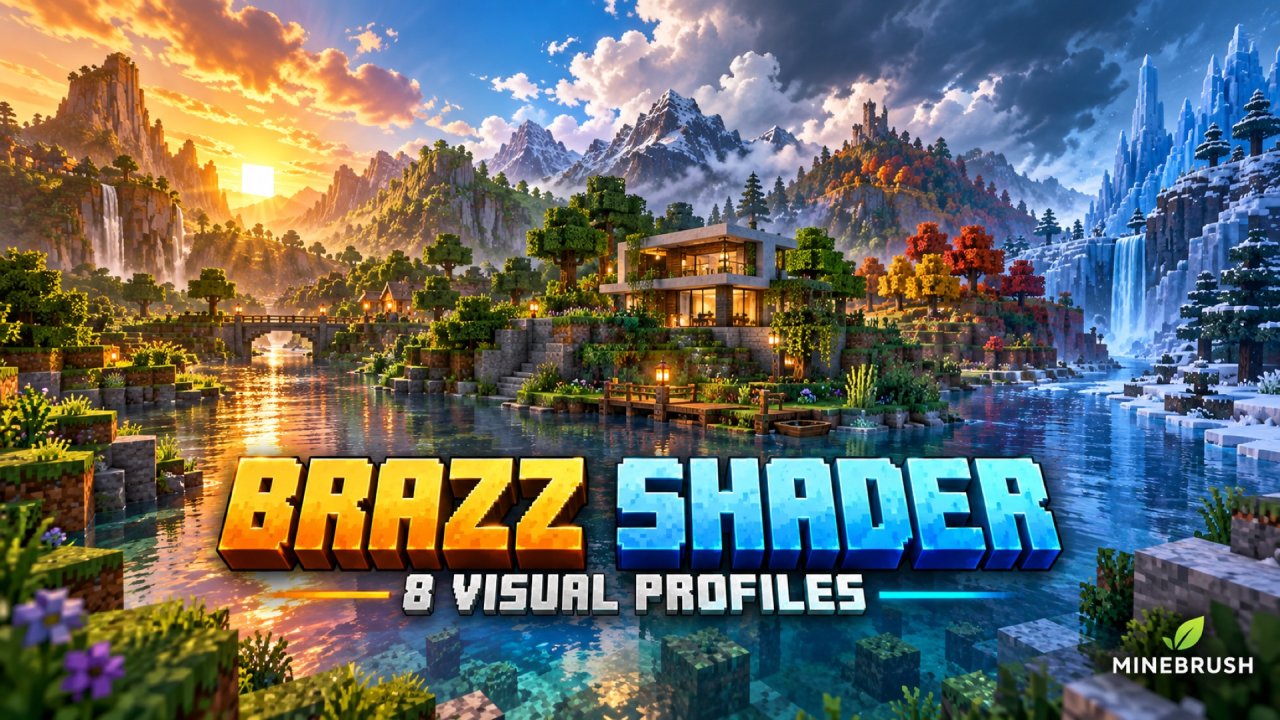
1.0.3BRAZZ Shader offers eight lighting and color profiles for Minecraft Bedrock, from golden Retro to black-and-white Noir. Compare the real screenshots, choose the matching in-game setting, and download version 1.0.3. This older Vibrant Visuals pack targets the 1.21.80 era; compatibility with current builds is unconfirmed.
- Minecraft
- Bedrock 1.21.80 era; newer builds unconfirmed
- Graphics
- vibrant_visuals
- Package
- .mcpack
Older Vibrant Visuals pack; current-build compatibility unconfirmed.
Bedrock · Visual
BRAZZ Shader
BRAZZ Shader offers eight lighting and color profiles for Minecraft Bedrock, from golden Retro to black-and-white Noir. Compare the real screenshots, choose the matching in-game setting, and download version 1.0.3. This older Vibrant Visuals pack targets the 1.21.80 era; compatibility with current builds is unconfirmed.
Older Vibrant Visuals pack; current-build compatibility unconfirmed.
- Minecraft version
- Bedrock 1.21.80 era; newer builds unconfirmed
- Game edition
- Bedrock Edition
- Visual resolution
- Lighting pack; no texture-resolution overhaul
- Performance expectation
- Depends on setup
- Platform family
- Bedrock & Mobile
- Supported devices
- Android or Windows 10/11 with Vibrant Visuals; creator-listed
- Install format
- .mcpack
- Touch readiness
- Yes
- Resource type
- Shader
- Project version
- 1.0.3
- Bedrock graphics mode
- vibrant_visuals
- Last verified at
- Sep 23, 2026
- Compatibility confidence
- Source claimed
- Bedrock version/build
- Bedrock 1.21.80 era; newer builds unconfirmed
- Bedrock visual device evidence
- Tier not verified
- Bedrock graphics setup guide
- Available
- Card evidence statement
- Eight real profile screenshots and the matching in-game menu names.
- Card delivery statement
- BRAZZ 1.0.3 MCpack; all eight profiles in one download.
- Card limitation note
- Older Vibrant Visuals pack; current-build compatibility unconfirmed.
- Edition applicability
- Bedrock
- Delivery state
- Direct download
- Lifecycle state
- Current
Player discussion 0
Questions, discoveries and help from other players.