
MineBrush publication
Fabric API: Get Your Mods Running on the Right Minecraft Version
Get the Fabric API file your mods need, install it in the right instance and understand the difference from Fabric Loader. Includes Java 26.3 and 26.2 downloads, illustrated setup, server guidance and fixes for missing dependencies.
Fabric API is the dependency many Fabric mods need before they can run. If a new mod stops Minecraft with a message asking for fabric-api, this is usually the missing piece. It belongs in your instance’s mods folder alongside the mod you want to play with.
You do not need to learn programming to use it. The important choices are your Minecraft version, the Fabric profile you launch and the API version required by your mods. This guide includes current files for Java 26.3 and 26.2, plus the older 26.2 release for packs that still use it.
What it does · Choose a download · Install and launch · Fix startup errors
What does Fabric API change in your game?
Think of it as shared support for the mods you choose. Developers use its features for things such as rendering, particles, biomes, dimensions and communication between the game and its mods. The actual blocks, tools, creatures or visual effects come from those individual mods. Installing Fabric API alone does not give you a new dimension, a settings menu or an automatic FPS boost.
That makes its usefulness very practical: it lets a dependent mod load and use the features it was built around. If you want a utility for your everyday survival world, install that utility and every dependency its release lists. If you are assembling a larger pack, one matching Fabric API installation can serve several mods; you do not need a separate copy for each.
Three common reasons you will need it
- You are adding your first Fabric mod. Check that mod’s required dependencies. If Fabric API is listed, add the matching API file before launching.
- You are following a modpack’s installation instructions. Use the versions chosen by the pack. A managed launcher may already have installed Fabric API, so check the instance before downloading another copy.
- A Fabric server reports a missing dependency. If a server mod requires the API, add it to the server’s own mods folder after stopping the server. Your client’s installation does not supply files to the server.
For example, the Fabric build in our YACL settings guide has a Fabric API requirement. That does not mean installing the API creates a settings screen for every mod. Follow the complete requirements of the particular feature you want.
Fabric Loader and Fabric API are two different things
Fabric Loader starts the mods; Fabric API supplies shared functionality to mods that need it. Installing the loader creates or configures a Fabric game profile. Installing the API means placing its JAR in that profile’s mods folder. You often need both, and installing one does not replace the other.
Do not put the Fabric installer in the mods folder as a substitute for Fabric API. Likewise, double-clicking the API JAR is not how you install a loader. These downloads are for Minecraft Java Edition with Fabric, not Bedrock add-ons or a normal Forge/NeoForge instance.
Choose the file for your Minecraft version
The two current downloads share the API version 0.161.0, but target different Minecraft releases. Read the suffix: +26.3 and +26.2 are different choices. Use one API file per instance.
| Your game | Fabric API | Minimum Fabric Loader |
|---|---|---|
| Java 26.3 | 0.161.0+26.3 | 0.19.3 |
| Java 26.2 | 0.161.0+26.2 | 0.18.4 |
| Java 26.2, older pack | 0.158.0+26.2 | 0.18.4 |
These releases require Java 25 or newer. Use the Java runtime supported by your Minecraft release and launcher. Your other mods can require a newer loader or a particular API release, so the minimum in this table is not a promise that an entire pack will work with that loader.
Current Fabric API for Java 26.3
Current Fabric API for Java 26.2
Previous release for Java 26.2
Keep this option for a pack that specifically uses it. Do not install it alongside the current release.
For a different Minecraft version, use the official project’s version list linked in the sidebar. A project supporting many game versions does not mean its newest file supports all of them.
Install it in the instance you actually play
- Close Minecraft. In a managed modpack, first check whether the pack already supplies Fabric API.
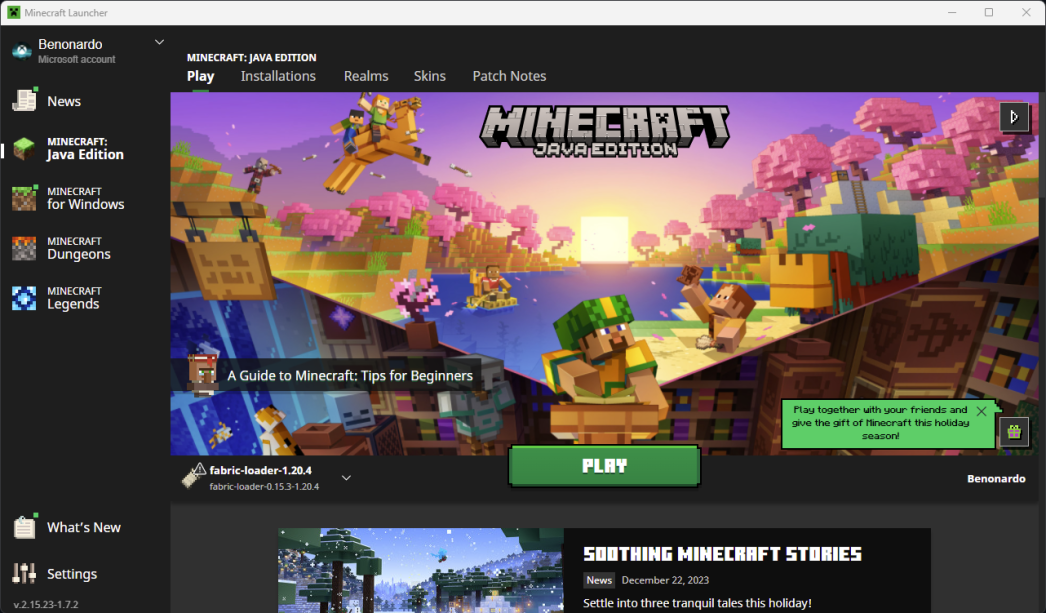
- Install or select Fabric Loader for your game version. Follow the official Fabric installation route if you do not have a Fabric profile yet.
- Open that profile’s game folder. A launcher’s instance-folder button is often the most reliable route. Separate packs may use separate folders.
- Place the matching API JAR in mods. Create the folder if necessary. Keep the JAR intact; do not extract it or move its internal modules out into separate files.
- Add your chosen mod and its other required dependencies. Check the same Minecraft version and Fabric compatibility for each one.
- Launch the Fabric profile. Once the game opens, try the feature the dependent mod adds. Fabric API itself has no special activation key or standalone gameplay menu.
For a default launcher installation, the usual mods folders are %appdata%\.minecraft\mods on Windows, ~/Library/Application Support/minecraft/mods on macOS and ~/.minecraft/mods on Linux. A custom game directory or third-party launcher can use a different location; the selected instance takes priority over these defaults.
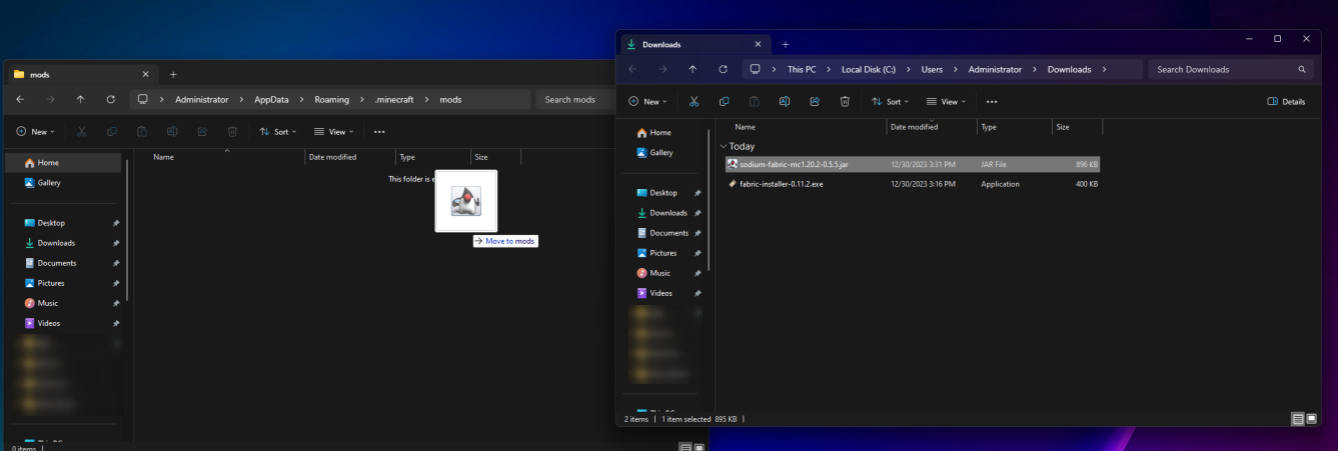
The installation illustrations come from the Fabric Documentation Team’s player guide. They show older game versions, but the folder and profile choices are the point: use the current files and requirements above for your own instance.
Does a multiplayer server need it too?
Install Fabric API on whichever side requires it. Client-only mods can need it on your computer without requiring anything on the server. A server-side or shared gameplay mod may need it in the server’s mods folder as well. Check the dependent mod’s instructions instead of copying your entire client pack to the server.
A vanilla server does not become a Fabric server when you upload an API JAR. The server needs the matching Fabric setup first. Stop it before replacing files, keep a backup, then restart and check that startup completes. A mod adding shared gameplay content can also require compatible client files; Fabric API does not remove that requirement.
Fix the common startup problems
“Requires fabric-api” even though you downloaded it
Downloading is only the first step. Check that the JAR is in the launched instance’s mods folder, not still in Downloads or in another pack. Then read the error’s required version range. An older API can still count as an unsatisfied dependency when the mod asks for a newer one.
The message asks for a newer Fabric Loader
Update the loader for that instance through your launcher or the Fabric installer. Replacing the API JAR will not update the loader. For the current 26.3 API here, the minimum is Loader 0.19.3; the 26.2 files use 0.18.4 or newer.
The game reports a Minecraft or Java version mismatch
Check the selected game profile and the API suffix first. A 26.3 file is not the 26.2 download. If the error names Java, check the runtime selected by that launcher instance; changing a system-wide Java installation does not necessarily change the launcher’s chosen runtime.
Duplicate mods or several Fabric API files
Keep one matching outer Fabric API JAR. Move superseded copies out of the active mods folder, and remove any internal API modules you previously extracted manually. The official file already contains its components; a long list of API modules in a diagnostic report does not by itself prove you installed duplicates.
It loads, but my mod’s feature is missing
Confirm the dependent mod is installed, enabled and intended for that side of the game. Then follow its controls or setup guide. Fabric API supplies support code; it does not activate another mod’s optional feature or add a configuration button on its own.
The crash continues after the dependency is fixed
A missing API can be only one problem in a pack. Read the next specific error rather than repeatedly replacing the same file. Test changes in a copy of the instance, starting with the affected mod and its required dependencies. Keep the crash report and relevant log when asking for help, with the game, loader and mod versions.
Update a working pack without losing the working setup
Stay on the Minecraft version supported by the mods you want to keep. A newer API cannot convert an old mod to a new game release, and a managed pack’s chosen release may be more appropriate than updating one dependency independently.
Before changing an established instance, back up the world and its modded setup. Close the game, replace the old API with the selected release, and try the updated pack on a copy. Keep the previous setup available until the features you use are working. Remove Fabric API only when no remaining mod needs it.
More for your Java setup.
Get the settings library your Java mods need, then learn how to find their menus, adjust options and keep changes. Includes YACL 3.9.6 for Fabric and NeoForge on 26.2, the Fabric API companion and practical fixes.
- Minecraft
- Java 26.2
- Loader
- Fabric / NeoForge
- Runtime
- Both
Java · Mod
YetAnotherConfigLib (YACL)
Get the settings library your Java mods need, then learn how to find their menus, adjust options and keep changes. Includes YACL 3.9.6 for Fabric and NeoForge on 26.2, the Fabric API companion and practical fixes.
- Minecraft version
- Java 26.2
- Game edition
- Java Edition
- Loader / platform
- Fabric
- License
- LGPL-3.0-or-later
- Platform family
- Java PC
- Supported devices
- Minecraft Java on Windows, macOS and Linux
- Install format
- .jar
- Touch readiness
- Not required
- Resource type
- Mod
- Project version
- 3.9.6
- Last verified at
- Sep 19, 2026
- Secondary guide action
- Setup & fixes
- Compatibility confidence
- Source claimed
- Java mod loader
- Fabric / NeoForge
- Java runtime side
- Both
- Required dependency
- Fabric: Loader 0.18.0+ and Fabric API. NeoForge: matching 26.2 loader.
- Edition applicability
- Java
- Delivery state
- Direct download
- Lifecycle state
- Current
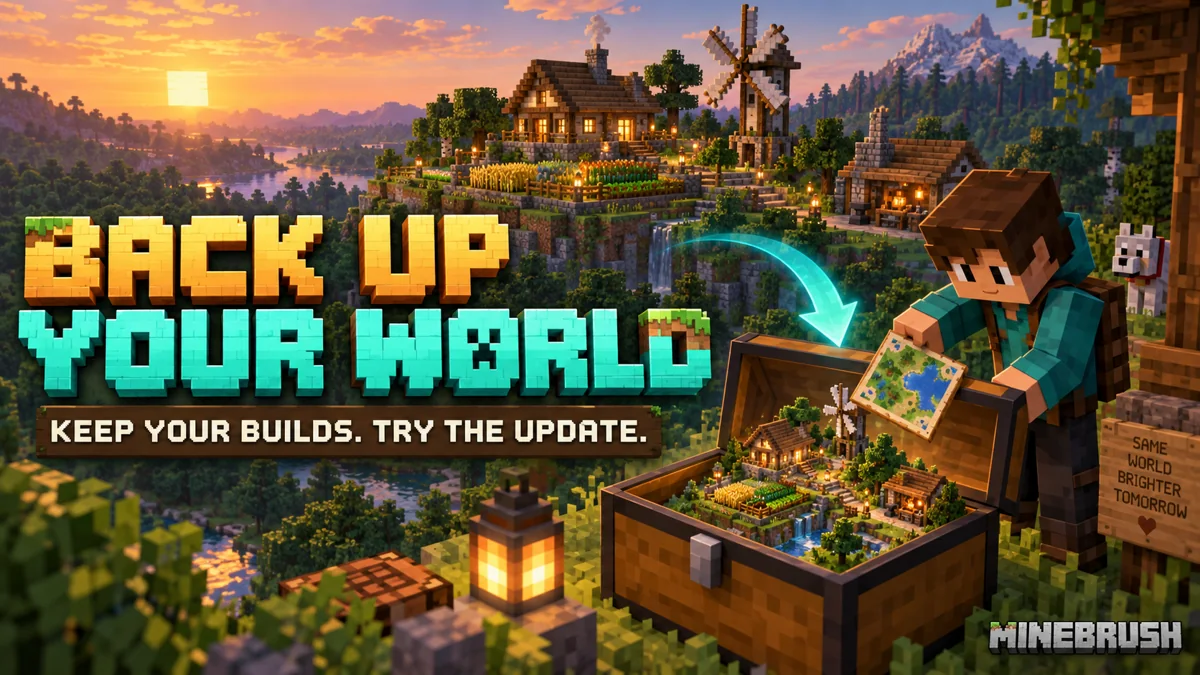
Keep your builds, inventory and modpack progress before an update. Find the right profile, back up the complete world and setup, restore a separate copy and know how to roll back if something breaks.
- Edition
- Java Edition
- Difficulty
- Intermediate
- Time
- Copy time depends on world size
Do not test an update on the only good copy
MineBrush · Guide
Back Up a Modded World
Keep your builds, inventory and modpack progress before an update. Find the right profile, back up the complete world and setup, restore a separate copy and know how to roll back if something breaks.
Do not test an update on the only good copy
- Game edition
- Java Edition
- Platform family
- Java & PC
- Supported devices
- Windows · macOS · Linux
- Install format
- Manual backup and restore; no extra mod needed
- Touch readiness
- Not required
- Resource type
- Guide
- Compatibility confidence
- Source claimed
- Card evidence statement
- Official storage and launcher docs reviewed · restore not run
- Card delivery statement
- Step-by-step backup and restore guide
- Card limitation note
- Do not test an update on the only good copy
- Edition applicability
- Java
- Estimated time
- Copy time depends on world size
- Guide difficulty
- Intermediate
- Delivery state
- No file
- Lifecycle state
- Current
Player discussion 0
Questions, discoveries and help from other players.