
MineBrush publication
Entity Culling 1.10.5: Download, Settings & Smoother Busy Areas
Reduce hidden rendering work around busy bases, storage rooms and server hubs. Download Entity Culling 1.10.5 for Fabric 26.2 or NeoForge 26.1.2, with practical settings and visual fixes.
Entity Culling helps Minecraft spend less time drawing mobs, chests and other objects you cannot see. If a solid wall or ceiling hides them, the mod can skip that rendering work until they come into view. It is especially useful around busy bases, storage rooms and densely decorated server areas.
This is a client-side optimization mod by tr7zw and contributors. It works automatically after installation. It does not remove mobs, empty chests or stop your farm: the server still runs the world normally. The improvement depends on your computer and how much hidden rendering work exists in the scene.
Where you can put it to use
- A base with a separate storage room. While you build upstairs or walk through a neighboring room, chests and other hidden block entities may no longer need to be drawn. You can keep the storage layout you like; there is no new item to craft or machine to place.
- Trading halls and farms behind walls. Villagers, animals and other entities can stay active in the world while their hidden models are skipped on your screen. This targets the visual cost of a busy area, not slow server ticks or a farm’s production rate.
- Large multiplayer hubs and adventure maps. Buildings, decorations and crowds often overlap from the player’s viewpoint. Install the mod on your own client; a server-wide installation is unnecessary. Open areas with everything in view offer less opportunity for it to help.
- A modpack already using Sodium. Entity Culling adds line-of-sight checks for objects hidden within visible chunks. It can complement Sodium’s renderer rather than requiring you to choose one or the other.
See the author’s comparison
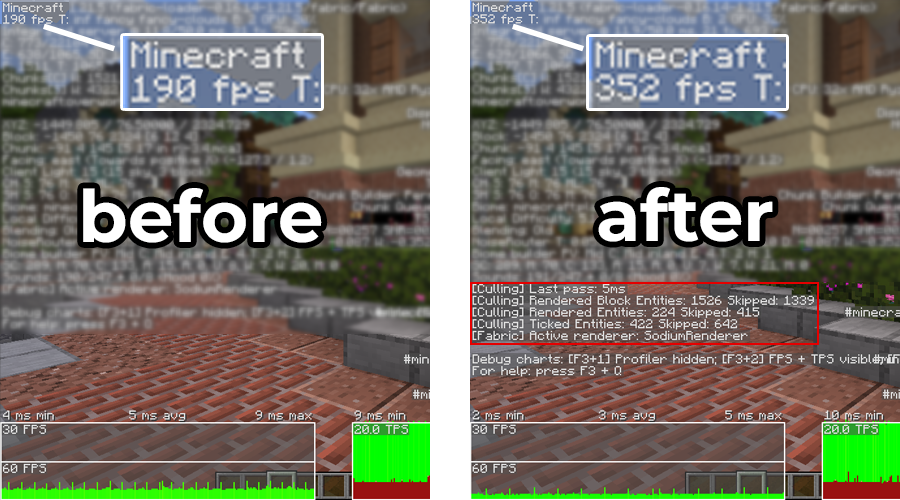
The useful point is that the visible scene remains recognizable while less hidden work is processed. You do not need to lower your chosen render distance simply to enable Entity Culling. However, it cannot make every shader, crowded scene or low-powered computer run at a fixed frame rate.
Download Entity Culling 1.10.5
Choose by both Minecraft version and loader. The current files below were released on June 20, 2026. Fabric targets Java 26.2; the latest NeoForge build listed by the author targets Java 26.1.2. These are separate choices, not interchangeable files.
Fabric · Minecraft Java 26.2
Requires Fabric API for Java 26.2. Install one Entity Culling JAR and one matching Fabric API JAR.
Fabric API · required only for the Fabric setup
If your modpack already includes a compatible Fabric API, keep one copy instead of adding a duplicate. This is the shared dependency, not a second version of Entity Culling.
NeoForge · Minecraft Java 26.1.2
This file is for 26.1.2. It does not require Fabric API and is not listed as a 26.2 release.
For older modpacks, use the author’s version selector to match the exact game version and loader. The project has older Forge and other builds, but the three attachments above are the packages provided in this article. Java JARs do not install into Bedrock or mobile Minecraft.
Install it and start playing
- Check your launcher instance’s Minecraft version and whether it uses Fabric or NeoForge. Close the game before changing its files.
- Open that instance’s
modsfolder and add the matching Entity Culling JAR. On Fabric, add the matching Fabric API if it is missing. Replace an older Entity Culling copy rather than leaving both installed. - Launch that same modded profile and join your world or server. Culling starts automatically; there is no resource pack to activate or special key you must press for normal play.
- Visit a familiar busy area and move between open views and enclosed rooms. The intended result is ordinary-looking gameplay with less unnecessary rendering.
For settings, open the mod’s configuration from your mod list. On Fabric, the optional Mod Menu provides this entry; on NeoForge, use its Mods screen and Entity Culling’s configuration entry. Mod Menu is a convenience for opening settings, not a requirement for automatic culling.
Check whether it helps in your world
Open Options → Controls → Key Binds, find EntityCulling and assign an unused key to Debug toggle culling. This lets you compare enabled and disabled culling without restarting. Keep your camera in the same place, let nearby chunks finish loading and toggle a few times. Compare a busy enclosed location as well as an open view; smooth movement matters as much as the FPS counter.
A frame cap or VSync can keep FPS unchanged even when less work is being done. If your CPU is already fully occupied, extra visibility calculations can also be less helpful. Keep the mod only if the experience suits your setup; a dramatic improvement in someone else’s base does not guarantee the same result in yours.
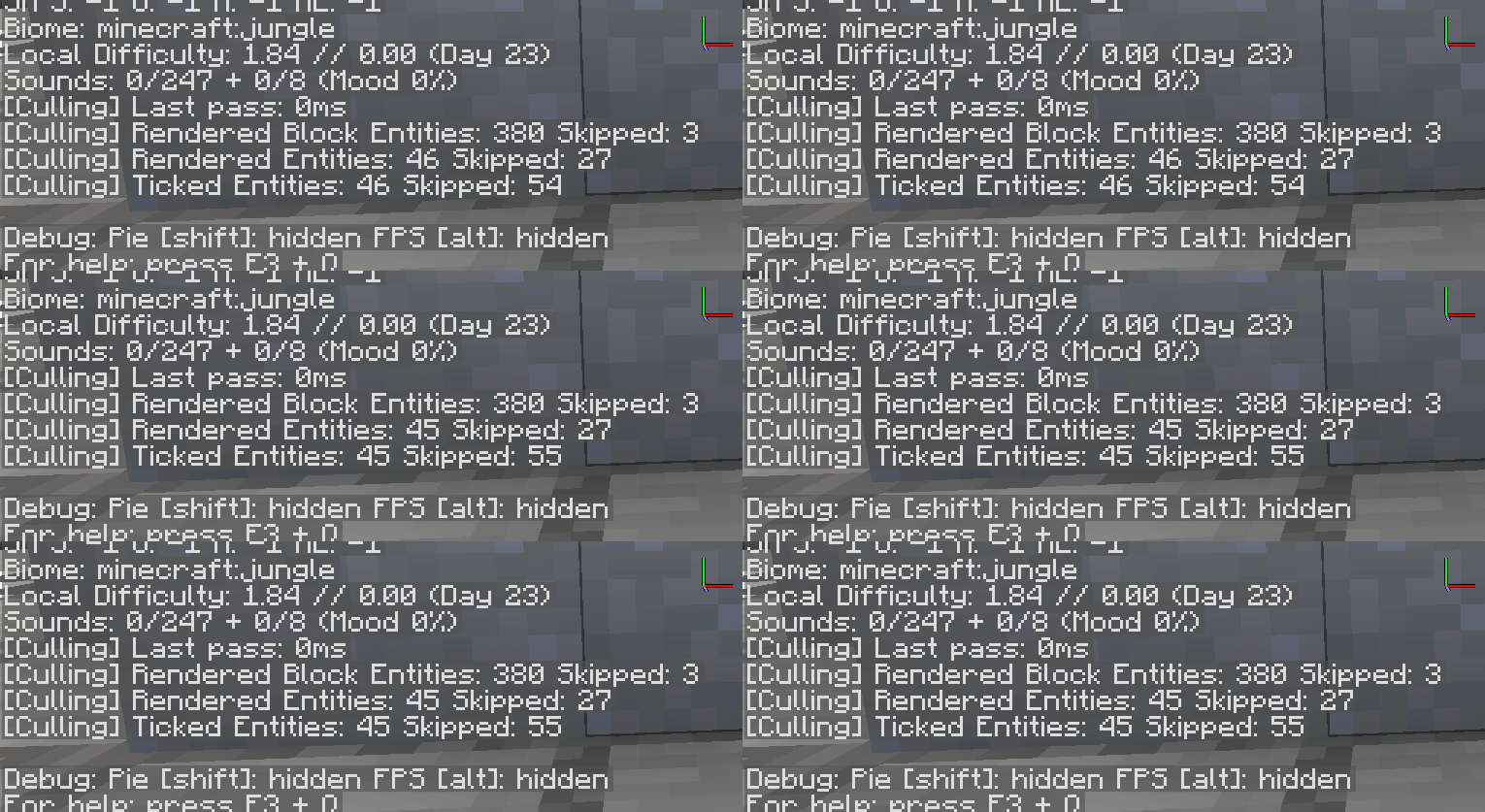
The debug overlay can help explain what is being skipped, but its counters are not a direct FPS score. The author notes that Minecraft’s own F3 counts can differ from actual rendering, especially with shader shadow passes. On newer versions, additional debug entries can be enabled through F3+F6. You can leave the diagnostics hidden for everyday play.
Useful settings without unnecessary tweaking
- Tick culling: reduces client-side updates for hidden entities. It is enabled by default. If a modded animation misbehaves, use the specific tick-culling exceptions below before giving up the whole rendering optimization. Server-side mob behavior and farms continue normally.
- Render nametags through walls: keeps nametags available for culled entities where Minecraft would otherwise render them. Turning it off also hides those culled nametags. It does not turn the mod into a wallhack that reveals every mob.
- Solid leaves: treats leaves as opaque for visibility checks. Consider it when using opaque leaves or a bushy-leaf pack that genuinely blocks the view. Leave it off when looking through leaf gaps matters; otherwise objects visible through those gaps can disappear.
- Force display culling: gives unconfigured display entities a default box for visibility checks. This can help particular maps or servers, but oversized decorations can vanish incorrectly. It is off by default; keep that default unless you have a reason to try it, and turn it back off if displays disappear.
- Skip entity culling / Skip block entity culling: these switches disable the corresponding optimization. They are useful for narrowing down a visual problem; they are not extra performance modes.
Fix a disappearing mob, beacon or modded effect
First use Debug toggle culling in the affected spot. If the object reappears with culling disabled, open Entity Culling’s configuration and exempt that object type. If nothing changes, investigate the renderer, shader or mod supplying the object instead.
- Choose Skip Entities for a mob or client-side effect that must keep rendering, Skip Blockent. for a chest-like block entity or extended beam, or Skip Tick Culling for an entity whose client animation or updates are being interrupted.
- Use the search field to find the object’s identifier, such as
minecraft:beacon, or part of its mod ID. Entity entries show their identifier in a tooltip. The search works on identifiers, so a translated display name may not match. - Enable the entry’s switch to exclude that type from the selected optimization. In these “Skip” tabs, enabled means “leave this type alone,” not “hide it.” Return with Done and revisit the affected view.
Common exceptions already exist. Version 1.10.5 includes the vanilla beacon and Create rope/hose pulleys in its default block-entity exceptions, along with several Botania effects. Some boats, displays and Create contraptions also have default tick exceptions. Check the existing entry first, especially in a modpack carrying an older or customized configuration; do not remove working exceptions to chase a higher counter.
For an unfamiliar effect, use the supplying mod’s documentation or its identifier tooltip to select the right type. Exempting everything would remove much of the benefit. The configuration is saved in the instance’s config/entityculling.json; the in-game screen is easier than editing it manually. If you do edit the file, close Minecraft first and keep a copy of the working configuration.
How it fits alongside other performance mods
Sodium improves the renderer, while Entity Culling decides which hidden entities and block entities can skip rendering. Lithium focuses on game simulation, and FerriteCore reduces memory use. They address different costs; none guarantees that a slow server, heavy shader or newly generating terrain will become smooth.
The author’s comparison also uses ImmediatelyFast and Iris. Those are optional components, not bundled with this download. Use compatible releases for the same game and loader. A modpack with unusual animated entities may need the exceptions described above even when the renderer itself is compatible.
Quick answers and startup fixes
- Do all players or the server need it? No. Install it on the client you play with. Other players can join normally without it.
- Will it stop a mob farm behind a wall? It does not change server-side spawning, movement or item drops. If the server’s simulation is slow, this client rendering mod does not fix that bottleneck.
- Will it make every entity disappear through glass? Transparent views and exposed parts should remain visible. If something you should see vanishes, use the toggle and targeted exceptions rather than accepting broken visuals.
- Fabric refuses to start. Check that both the mod and Fabric API match Java 26.2, remove duplicate JARs and read the loader’s named dependency error. Fabric API for a different Minecraft version is not a substitute.
- NeoForge reports the wrong game version. The NeoForge file here targets 26.1.2. Do not put it into a 26.2 or Fabric profile. The 1.10.5 changelog fixes a startup keybind problem in older NeoForge versions; it does not announce a 26.2 NeoForge build.
- The loader names TL Skin and Cape / tlskincape as incompatible. This release declares that component incompatible. Use a profile without that conflicting component; renaming a JAR does not resolve the conflict.
- I want to remove Entity Culling. Close the game, remove its JAR and launch again. Keep Fabric API if other mods need it. Your world’s blocks and mobs are not content supplied by Entity Culling, so removing this rendering mod does not remove them.
Creator and sources
Entity Culling is developed by tr7zw and contributors under the tr7zw Protective License. The comparison and historical animation are the author’s examples with their context stated above. The branded MineBrush cover is an editorial illustration, not a game screenshot or benchmark.
- Official description, compatibility notes and FAQ · author’s CurseForge page.
- Release details: Fabric 1.10.5 for 26.2 · NeoForge 1.10.5 for 26.1.2 · Fabric API 0.160.0 for 26.2.
- Version 1.10.5 source, configuration and translations · developer’s issue tracker.
More for your Java setup.

Simple Voice Chat
2.6.23Talk to nearby players, coordinate distant building teams and create voice groups for adventures. Download Simple Voice Chat 2.6.23 for Java 26.2, choose your loader and set up clear, comfortable in-game conversation with friends.
- Minecraft
- Java 26.2
- Loader
- Fabric
- Runtime
- Both
Client + server required; Java 26.2 mod builds are beta
Java · Mod
Simple Voice Chat
Talk to nearby players, coordinate distant building teams and create voice groups for adventures. Download Simple Voice Chat 2.6.23 for Java 26.2, choose your loader and set up clear, comfortable in-game conversation with friends.
Client + server required; Java 26.2 mod builds are beta
- Minecraft version
- Java 26.2
- Game edition
- Java Edition
- Loader / platform
- Fabric
- License
- All Rights Reserved
- Platform family
- Bedrock & Mobile
- Supported devices
- Windows · macOS · Linux
- Install format
- .jar client/server mod or Bukkit-family server plugin
- Touch readiness
- Not required
- Resource type
- Mod
- Project version
- 2.6.23
- Last verified at
- Sep 12, 2026
- Secondary guide action
- Setup & fixes
- Compatibility confidence
- Source claimed
- Java mod loader
- Fabric
- Java runtime side
- Both
- Card evidence statement
- Proximity conversations and distant voice groups
- Required dependency
- Compatible voice component on server; matching client mod
- Card delivery statement
- Five original JAR variants through MineBrush attachments
- Card limitation note
- Client + server required; Java 26.2 mod builds are beta
- Edition applicability
- Java
- Delivery state
- Direct download
- Lifecycle state
- Current

Bobby
5.2.15Keep visited castles, coastlines, and server builds visible farther away. Learn how Bobby’s saved terrain works, set a comfortable view distance, and download the Fabric mod for Java 26.2.
- Minecraft
- 26.2
- Loader
- Fabric
- Runtime
- Client
Java · Mod
Bobby
Keep visited castles, coastlines, and server builds visible farther away. Learn how Bobby’s saved terrain works, set a comfortable view distance, and download the Fabric mod for Java 26.2.
- Minecraft version
- 26.2
- Game edition
- Java Edition
- Loader / platform
- Fabric
- License
- LGPL-3.0-or-later
- Platform family
- Java PC
- Supported devices
- Minecraft Java 26.2 on Windows, macOS, and Linux
- Install format
- JAR in the Fabric mods folder
- Touch readiness
- Not required
- Resource type
- Mod
- Project version
- 5.2.15
- Secondary guide action
- Setup & fixes
- Compatibility confidence
- Source claimed
- Java mod loader
- Fabric
- Java runtime side
- Client
- Required dependency
- Fabric Loader 0.18.4+
- Card delivery statement
- Java 26.2 Fabric JAR
- Edition applicability
- Java
- Delivery state
- Direct download
- Lifecycle state
- Current
FastQuit
3.1.5Return to the title screen while your single-player world finishes saving. FastQuit makes switching between survival builds, creative tests and maps more convenient. Download the Fabric mod and required libraries for Java 26.2, recognise a completed save and choose useful settings.
- Minecraft
- 26.2
- Loader
- Fabric
- Runtime
- Client
Java · Mod
FastQuit
Return to the title screen while your single-player world finishes saving. FastQuit makes switching between survival builds, creative tests and maps more convenient. Download the Fabric mod and required libraries for Java 26.2, recognise a completed save and choose useful settings.
- Minecraft version
- 26.2
- Game edition
- Java Edition
- Loader / platform
- Fabric
- License
- MIT
- Platform family
- Java PC
- Supported devices
- Windows, macOS, and Linux where Minecraft 26.2, Java 25+, and Fabric are supported
- Install format
- .jar in the client mods folder
- Touch readiness
- Not required
- Resource type
- Mod
- Project version
- 3.1.5
- Last verified at
- Sep 18, 2026
- Secondary guide action
- Setup & fixes
- Compatibility confidence
- Source claimed
- Java mod loader
- Fabric
- Java runtime side
- Client
- Required dependency
- Fabric API and Cloth Config
- Edition applicability
- Java
- Delivery state
- Direct download
- Lifecycle state
- Current
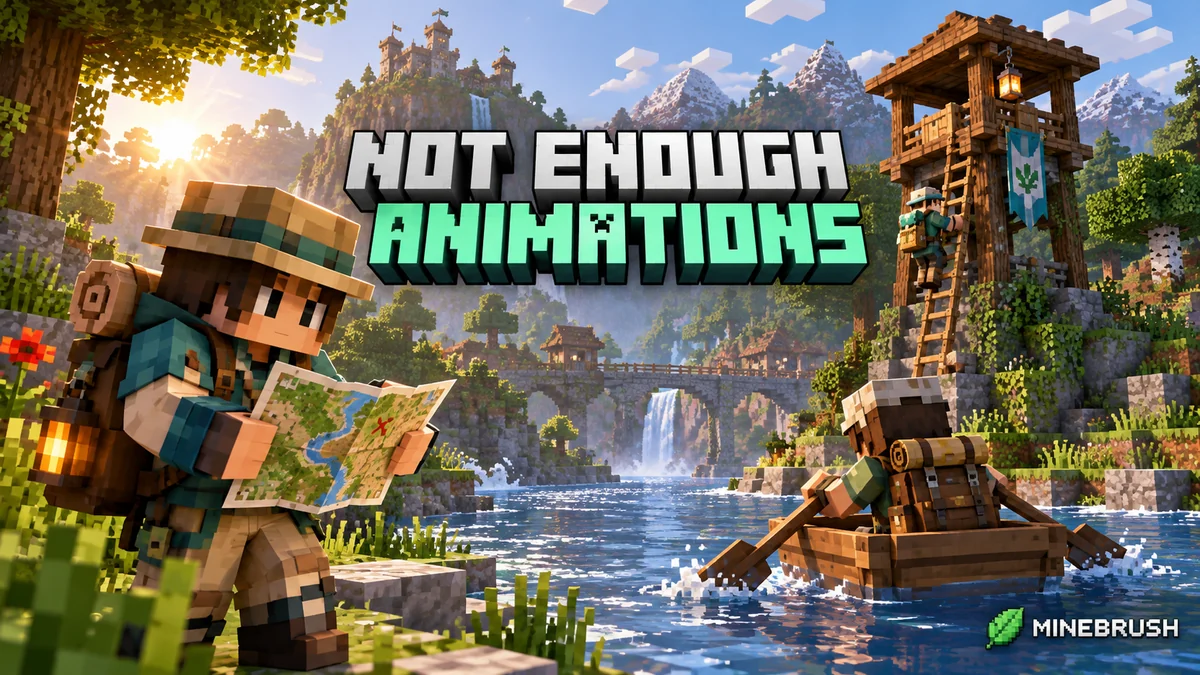
Not Enough Animations
1.12.4Make your character visibly eat, read maps, row and crawl in third person. Download Not Enough Animations 1.12.4 for Fabric 26.2 or NeoForge 26.1.2, see the author’s examples and choose the motions you like.
- Minecraft
- Java 26.2 (Fabric); 26.1.2 (NeoForge)
- Loader
- Fabric
- Runtime
- Client
Client only · choose the matching Minecraft version
Java · Mod
Not Enough Animations
Make your character visibly eat, read maps, row and crawl in third person. Download Not Enough Animations 1.12.4 for Fabric 26.2 or NeoForge 26.1.2, see the author’s examples and choose the motions you like.
Client only · choose the matching Minecraft version
- Minecraft version
- Java 26.2 (Fabric); 26.1.2 (NeoForge)
- Game edition
- Java Edition
- Loader / platform
- Fabric
- License
- tr7zw Protective License
- Platform family
- Java & PC
- Supported devices
- Windows · macOS · Linux
- Install format
- .jar mod file from the creator
- Touch readiness
- Not required
- Resource type
- Mod
- Project version
- 1.12.4
- Last verified at
- Sep 12, 2026
- Secondary guide action
- Setup & fixes
- Compatibility confidence
- Source claimed
- Java mod loader
- Fabric
- Java runtime side
- Client
- Card evidence statement
- Natural third-person actions for travel, survival and screenshots
- Required dependency
- Fabric API for Fabric; no separate library for NeoForge
- Card delivery statement
- Fabric 26.2 or NeoForge 26.1.2 · native downloads
- Card limitation note
- Client only · choose the matching Minecraft version
- Edition applicability
- Java
- Delivery state
- Direct download
- Lifecycle state
- Current
Player discussion 0
Questions, discoveries and help from other players.