 MineBrush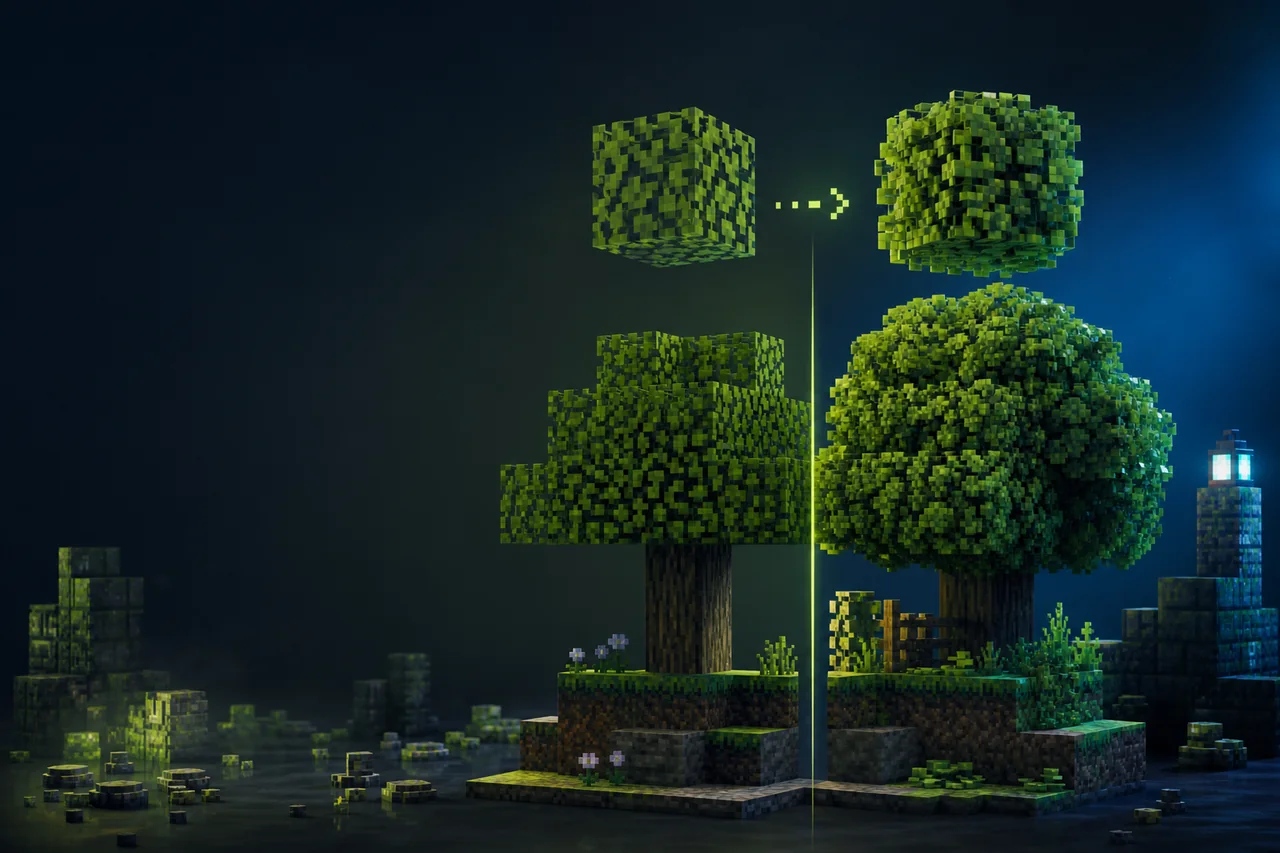
Current release check: Motschen’s Better Leaves 9.5 is a client-side Java resource pack for Minecraft 1.20 through 1.20.6, 1.21 through 1.21.11, and 26.1 through 26.2. It adds extra layers to leaf blocks to create a bushier, denser outline.
Version 9 uses leaf textures generated ahead of time. That is the key compatibility decision: the standard ZIP is ready for its included textures, but another resource pack’s custom leaf art may need a custom Better Leaves compilation rather than a simple pack-order swap.
Match Better Leaves 9.5
| Version | 9.5 |
|---|---|
| Modrinth version ID | XWtayRKd |
| Published | January 31, 2026 |
| Minecraft labels | 1.20–1.20.6, 1.21–1.21.11, and 26.1–26.2 |
| Filename | Better-Leaves-9.5.zip |
| File size | 1,923,769 bytes |
| Optional project | Cull Leaves (GNxdLCoP) |
| Side | Client required; server unsupported |
The minecraft loader label means this is a Java resource pack, not a Fabric, Forge, or NeoForge mod JAR. The optional Cull Leaves entry is a separate mod with its own game-version and loader requirements.
Decide which leaf-texture route you need
| Your setup | Best first route | Why |
|---|---|---|
| Vanilla-style leaf textures | Test the official Better Leaves 9.5 ZIP by itself | The release already contains its generated leaf assets |
| A texture pack replaces vanilla leaves | Use the creator’s custom-compilation documentation | V9 textures are generated ahead of time and do not dynamically adopt another pack’s leaf art |
| A mod adds new leaf blocks | Check the creator’s explicit v9.5 support list, then test the exact mod version | Project-level support does not guarantee every build or special asset layout |
| You want the older dynamic workflow | Keep it in a separate legacy profile | Version 8.1 and earlier used dynamic adjustment but carry a creator-stated performance cost |
Do not downgrade only because a custom leaf texture looks wrong. The creator provides a v9 build workflow that takes a texture pack ZIP or folder as input and generates a custom flavor. Advanced mod leaves with unusual asset structures can require additional mapping in the creator’s documented format.
Install the standard 9.5 ZIP
- Back up the client profile’s current resource-pack list.
- Download version ID
XWtayRKdfrom the creator-controlled versions page. - Place
Better-Leaves-9.5.zipin the profile’sresourcepacksfolder without unpacking it. - Disable other foliage, leaf-model, and leaf-texture packs for the first launch.
- Enable Better Leaves and reload resources.
- Open a disposable world and compare several vanilla leaf types at close, medium, and long viewing distance.
The pack belongs on the client. A dedicated server does not need this ZIP to change one player’s local leaf rendering. MineBrush has not downloaded, inspected, or run the current artifact.
Test pack order with one clear owner
Before swapping priority, use the safe Java resource-pack install checklist to prove Better Leaves alone in the target profile.
If a second pack changes leaves, first test each pack alone. Then enable both and compare both priority orders. Look for the leaf texture, the extra geometry, item icons, snowy or flowering variants, biome tinting, and any blocks that reuse a leaf texture for a different purpose.
A priority change can select one pack’s existing asset, but it cannot automatically rebuild Better Leaves 9.5 around the other pack’s custom leaf art. If you get vanilla-colored bushy layers mixed with a custom canopy—or missing textures—the creator’s custom build route is the relevant next step.
Do not upload a self-built flavor as though it were the official 9.5 file. Give it a distinct name/version, record its input pack and source revision, and respect the input texture pack’s license.
Check modded leaves deliberately
The creator lists a broad set of explicitly supported mods for v9.5, including biome, dimension, decoration, and tree mods. Treat that list as a project-level starting point. Compatibility can still vary with a mod update, alternate resource pack, changed block ID, or unusual multi-texture model.
- Test vanilla leaves first.
- Add one biome or tree mod and keep every other visual pack unchanged.
- Visit one known leaf block from that mod and inspect block, item, tint, overlay, and distance behavior.
- Record the mod version and block identifier if the result is wrong.
- Check the Better Leaves wiki’s advanced mapping route before calling the entire mod unsupported.
Troubleshoot by the visible failure
| Symptom | First useful check | Likely boundary |
|---|---|---|
| Leaves still look like plain cubes | Confirm Better Leaves 9.5 is enabled and no higher-priority pack replaces its models | Activation or asset override |
| Bushy layers use the wrong leaf colors or pattern | Disable the custom texture pack, then test the official ZIP alone | V9 pre-generated texture mismatch |
| Pink-and-black or missing textures appear | Test one pack at a time and identify the exact leaf block and namespace | Missing asset, irregular mod structure, or bad custom compilation |
| Only one mod’s leaves fail | Compare that mod/version with the creator’s v9.5 support list and wiki mappings | Mod-specific asset layout |
| Items or unrelated blocks look wrong | Check whether another asset reuses a leaf texture and reproduce without other packs | Shared-texture side effect documented by the creator |
| Frame time changes around forests | Repeat the same camera path with the same settings, chunks, pack stack, and warm-up | Requires measurement; visual complexity alone is not a diagnosis |
Cull Leaves is optional, not a bundled fix
The 9.5 release records Cull Leaves as optional, and the creator recommends it alongside Sodium or Embeddium for a performance-oriented setup. That is creator guidance—not a MineBrush benchmark and not proof of an FPS gain on every GPU, driver, modpack, or leaf layout.
If you test Cull Leaves, match its own Minecraft version and loader, establish a Better Leaves-only baseline first, and compare the same forest route. Stop if leaf faces disappear incorrectly, transparent sorting changes, or another foliage mod produces holes.
Custom compilation is a creator workflow
The Better Leaves wiki documents how to download or clone the creator repository, place texture packs or mod files into designated input folders, install its Python requirements, and generate a named custom resource pack. That workflow executes local tools and processes third-party assets; follow the creator’s current documentation and inspect inputs before running it.
MineBrush is not distributing a prebuilt combination. Exact Python support, dependency versions, output bytes, input-pack rights, and reproducibility remain unverified for this article.
No universal visual or performance guarantee
The creator describes v9 as performance-focused and explains that pre-generating textures avoids the older dynamic approach. MineBrush has no controlled benchmark for FPS, frame time, memory, texture-atlas size, resource reload, or shader interaction. The result also depends on render settings, Sodium or Embeddium, Cull Leaves, resolution, modded foliage, shader packs, and hardware.
The project is labeled MIT. That label does not automatically grant MineBrush rights to unrelated input texture packs, screenshots hosted by third parties, or footage containing other creators’ work.
Creator-controlled sources
- Motschen’s Better Leaves project
- Official Better Leaves versions
- Better Leaves 9.5 release
- Creator’s Better Leaves build wiki
- Creator source and build repository
- Better Leaves issue tracker
- Optional Cull Leaves project
Download boundary: MineBrush does not mirror the 9.5 ZIP or creator media. Use the official versions page and keep any custom build’s provenance separate.
PLAYER QUESTIONS
Discussion
Include the exact edition, version and step when asking for help.