 MineBrush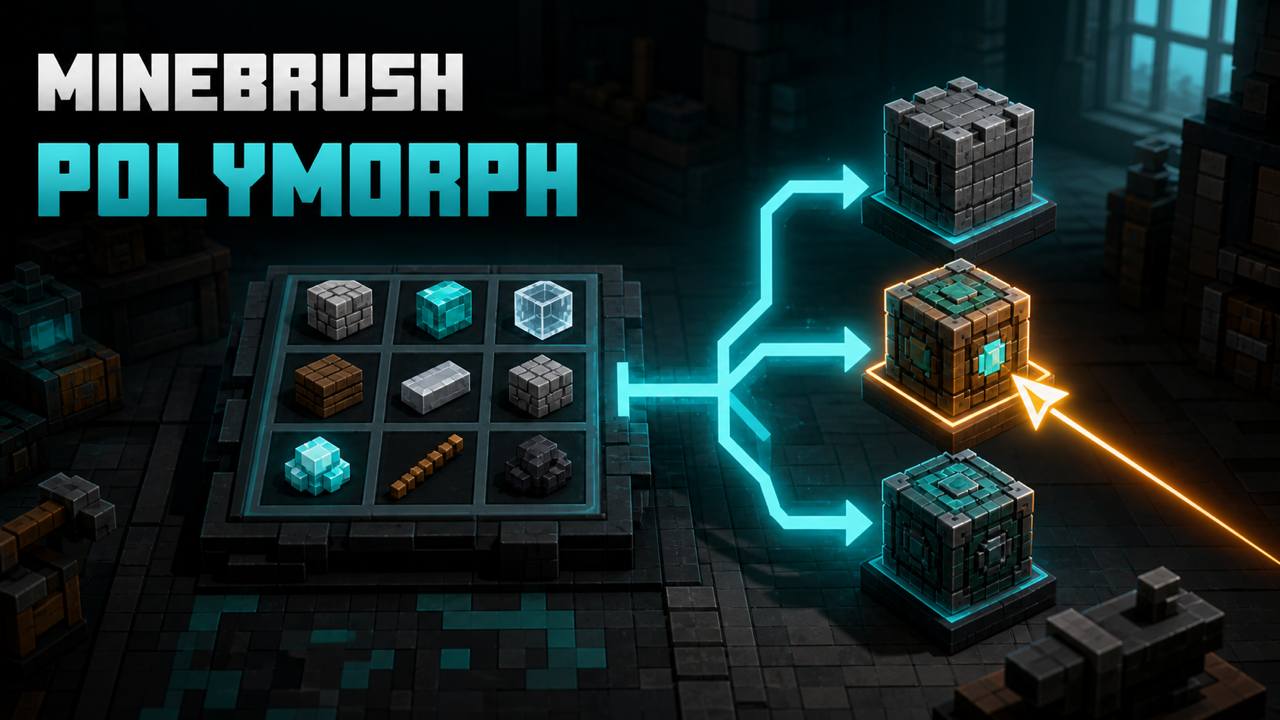
MineBrush local downloads
Choose the file that matches your Minecraft version and mod loader. Each link opens the separate MineBrush download page before DLE serves the attached file.
- Polymorph 1.1.0 — Fabric — Minecraft 1.21 / 1.21.1
- Polymorph 1.1.0 — Forge
- Polymorph 1.1.0 — NeoForge
- Fabric API 0.116.15 — required for Fabric only
- Polymorph full source
- Polymorph license notice
- LGPL-3.0 text
MineBrush reviewed the official release records and attachment structure. This exact build was not independently launched in a Minecraft runtime; use a backup and match the listed game version, loader, and dependencies.
What Polymorph fixes
Large modpacks often contain two or more recipes that accept the same ingredients but produce different outputs. Without a conflict handler, one result can effectively hide the other. Polymorph by Illusive Soulworks keeps those recipes available and adds a small selector where a conflict exists.
This update expands the existing MineBrush Polymorph guide at DLE ID292 into a download-and-support page. The existing URL must remain unchanged. The exact stable files covered here are Polymorph 1.1.0 for Minecraft Java 1.21 and 1.21.1; the project does not currently claim Minecraft 26.2 support.
Choose Fabric, Forge, or NeoForge
- Fabric:
polymorph-fabric-1.1.0+1.21.1.jar, official version IDNg5Y6KVo, 320,928 bytes. Requires Fabric API. - Forge:
polymorph-forge-1.1.0+1.21.1.jar, IDCILYIVoK, 173,738 bytes. No required dependency is declared in the official record. - NeoForge:
polymorph-neoforge-1.1.0+1.21.1.jar, IDVEburL70, 174,972 bytes. No required dependency is declared in the official record.
All three are release-channel files published July 21, 2025. Never mix loaders. “No declared dependency” does not mean any loader build works; it means the exact Forge and NeoForge records do not list an extra project dependency.
Install Polymorph correctly
- Confirm the profile is Minecraft 1.21 or 1.21.1 and identify its loader.
- Back up the world, server, and instance configuration.
- Install the matching Polymorph file. Fabric users must also install a Fabric API build for the same Minecraft line.
- For multiplayer or a dedicated server, install the same Polymorph version and loader family on both the client and server.
- Start with a small test profile, then reproduce one known conflicting recipe.
The official environment is client and server required for full function. A client-only installation may display nothing or fail to stay synchronized on a server. A server-only installation cannot provide the player's selector UI.
Use the crafting selector
Place ingredients in a crafting grid. If the ingredients match more than one result, Polymorph shows a button above the output slot. Open it, review the possible results, and choose the one you want. The chosen result is remembered while the ingredient arrangement stays the same, so repeated crafting can continue without selecting after every item.
If no button appears, first confirm there are genuinely multiple recipes for the exact grid. Similar-looking ingredients, tags, shaped recipes, and pack-specific recipe changes can make an assumed conflict disappear.
Smelting and furnace-like conflicts
When a valid furnace input matches multiple outputs, the selector appears above the output. The active choice is highlighted, and the selected result is stored on that block. The creator documents that the choice persists when the world unloads and loads again. This block-specific persistence means two furnaces can hold different choices.
Polymorph also covers blasting and smoking in its diagnostic scan. Exact UI behavior should be checked on the installed loader and pack, especially when another mod replaces the furnace screen.
Smithing conflicts
The current project supports smithing selection with the same core idea: when a valid input set produces multiple outputs, choose the intended result from Polymorph's selector. Screen replacements and recipe-viewer overlays may compete for the same UI space, so reproduce a missing button in a minimal profile before concluding the recipe is broken.
Find hidden conflicts with a command
Run /polymorph conflicts with the necessary command permission. Polymorph scans crafting, smelting, blasting, smoking, and smithing recipes, then writes the detected conflicts to the game's logs folder. The command is a diagnostic report, not an automatic recipe rewrite.
When asking for support, keep the generated output plus latest.log, the loader version, Polymorph version, mod list, and the exact recipe inputs. Logs can contain player or server details, so review them before sharing publicly.
Why the selector may not appear
- Only one active recipe: confirm both expected recipes exist in the current pack and version.
- Wrong-side install: use matching Polymorph builds on client and server for multiplayer.
- Wrong loader file: replace it with the Fabric, Forge, or NeoForge artifact matching the profile.
- Fabric startup failure: install the same-line Fabric API dependency.
- Custom screen: test without the mod that replaces the crafting, furnace, or smithing screen.
- Recipe changed by datapack/server: run the conflicts command on the environment where the problem occurs.
Does Polymorph replace recipe viewers?
No. REI, EMI, and JEI-style tools help players discover recipes and uses. Polymorph resolves the narrower case where identical inputs have multiple valid outputs. A pack can use both, provided exact versions and screen integrations are compatible.
Server and Realm boundary
A modded Java server can run Polymorph when its loader and mod policy allow it and all participating clients use the required matching setup. Vanilla Realms do not provide a general route for installing arbitrary Fabric, Forge, or NeoForge server mods. Do not promise Realm support based on a local client installation.
Update, downgrade, or remove
Back up first, then change Polymorph on client and server together. Preserve the old JAR, dependency set, and configuration until the new setup passes crafting, furnace, smithing, and reconnect tests. If rolling back, restore the matched client/server version. Removing the mod removes its conflict-selection layer; the pack's underlying recipe priority determines which output remains accessible.
Local download and LGPL source
Polymorph is licensed under LGPL-3.0. The official version records include loader-specific source JARs alongside the three binaries:
- Fabric sources:
polymorph-fabric-1.1.0+1.21.1-sources.jar, 137,074 bytes. - Forge sources:
polymorph-forge-1.1.0+1.21.1-sources.jar, 126,389 bytes. - NeoForge sources:
polymorph-neoforge-1.1.0+1.21.1-sources.jar, 129,830 bytes.
Before MineBrush hosts a binary, QA must verify that its matching source JAR plus the official 1.21.x repository source satisfies the exact corresponding-source obligation, then make that source and the LGPL/GPL notices readily available beside the download. No binary or source file may be merged, modified, or cross-paired.
Quick answer
Install Polymorph 1.1.0 for the exact Minecraft 1.21/1.21.1 loader on both client and server; add Fabric API on Fabric. When a recipe has multiple outputs, use the selector above the result. Use /polymorph conflicts to write a diagnostic list to logs. This is an update to MineBrush DLE ID292, not a new page.
Official and creator sources
- Polymorph: 1.1.0+1.21.1 · Fabric · Release
- Polymorph: 1.1.0+1.21.1 · Forge · Release
- Polymorph: 1.1.0+1.21.1 · NeoForge · Release
- Fabric API: 0.116.15+1.21.1 · Fabric · Release
- Polymorph source: 1.21.x branch
These links identify the official or creator-controlled evidence checked on August 28, 2026. MineBrush has not treated an unverified runtime result, device outcome, or third-party configuration as guaranteed.
PLAYER QUESTIONS
Discussion
Include the exact edition, version and step when asking for help.