 MineBrush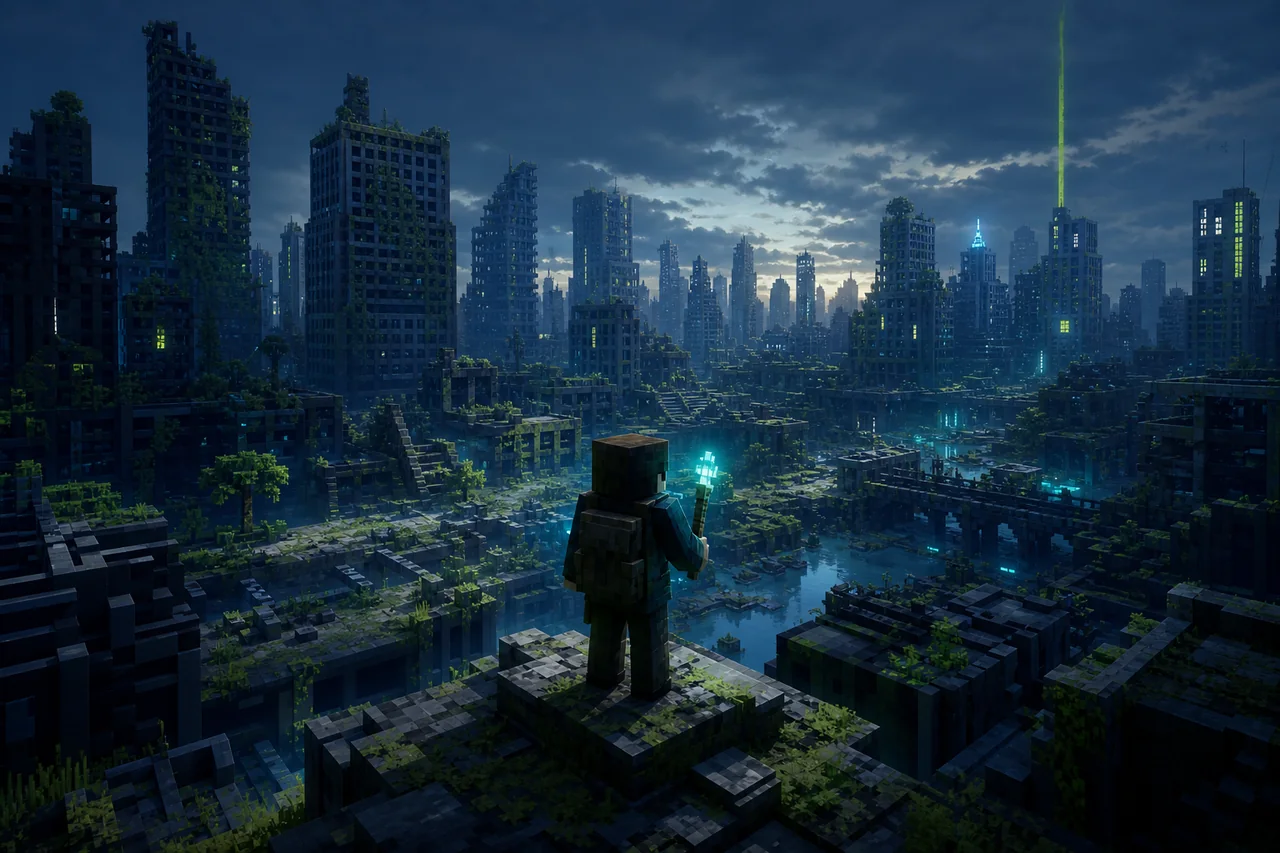
Post Apocalypse City v1.30 is TryzzMC's Bedrock survival world: a large ruined city built on a custom island, with caves, ores, mob spawners, mineshafts, trial chambers, interiors, hidden areas, and ordinary terrain beyond the custom region.
The current Bedrock file is Apocalypse City - v1.30.mcworld, CurseForge file 8701279, released August 21, 2026. It lists Bedrock 26.40 and 26.30. A separate Java project with the same creator and title also exists; its ZIP files are not interchangeable with this Bedrock world.
What you are downloading
This is an exploration-and-survival world, not a scripted campaign with a verified quest order. The city supplies a setting and survival resources while interiors, loot, spawners, caves, and structures create routes through it. The creator calls the world playable and practically finished while also planning more additions.
That distinction matters. Expect a world you can inhabit and explore, but do not promise a fixed story ending, exact completion percentage, bunker, quest log, or guaranteed reset system unless the current world itself proves one.
Current Bedrock v1.30 record
- Creator: TryzzMC
- Bedrock project: CurseForge
1435007 - Exact file:
Apocalypse City - v1.30.mcworld - File ID:
8701279 - Release date: August 21, 2026
- Exact Bedrock labels: 26.40 and 26.30
- Size:
217,671,019bytes in public file metadata - License shown by CurseForge: All Rights Reserved
- Additional files: none listed on the exact record
MineBrush did not download, import, or inspect the world. Its database, packs, commands, experiments, dimensions, entities, structures, player inventory, achievement state, and exact spawn route remain unverified.
What v1.30 changes
The v1.30 changelog adds many loot chests and spawners to buildings and improves building interiors. For a returning player, that means the useful regression route is indoors: enter a known building in a fresh v1.30 import, locate a new chest or spawner, inspect one improved interior, save, and reopen.
Do not overwrite an older survival copy to see the new content. World releases are complete imports, not proven in-place patches. A chest already opened, a mob already spawned, or an edited building in v1.29 cannot be assumed to merge cleanly with v1.30.
Bedrock and Java have separate project records
TryzzMC publishes a Bedrock Maps project and a separate Java Worlds project with nearly identical names and the same v1.30 label. The Bedrock record uses file ID 8701279 and a .mcworld file. The Java project distributes much larger ZIP worlds under a different project ID.
Confirm the platform line before downloading. Renaming a Java ZIP to .mcworld will not convert its world format, and a Bedrock import is not a Java save. This MineBrush URL owns only the Bedrock Edition route.
Storage plan for a 207.6 MB world
The listed archive size is not the final storage cost. Minecraft needs room to receive the file, import it, hold the original world, create a test duplicate, and export a rollback copy. World data can also grow as players generate terrain and modify the city.
Keep the original download until the import, duplicate, restart, and export all succeed. On a phone or tablet, avoid switching apps repeatedly during import. If Minecraft reports failure, check available storage and the filename before tapping the world again; repeated imports can create confusing duplicate names.
A spoiler-light first route
- Import file 8701279 and immediately duplicate the resulting world.
- Before changing settings, note game mode, difficulty, achievements indicator, active packs, and spawn location.
- Enter one building, inspect an interior, and confirm one chest or spawner from the v1.30 change set.
- Locate a cave, ore route, mineshaft, or trial-chamber path without consuming unique loot.
- Travel from the custom island toward ordinary terrain, then return, save, close Minecraft, and reopen the same copy.
This samples the city, underground resources, structure generation, custom-to-vanilla boundary, and persistence. It does not prove every building, secret, biome edge, mob encounter, or long-term multiplayer loop.
“Achievements On” is a creator claim
The Bedrock project title says achievements are on. MineBrush has not imported v1.30 or earned an achievement in it. Before enabling cheats, experiments, Creative mode, or unrelated add-ons, inspect the world's achievement state on the exact client build.
If achievement eligibility matters, preserve a clean import and do not troubleshoot by toggling every setting. A modified copy can remain useful for exploration, but it is no longer evidence that the creator's untouched world retained its original achievement state.
Performance around a dense city
A 207.6 MB map and a detailed city can stress storage, chunk loading, geometry, entities, and memory differently from a normal spawn. Start on the weakest device that must play. Walk the same short street-and-interior loop, then repeat after a full restart.
Watch world-entry time, chunk pop-in, frame pacing while turning, interior lighting, combat near spawners, device heat, and whether the game survives an app switch. Change render distance by one step at a time. A community comment about lag or RTX is not a reproducible benchmark, and MineBrush supplies no FPS or hardware guarantee.
Multiplayer and the 20-player rights sentence
TryzzMC's terms permit credited non-commercial use and explicitly include monetized videos or livestreams and small servers up to 20 players. That is a use-permission boundary, not proof that file 8701279 performs well with 20 simultaneous players.
For a shared world, test with a second account first. Verify spawn, resource delivery, chest ownership rules, spawner behavior, death, reconnect, host restart, and whether unique loot can be consumed by the first visitor. Decide how the group will reset the world before anyone claims irreplaceable items.
Updates do not merge survival progress automatically
The creator updates interiors and the city over time. A future file may contain new buildings or loot, but a separately imported world will not automatically inherit the inventory, builds, explored terrain, or deaths from your v1.30 playthrough.
Treat each release as a separate world unless TryzzMC publishes a migration method. Keep a compact note with file ID, client build, import date, key coordinates, and the decision to stay, restart, or tour the update in a disposable copy.
Get the exact Bedrock file
CurseForge displays All Rights Reserved. The creator permits certain credited uses, but does not grant MineBrush permission to republish the archive or gallery. Open the exact Bedrock v1.30 file record and confirm project 1435007, file 8701279, and the .mcworld extension. Microsoft's Bedrock import guide covers normal handoff to Minecraft.
Find other worlds in the MineBrush map library, or check the Bedrock & Mobile hub before opening an older save after a client update.
Unknowns that block stronger promises
- World hashes, database contents, packs, commands, experiments, structures, entities, spawn, player state, and achievement eligibility.
- Support for any Bedrock build other than 26.40 and 26.30 on file 8701279.
- Exact secrets, completion state, loot reset, upgrade, downgrade, removal, old-chunk, and progress-migration behavior.
- Realm, dedicated-server, joining-client, 20-player capacity, permissions, reconnect, and host-restart outcomes.
- Measured storage after import, world growth, FPS, frame time, memory, heat, battery, RTX, and console/mobile performance.
PLAYER QUESTIONS
Discussion
Include the exact edition, version and step when asking for help.