 MineBrush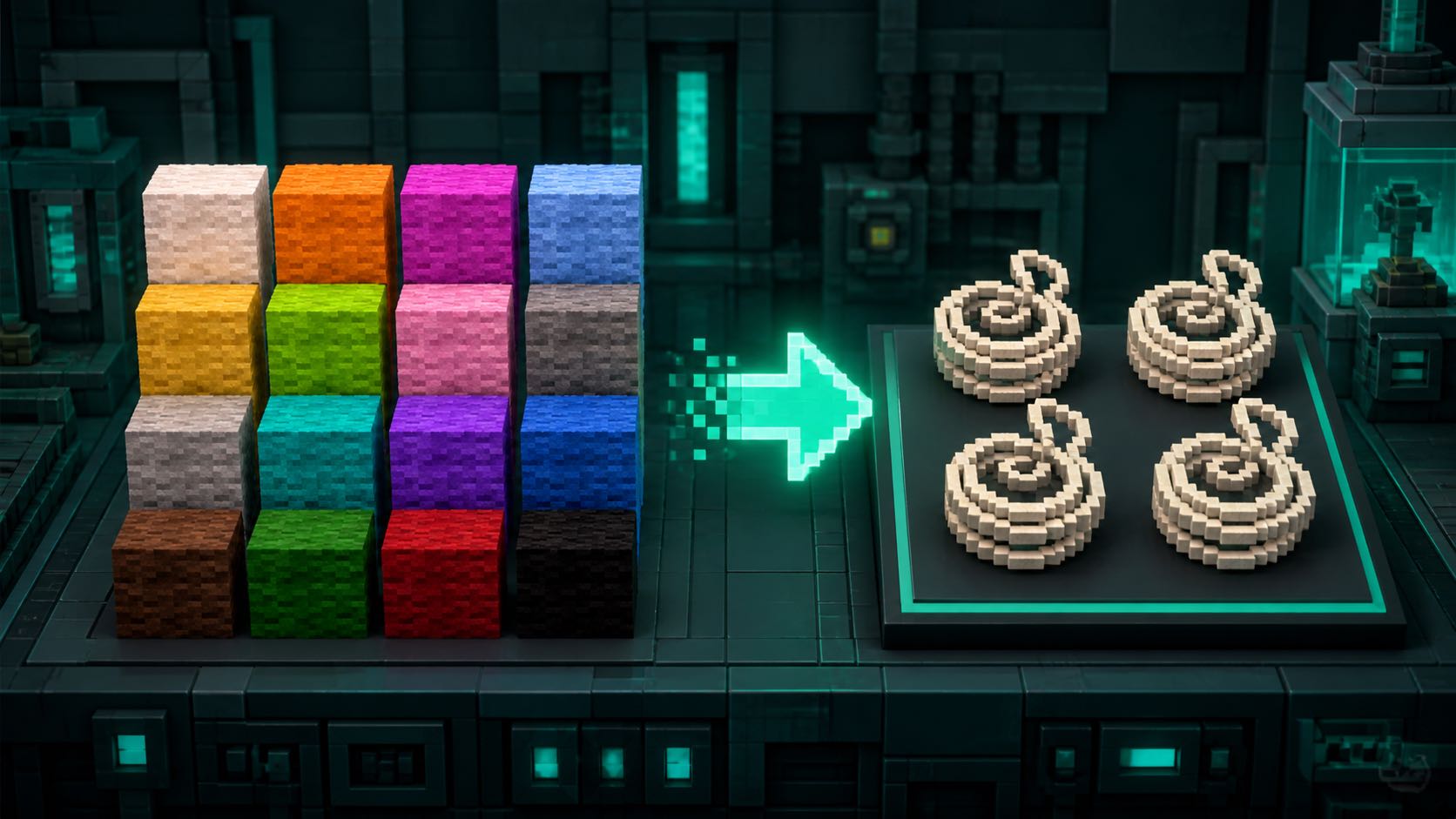
What MineBrush Wool Recovery does
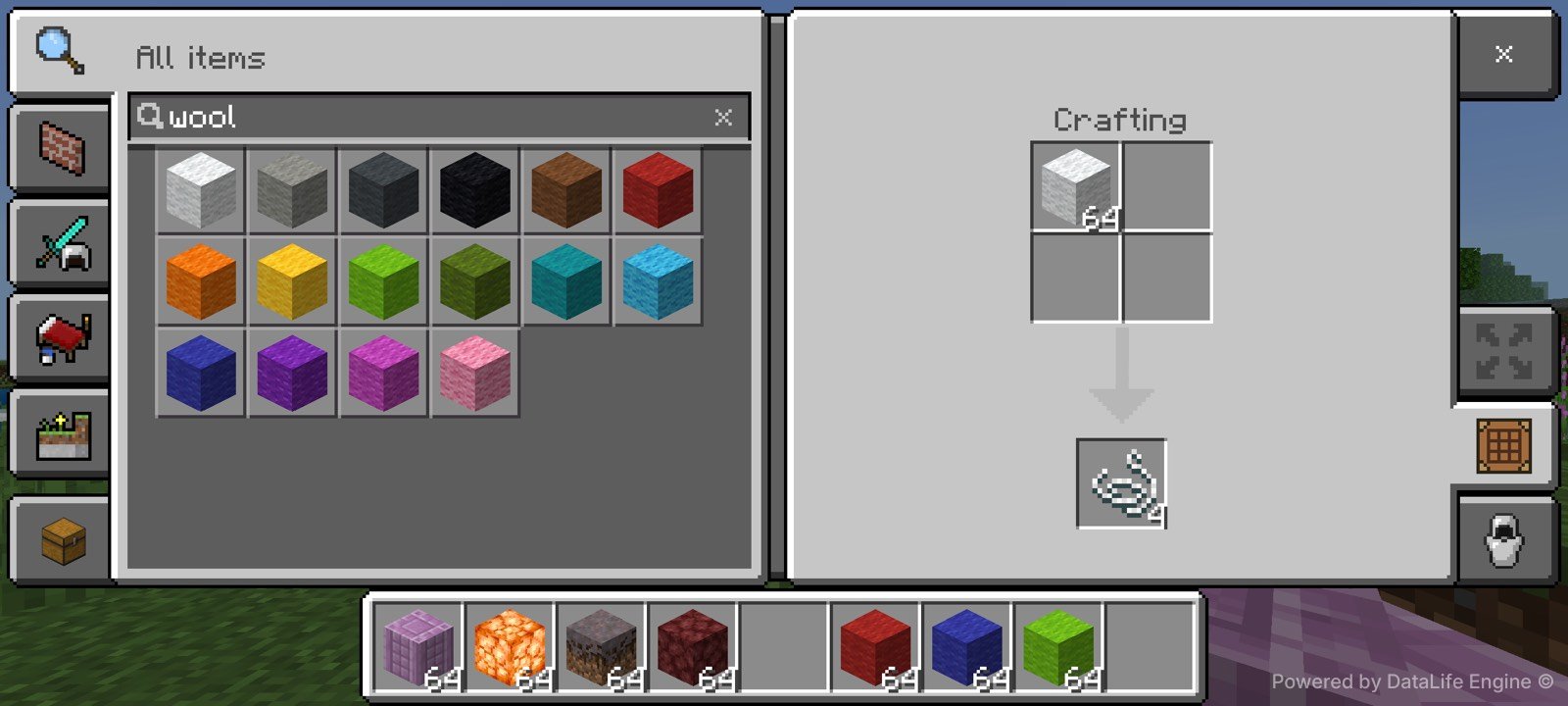
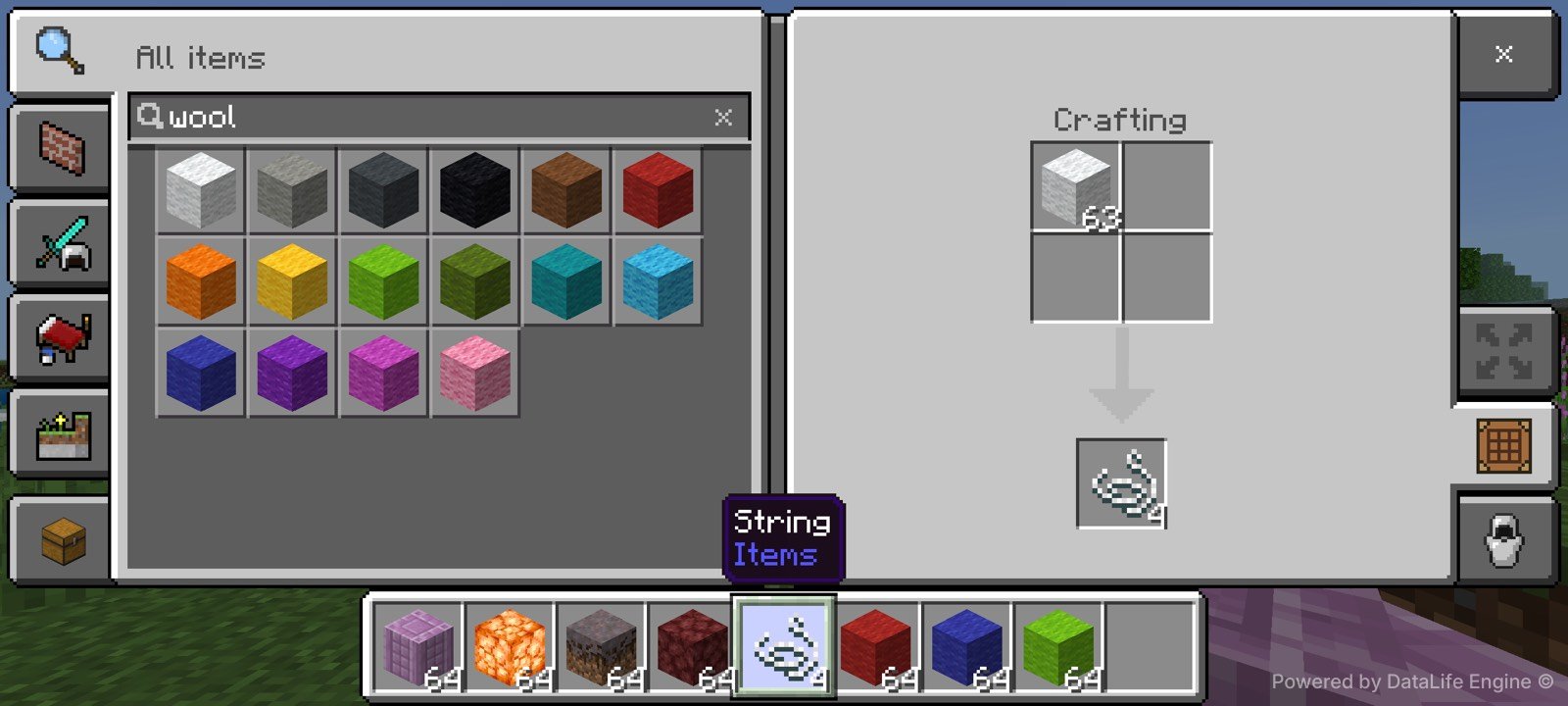
MineBrush Wool Recovery 1.0.7 is a first-party Bedrock behavior pack from MineBrush Labs. It adds one focused utility: place one vanilla wool block of any color in a crafting grid and receive four string. The recipes are shapeless, require no experiments, scripts or dependencies, and do not add items or modify world generation.
Best for: survival players who have spare wool and need string. Skip it if: another active behavior pack already replaces wool or string recipes, unless you test the combination in a disposable world first.
Verified test matrix
| Check | Verified result |
|---|---|
| Edition and build | Minecraft Bedrock app 1.26.40.5, visible version v26.40 |
| Device | OnePlus LE2117, Android 14 / API 34 |
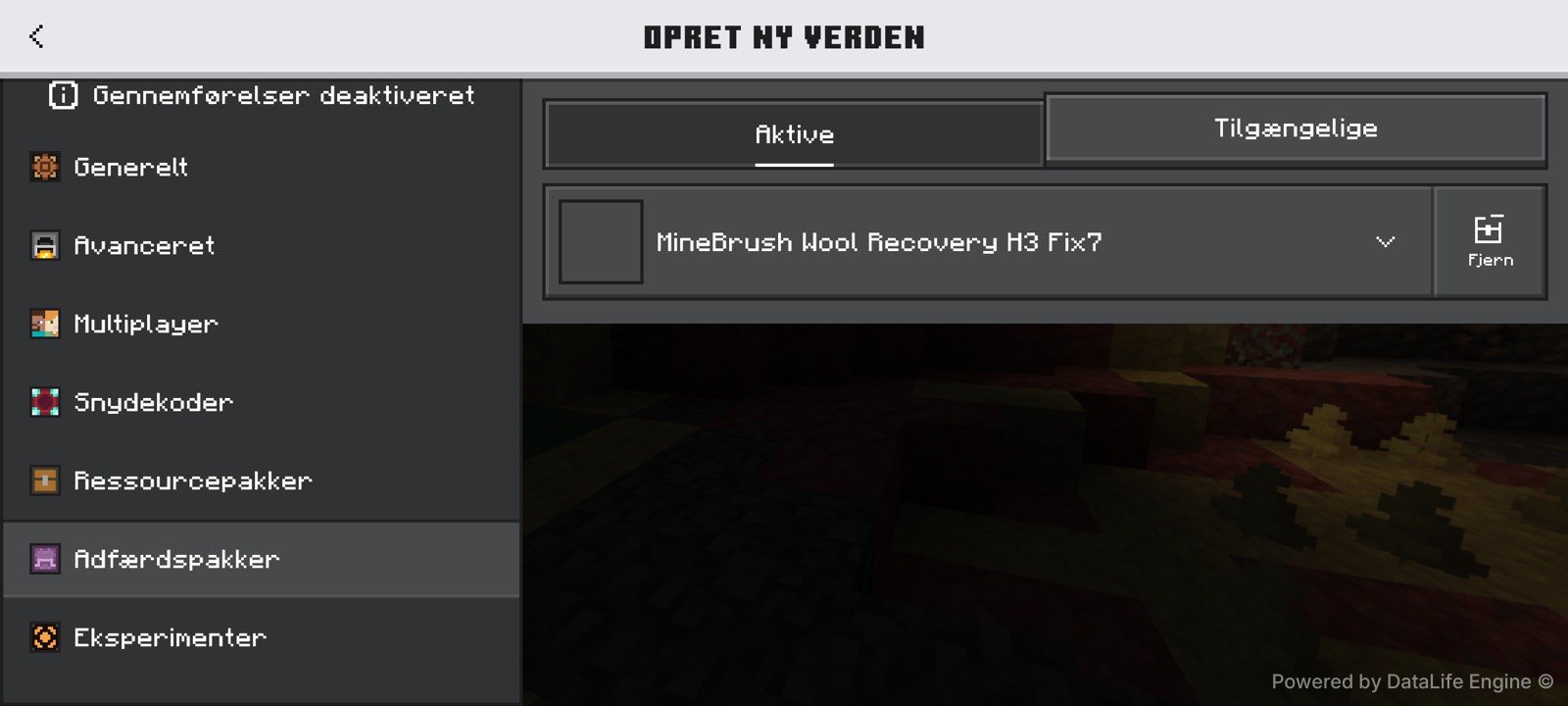
| Pack state | Fix7 was the sole visible active behavior pack during the diagnostic capture |
| Recipe definitions | All 16 shapeless JSON recipes passed static archive validation |
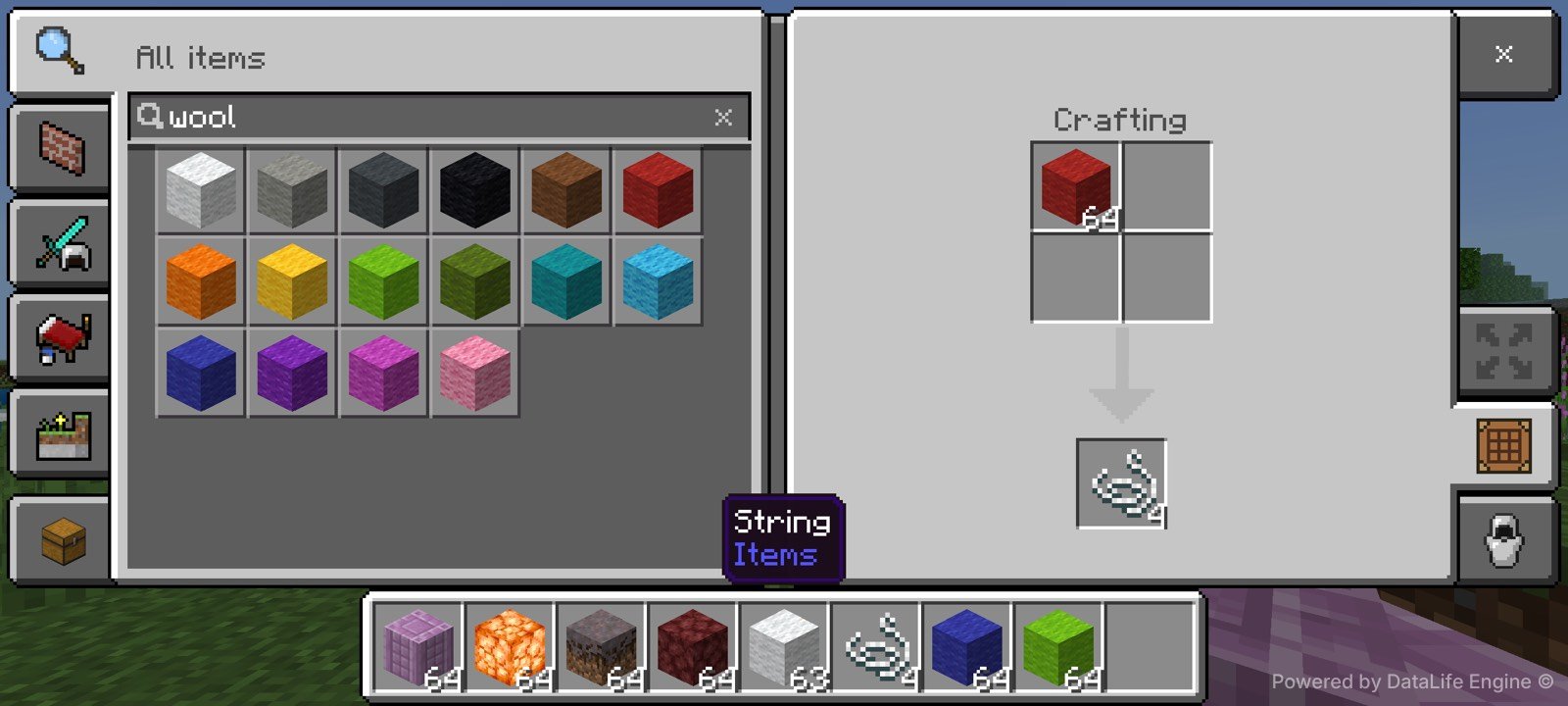
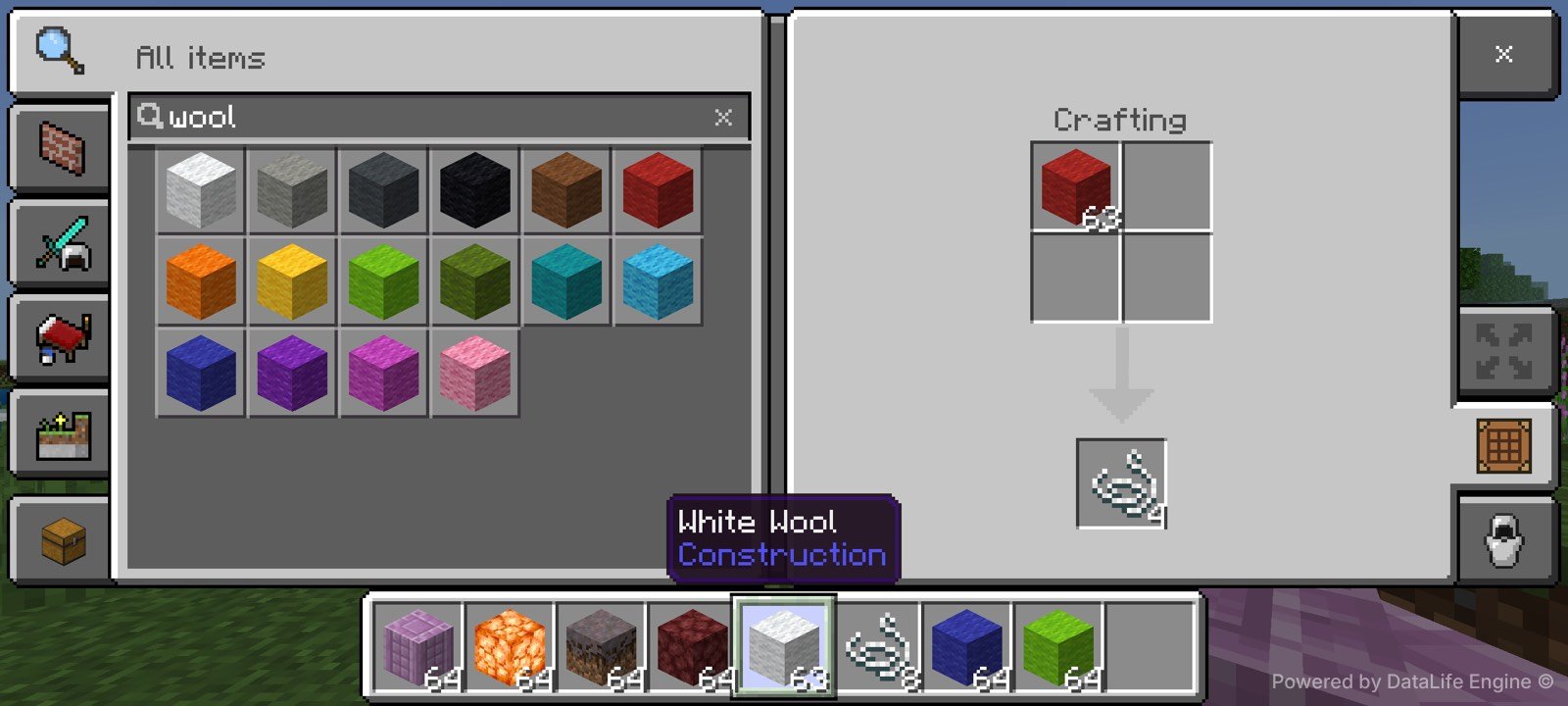
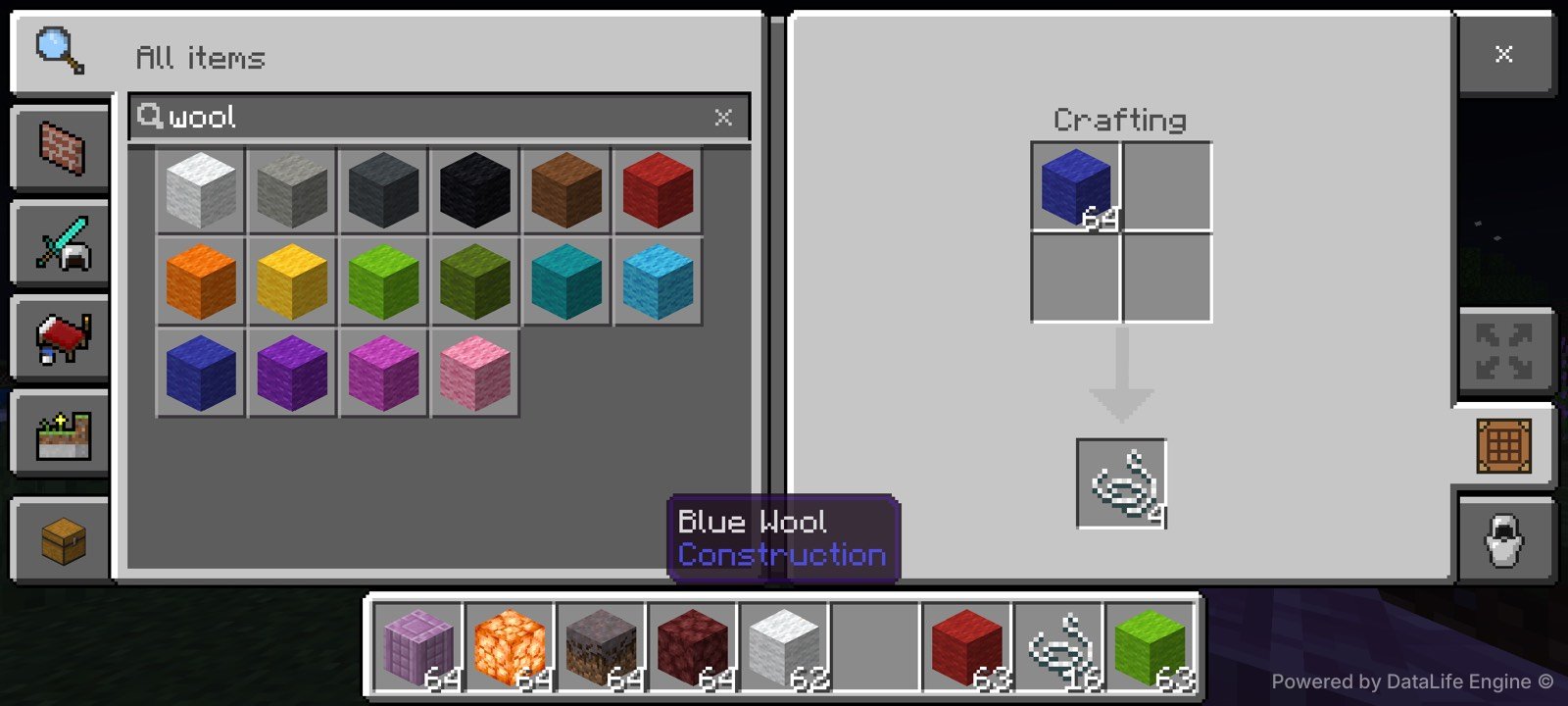
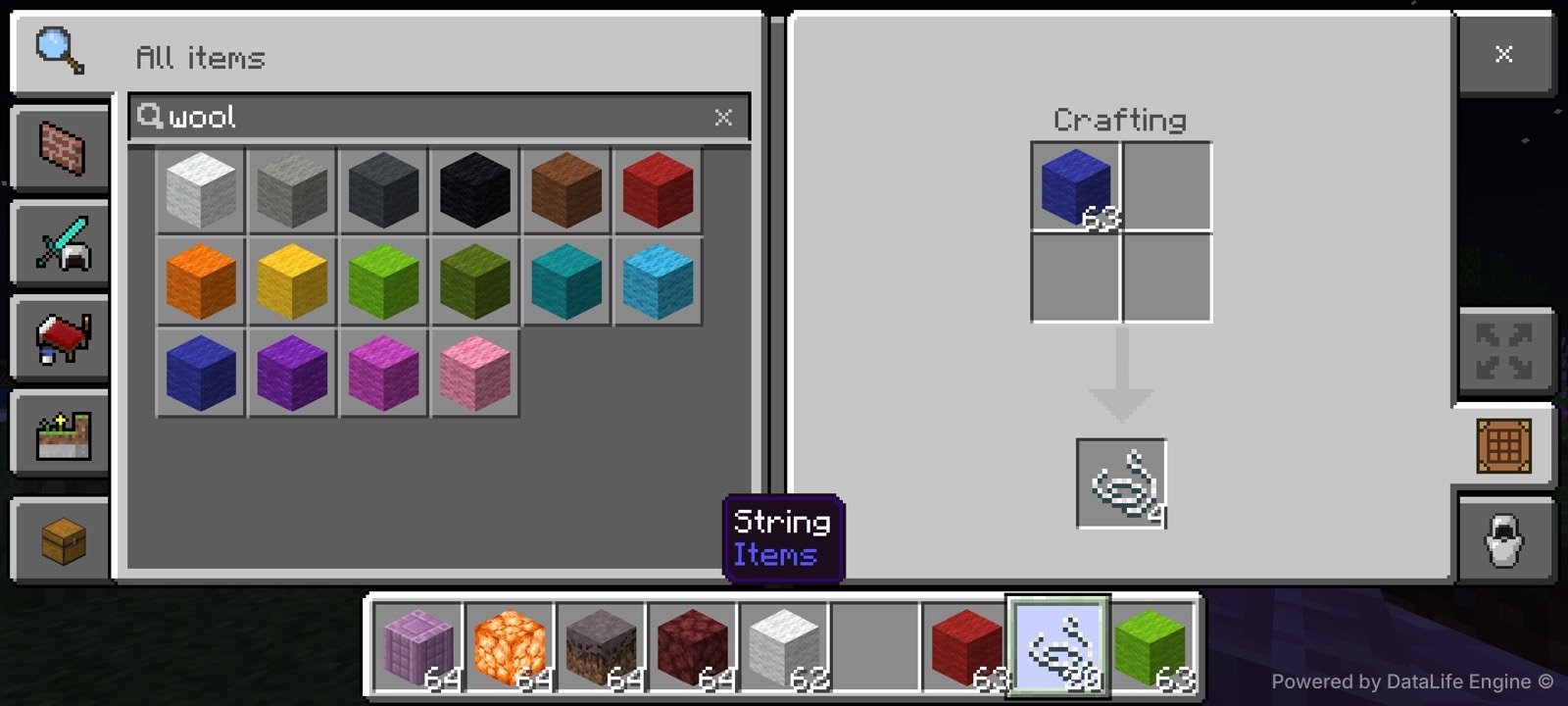
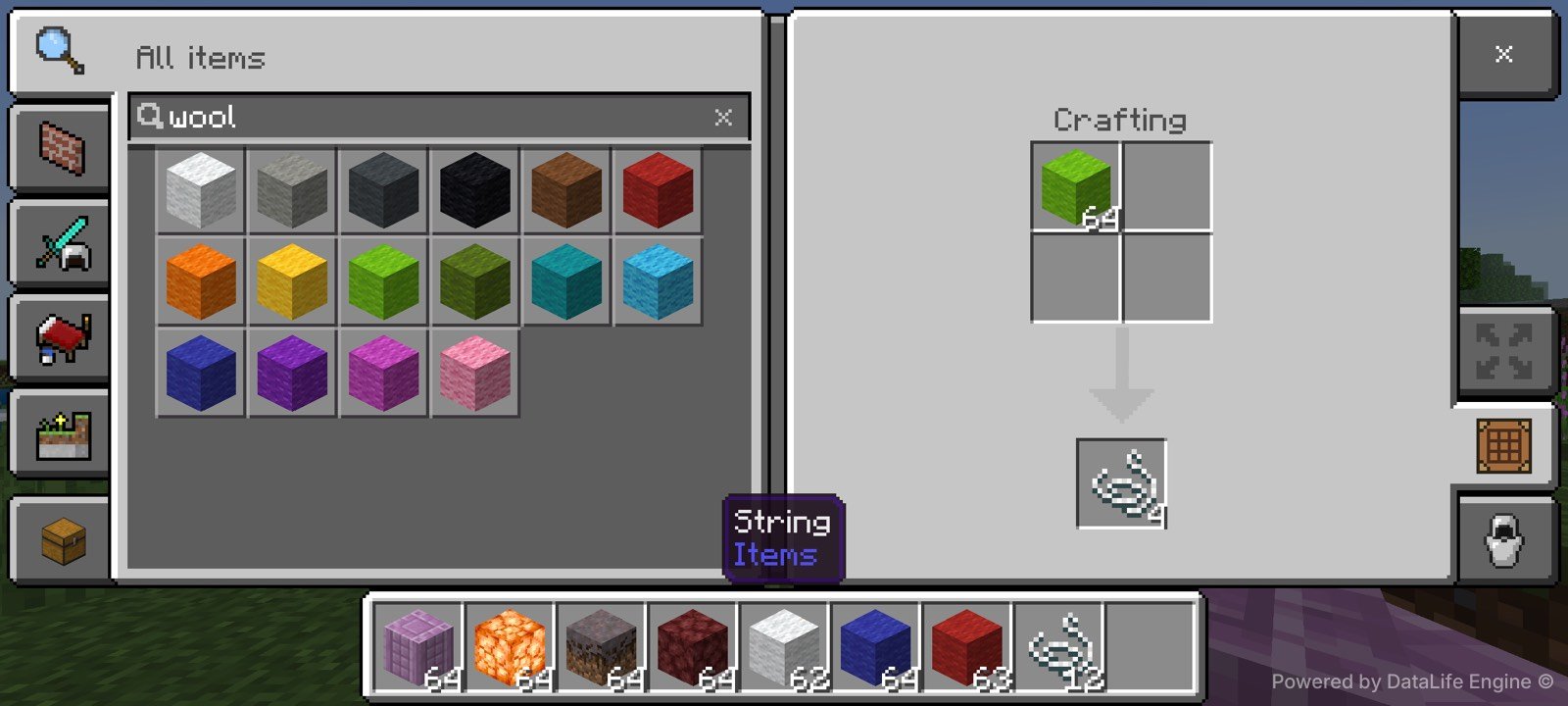
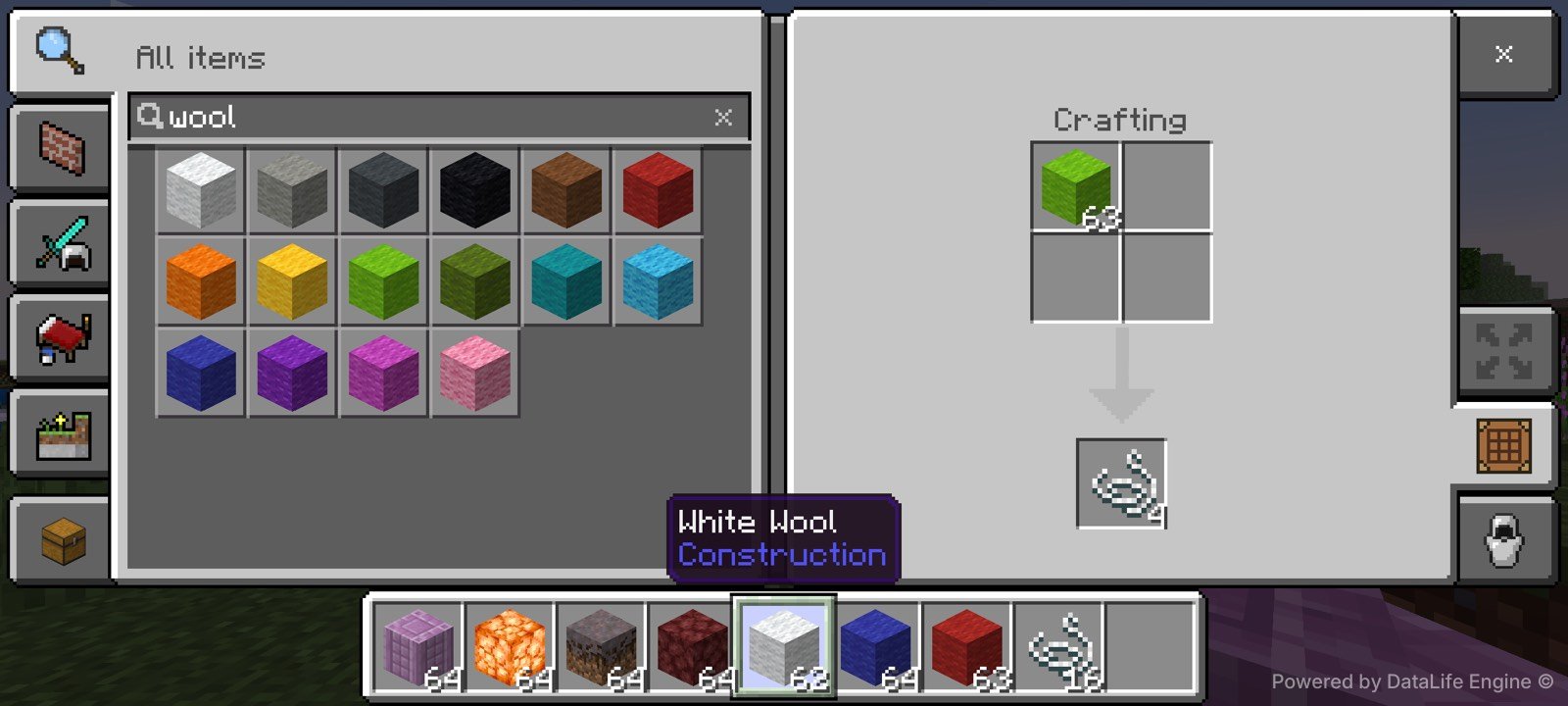
| Physical H3 crafting tests | White, red, corrected blue and lime: exactly 64→63 wool and +4 cumulative string |
| Persistence | Save, quit and reload passed |
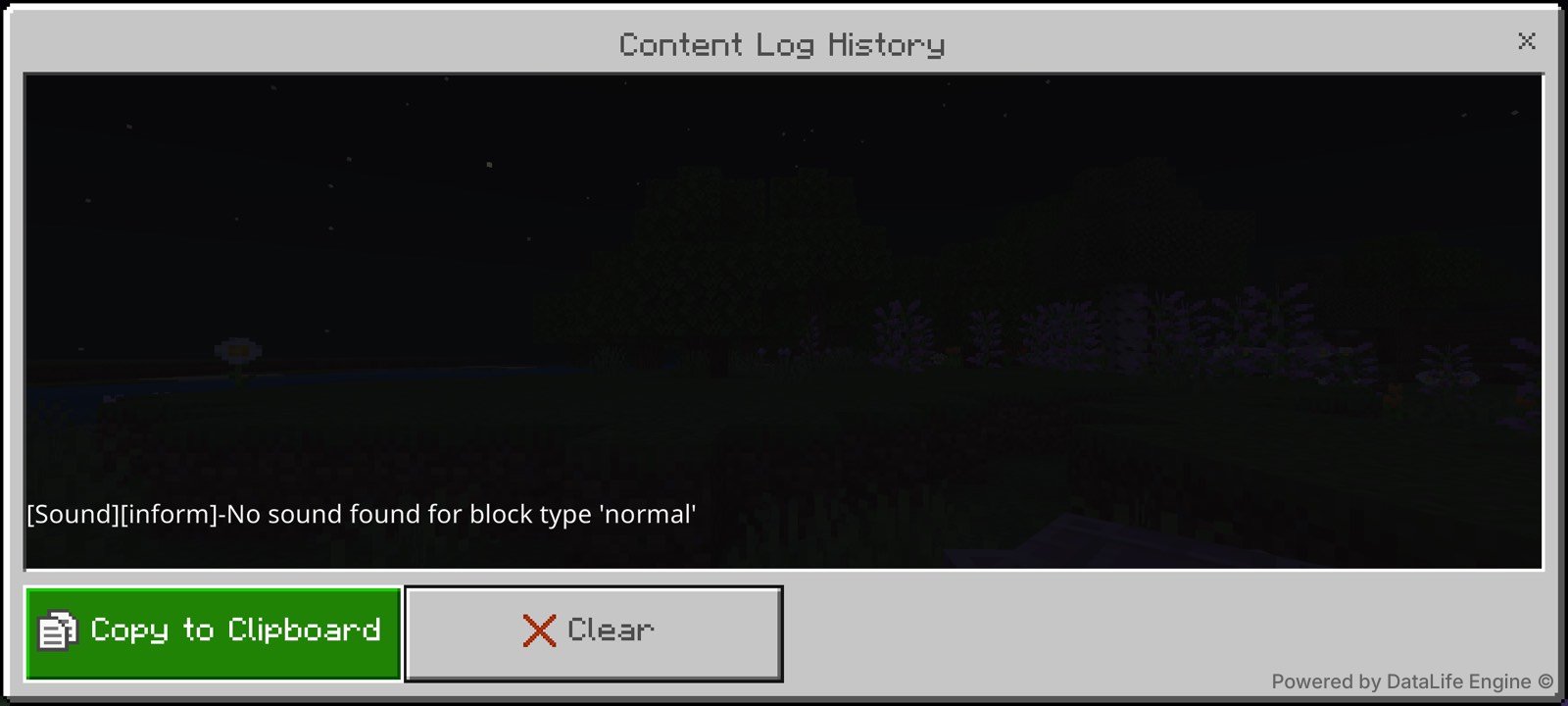
| Content Log | No recipe or content errors; one benign Sound Inform line only |
| Not separately device-tested | The remaining 12 colors and non-Android Bedrock platforms |
All 16 wool recipes
| Input | Output | Validation |
|---|---|---|
| White wool | 4 string | Static + physical H3 |
| Orange wool | 4 string | Static recipe check |
| Magenta wool | 4 string | Static recipe check |
| Light blue wool | 4 string | Static recipe check |
| Yellow wool | 4 string | Static recipe check |
| Lime wool | 4 string | Static + physical H3 |
| Pink wool | 4 string | Static recipe check |
| Gray wool | 4 string | Static recipe check |
| Light gray wool | 4 string | Static recipe check |
| Cyan wool | 4 string | Static recipe check |
| Purple wool | 4 string | Static recipe check |
| Blue wool | 4 string | Static + corrected physical H3 |
| Brown wool | 4 string | Static recipe check |
| Green wool | 4 string | Static recipe check |
| Red wool | 4 string | Static + physical H3 |
| Black wool | 4 string | Static recipe check |
Real in-game evidence
The gallery below contains only MineBrush-owned, privacy-clean captures from the approved Fix7 evidence manifest. The earlier rejected blue pair and device-settings frames are excluded.
Install the .mcpack
- Use the dedicated download button in the resource card on this page.
- Confirm the file name ends in .mcpack.
- Open the file with Minecraft and wait for the successful import message.
- Create a test world, or back up an existing world before editing it.
- Open Behavior Packs → My Packs, select MineBrush Wool Recovery 1.0.7 and choose Activate.
- Place one wool block in a crafting grid and confirm that the output is four string before continuing in an important world.
Backup, update and removal safety
The pack changes crafting recipes only and does not create custom world data. Even so, make a copy of an important world before activation or updating. To remove it, leave the world, edit its Behavior Packs, deactivate MineBrush Wool Recovery, then reopen the world and confirm vanilla crafting behavior. Keep the verified 1.0.7 file with the world backup so the tested state can be restored.
Troubleshooting
| Symptom | Likely cause | First safe action |
|---|---|---|
| Minecraft does not open the download | The browser renamed or removed the .mcpack extension | Confirm the file ends in .mcpack and download it again with the dedicated button |
| Recipe does not appear | The behavior pack is not active in this world | Check Behavior Packs → Active and confirm version 1.0.7 |
| Different output or recipe conflict | Another pack changes wool/string recipes | Test MineBrush Wool Recovery alone in a new disposable world |
| Old behavior after an update | The world/session has not reloaded the pack | Save, quit, reopen and recheck the active-pack list |
| Content Log reports a recipe error | Wrong or damaged package | Remove it and redownload; compare the SHA-256 below before reactivating |
Version history
1.0.7 (Fix7): corrected the recipe implementation, validated all 16 recipe definitions, completed strict physical H3 pairs for white, red, corrected blue and lime wool, passed save/quit/reload, and finished with a clean recipe/content log.
Release identity and integrity
- Author: MineBrush Labs
- License: MIT
- Source: first-party MineBrush release; the .mcpack contains the manifest and JSON recipe source
- Version: 1.0.7 (Fix7)
- Format: .mcpack behavior pack
- Size: 5,606 bytes
- SHA-256:
cc8ceed6ac4b047064c90fe542352a5fb22ceb8426176b120ac1b91204d68644 - Dependencies: none
The unique cover is an illustrative MineBrush render and is not gameplay evidence. Gallery images are in-game MineBrush captures. MineBrush is an independent project and is not affiliated with Mojang Studios or Microsoft. Minecraft is a trademark of Microsoft.
PLAYER QUESTIONS
Discussion
Include the exact edition, version and step when asking for help.