 MineBrush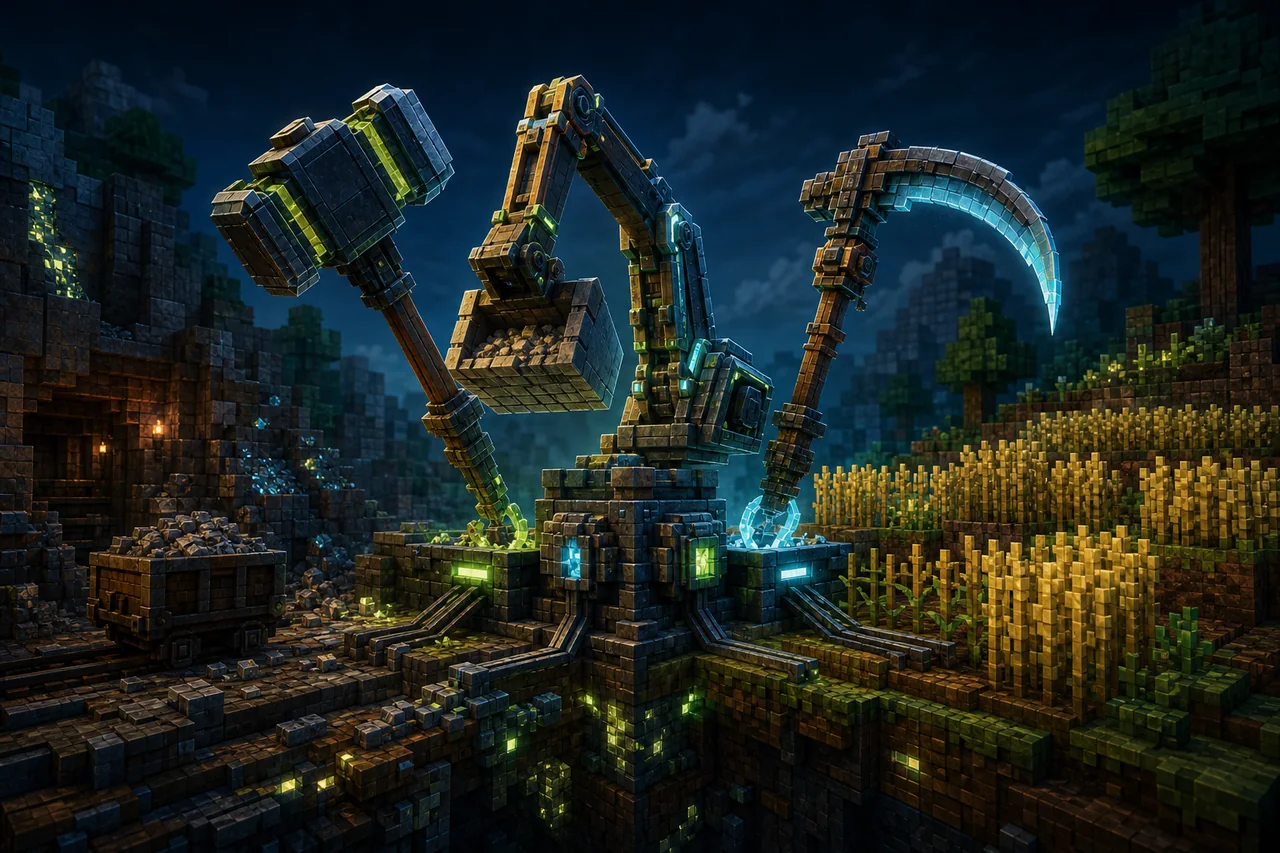
Hammers + Excavators + Scythes v1.0.11 adds purpose-built 3×3 tools to Minecraft Bedrock. Hammers mine groups of pickaxe-type blocks, Excavators clear soft terrain, and Scythes work a wider farm area. The value is speed; the risk is removing nine blocks when you meant to touch one.
The current release is a two-file install, not a single add-on. Match the v1.0.11 resource entry displayed as RS Pack with the v1.0.11 behavior entry displayed as BH Pack. Their exact filenames identify them as RP and BP files. Import both, then test the matching pair in a disposable world.
What each 3×3 tool is for
- Hammers: 3×3 alternatives to pickaxes for pickaxe-type blocks. Use them for broad mining faces, not precision work around builds or valuable blocks.
- Excavators: 3×3 shovels for dirt, sand, gravel, snow, and other soft terrain described by the project.
- Scythes: prepare a 3×3 farmland area, harvest mature crops, automatically replant, and clear grass or weeds.
The checked project page advertises multiple material tiers, but it does not publish a complete current tier, recipe, durability, mining-level, enchantment, or repair matrix for v1.0.11. Use the in-game recipes and a test world as the authority for the exact pair you import.
v1.0.11 needs two matching files
- Resource entry:
Simplest_Hammers_Excavators_Scythes_RP_v1.0.11_29_Languages.mcpack, CurseForge file8710596, displayed as RS Pack V1.0.11,139,452bytes by header-only check. - Behavior entry:
Simplest_Hammers_Excavators_Scythes_BP_v1.0.11_29_Languages.mcpack, CurseForge file8710592, displayed as BH Pack V1.0.11,145,785bytes by header-only check.
Both were published August 22, 2026. The current files list the same Bedrock labels, from 26.30 through several earlier 26.x and 1.21.x builds. Matching version numbers matter more than combining a new behavior file with an older resource file that merely imports successfully.
CurseForge's dependency page lists zero related project dependencies. That does not make either sibling file optional: the project distributes its own visual and behavior components as two separate file records rather than a dependency relation.
Safe import route
- Open the creator's file list and select the v1.0.11 resource and behavior records named above.
- Import both
.mcpackfiles. Confirm Minecraft reports successful imports and that both v1.0.11 entries appear in storage. - Create a flat disposable world and activate the matching resource and behavior entries.
- Craft or obtain one tool from each family, then test its intended vanilla block group away from structures and containers.
- Save, fully restart, and confirm the tools, durability, farmland, crops, and dropped items persist.
The creator does not publish an exact priority instruction between these two matching components. Do not invent a priority rule. If another resource pack changes tool textures or names, record the active stack and test which visual layer wins.
Test the 3×3 mining boundary
Stand in front of a plain wall made from a single common block and mark the center. Break once, then count the removed area. Repeat while looking at the floor, ceiling, and edge of a mixed-material patch. This reveals how the tool orients its plane and which neighboring blocks qualify.
Do not begin beside a chest, redstone build, portal frame, decorative wall, or exposed ore vein. The checked release text does not establish protection against every tile entity, custom block, claim system, vein-mining pack, or accidental edge case. Keep a normal pickaxe on the hotbar for precision work.
Excavator checks for gravity blocks
Sand and gravel can fall after a 3×3 break, exposing lava or dropping a larger column than expected. Test from a safe angle with an escape route. Compare dirt, sand, gravel, and snow separately rather than assuming every shovel-type block follows the same rule.
Measure durability after one 3×3 action and count actual drops. The creator page does not state whether durability cost is one point, one point per block, or tier-dependent, nor does it define Silk Touch, Fortune, Mending, hunger, or XP behavior for every target.
Scythe checks before using a real farm
Build a small test plot with mature and immature crops, empty farmland, grass, and a barrier at one edge. Use the scythe once in each situation. Confirm which crops are harvested, which are left alone, whether seeds are consumed during auto-replant, where drops land, and whether hydration or trampling state changes.
Automatic replanting can conflict with crop expansions, custom seeds, protection systems, and automation packs. The checked description supports the general feature but not every vanilla crop, add-on crop, age property, inventory-full state, or server permission boundary.
What v1.0.11 changes
The resource-file changelog updates Japanese material and tool names and the Spanish pack description. That is useful for the project's advertised 29-language presentation, but it is not a mechanics or balance change. The exact behavior-file changelog was not independently available in the checked page output, so this guide does not invent one.
Players upgrading for localization should still match both v1.0.11 files. A new resource file can correct text while leaving an old behavior pack's recipes or mechanics unchanged.
Multiplayer and pack conflicts
No exact Realm, dedicated-server, joining-client, permissions, claim-plugin, reconnect, or cross-device matrix was verified for v1.0.11. Before community rollout, have a second account join, obtain the tools, break a controlled 3×3 area, harvest a test crop, die, reconnect, and repeat after a server or host restart.
Likely overlaps include vein miners, connected-block breakers, tree capitators, custom tool systems, crop harvesters, auto-replant scripts, durability rewrites, recipe packs, and protection layers. MineBrush's VeinCapitator guide covers a different connected-block mechanic; do not combine the two until each works alone.
Get both creator file records
CurseForge displays the project under the MIT license, but MineBrush has not inspected the archives for bundled notices or third-party assets and does not mirror them. Open the creator's complete file list, then verify the exact v1.0.11 resource file and v1.0.11 behavior file. Microsoft's Bedrock add-on installation guide explains standard pack import.
More Bedrock resource guides are organized in the MineBrush Bedrock add-on library.
Unknowns that block stronger promises
- Archive hashes, manifests, UUIDs, module versions, scripts, namespaces, bundled notices, and exact activation priority.
- The complete v1.0.11 recipe, tier, mining-level, durability, repair, enchantment, hunger, drop, XP, and custom-block matrix.
- Scythe behavior for every vanilla or add-on crop, immature crop, empty inventory, protected plot, and auto-replant edge case.
- Support for Bedrock builds not listed on the two exact file records.
- Realm, server, second-client, reconnect, achievement, device, and measured performance behavior.
PLAYER QUESTIONS
Discussion
Include the exact edition, version and step when asking for help.